
Daily cleaning scopes are hard to prove
When every cleaner takes photos differently or misses a required photo, supervisors and clients cannot confirm the full scope was completed.
TIMEMARK FOR COMMERCIAL CLEANING TEAMS
Record arrival, cleaning scope, required photos, issues, and completion at each client site.
✓ Give clients and supervisors a consistent record of each cleaning scope, from arrival to completion.

A CLEAN SPACE IS NOT THE WHOLE SERVICE RECORD
Daily cleaning scopes, changing conditions, and client expectations need a clear record. When a photo is missing, managers may not be able to show the task was done.
When every cleaner takes photos differently or misses a required photo, supervisors and clients cannot confirm the full scope was completed.
A photo sent later may not show when or where work happened. Timemark photos show capture time and location, which cannot be edited and can be verified.
A completed-service record helps the person approving or paying for the work review the site, time, team, and task details.
THE MOMENTS THAT CANNOT BE RECREATED
Cleaning changes the evidence quickly. Capture the area, task, crew, time, and site condition before, during, and after service.

Capture the original condition of the assigned area, including spills, trash, stains, and existing damage before cleaning changes the space or a dispute starts.

Document leaks, broken fixtures, stains, property damage, or other unexpected issues before they are moved, cleaned, or repaired.

Record the finished condition before the team leaves, creating clear proof that the assigned area was cleaned and ready for use.
RECORD THE SERVICE MOMENTS THAT MATTER
From arrival through quality review, create a consistent service story for every client location.
Record the location, scheduled task, arriving or departing team, and any site condition that affects the work.
Capture completed areas, deep-clean results, restocking needs, or exceptions with the context a supervisor or client needs to review.
A PHOTO TEMPLATE FOR EACH SERVICE TASK
Use team photo templates and required checklists so crews capture each step of the cleaning scope.
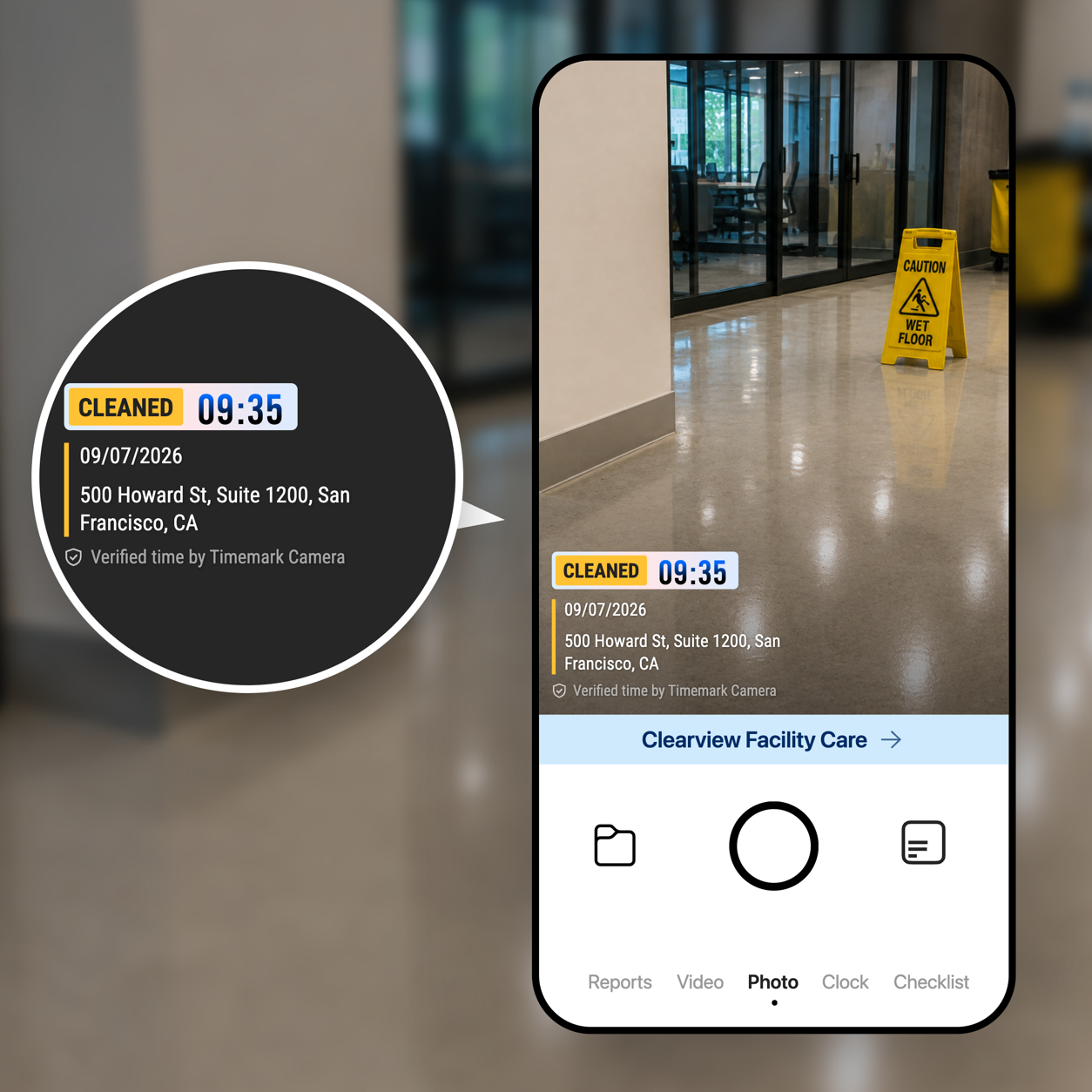
Use team photo templates for arrival, cleaning, issues, and completed-service photos. Require templates when needed.
Include the logo, project, address, coordinates, notes, and custom fields in the photo at capture.
ONE TEAMSPACE FOR EVERY CLIENT SITE
Photos from cleaners and supervisors sync into Teamspace, organized by site, member, and date, so a manager can review a visit or answer a client question without chasing phones.
Sign up for Teamspace →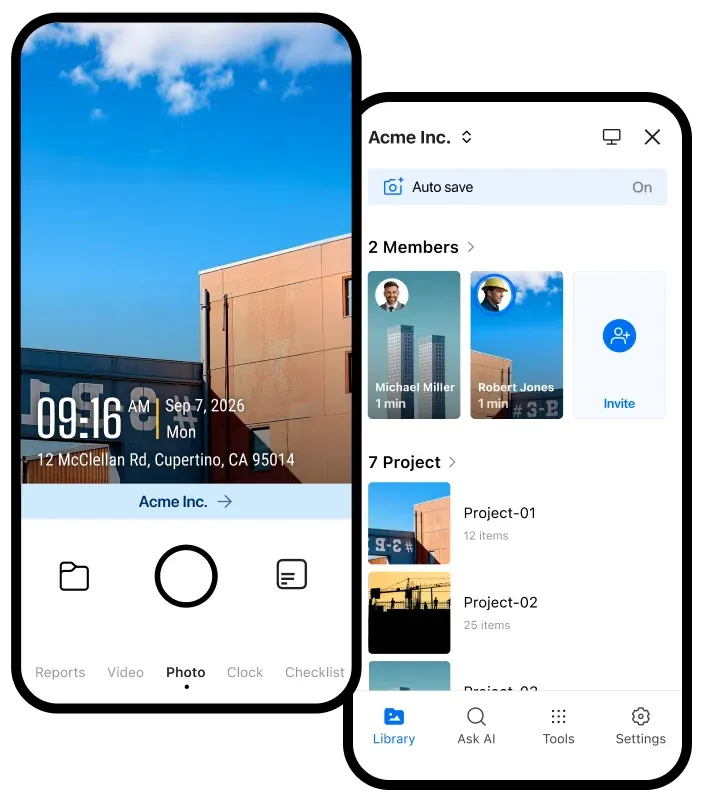
Arrival, before, after, and issue photos from each cleaner land in the same site record instead of personal albums and group chats.
Supervisors can see whether the required photos are in while the team is still on site.
Share a link or export a PDF, Excel, or ZIP report for the person approving or paying for the service.
KEEP EXPLORING
Explore practical Timemark tools for documenting cleaning work, organizing service photos, and sharing clear records with clients.
Share verified field records with the storage and automation tools your team already uses.

Automatically send verified jobsite photos and reports to the Google Drive folders your team already uses.

Keep project evidence available in OneDrive so office teams and field teams work from the same record.

Send job events and verified field records to the internal systems and automation tools your team relies on.
BUILT FOR COMMERCIAL CLEANING
Keep every visit ready for the supervisor, client, or person approving payment, with required photos for each cleaning scope.
Get Timemark free →