Best Way to Collect Photos from a Group For Work Teams

Best way to collect photos from a group: Timemark’s app/web tool lets participants upload, share, and organize work photos securely in the cloud, sorted by project or member.
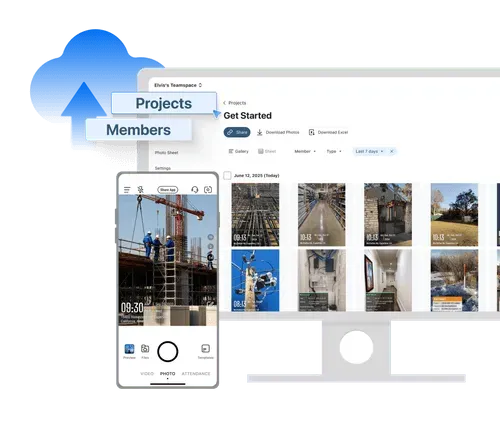
The interface of the construction photo documentation tool on the web and mobile portal

Trusted by 3.7M field pros and teams from

Charter logoSpectrum logoCoca cola logoUnilever logoSeven eleven logoAIA logoG4S logoCoteccons logoMasTec logoWaskita logo
Charter logoSpectrum logoCoca Cola logoUnilever logoSeven Eleven nlogoWalmart logoG4S logoContecons logoWaskita logoMasTec logo
Looking for the best way to collect photos from a group?

• Wasting hours manually organizing photos instead of focusing on your projects?

• Missing key details in photos that lead to mistakes or delayed tasks?

• Sending unprofessional, disorganized photo folders to clients that risk your reputation?

Feature Image

Timemark in Action – Real Work Use Cases
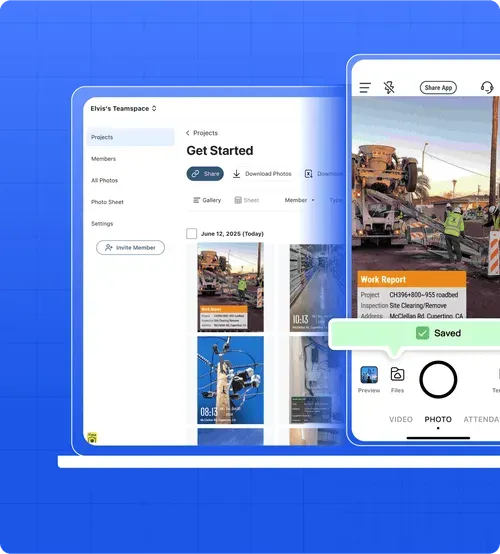
Interface showing "Elvis's Teamspace" with project management features, including a gallery of photos and a mobile phone displaying a construction site photo with a "Saved" notification.​Feature Image

Construction Site Documentation

Best way to collect photos from a group: Capture and upload project progress photos with Timemark, so every participant—from laborers to managers—can track builds clearly. No more guessing which photo shows the latest wall work or where it fits in the project.
Feature Image

Field Service Reports

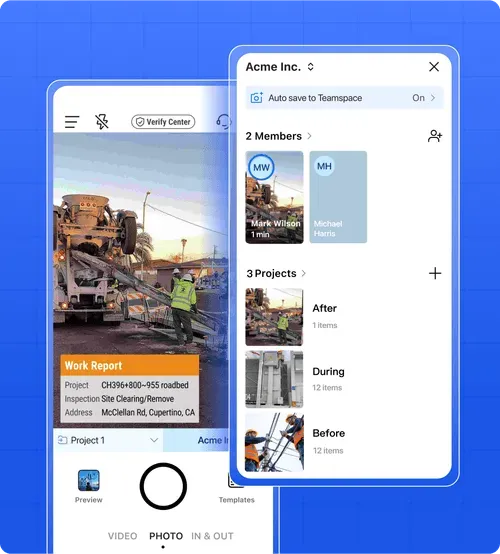
Best way to collect photos from a group: Attach before-during-after photos to service reports with Timemark, so participants can upload and share work transparently. Clients see exactly how you fixed their heater, without extra explanation.
Feature Image

On-Site Surveys & Inspections

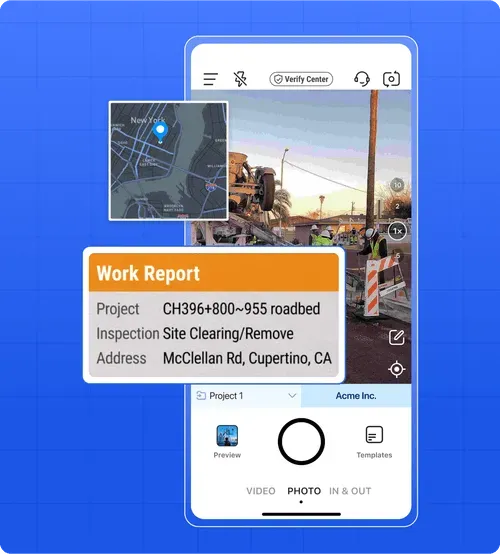
Best way to collect photos from a group: Geotag survey photos with Timemark, so office teams can review sites remotely. Participants can upload and share photos with inspector notes and exact locations, making reviews faster.

Best Way to Collect Photos from a Group
– Why Timemark Works Better for Your Team

Aspect
Google Photos
Email/SMS
Timemark
Purpose
Personal use (vacations, weddings)
Casual file sharing
Casual file sharing
Organization
Mixes personal and work photos, hard to find site shots
No organization. Photos get lost in threads
Sorts by project/member. Work photos are easy to find
Reliability
Not built for work file security
Files corrupt, downloads slow, images go missing
Secure, central storage. No broken files or lost photos

Customer Testimonials

"Timemark auto-sorts our site photos by project. No more digging through emails. We saved 5 hours a week on organizing, which lets us focus on builds."

– Mike, Construction Contractor

"Auto-geotagging on Timemark’s app is a game-changer. Our team accesses survey photos fast, and we deliver professional packs to clients quicker."

– Pete, Land Surveyor

"“Before-during-after” photos for reports are easy with Timemark. Clients love the clear docs, and we never deal with corrupted images anymore."

– Barnie, Field Service Team Lead

"Timemark keeps all photos in one secure spot. No more lost shots. We share project links with clients, and their trust in our work went up."

– Marnie, Construction Project Manager

"Timemark’s map view lets our office check cable install photos by location. No more explaining where we worked. Saved us so much time!"

– Jake, Telecom Contractor

“Best way to collect photos from a group: I don’t need to email photos anymore. Timemark lets participants upload and share them automatically, so generating service reports takes 10 minutes instead of an hour.”

– Lisa, Field Service Technician

Frequently Asked Questions

What is the best way to collect photos from a group?
Faq Icon
Can participants submit photos from different devices?
Faq Icon
Can photos be shared with clients?
Faq Icon
Is Timemark suitable for offline use?
Faq Icon

Try Timemark Free – the Best Way to Collect Photos from a Group

Join Timemark now to auto-collect, organize, and share work photos. No more messy files, just smooth project docs for your team.