
Best Site Inspection App: Timemark for On‑Site Teams
Site inspection app Timemark automatically collects your field photos for free, sorts them by project and team member, cuts manual work, creates audit-ready reports, and lets you share them fast—saving time on site inspections.
Trusted by 3.7M field pros and teams from










Sick of Messy Field Photos and Wasted Time?
You spend hours sorting site photos manually, digging through folders to find the right shots. Constantly emailing photos back and forth, creating confusion and lost files. Panicking when key shots for inspections are missed, risking delays and rework. Chaos that slows your team and puts safety compliance at risk. Difficulty tracking who submitted which photos, making audits stressful. Time wasted recreating reports manually, instead of focusing on actual site inspections. Limited visibility into team activity, causing miscommunication and inefficiencies. Site inspection app Timemark auto-sorts your photos by project and member. No more manual work—create audit-ready reports, share fast, and fix that data mess!
Features That Make Field Inspections Easier
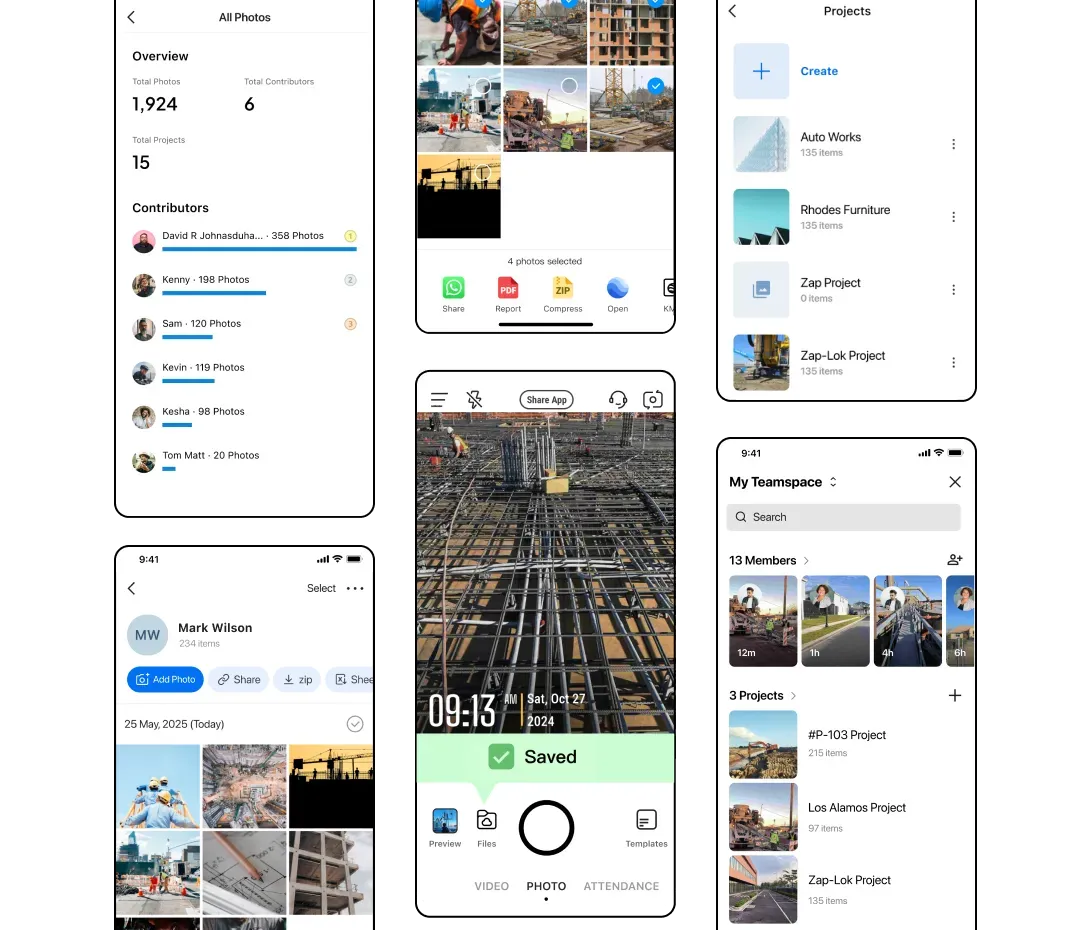
Auto Photo Collection
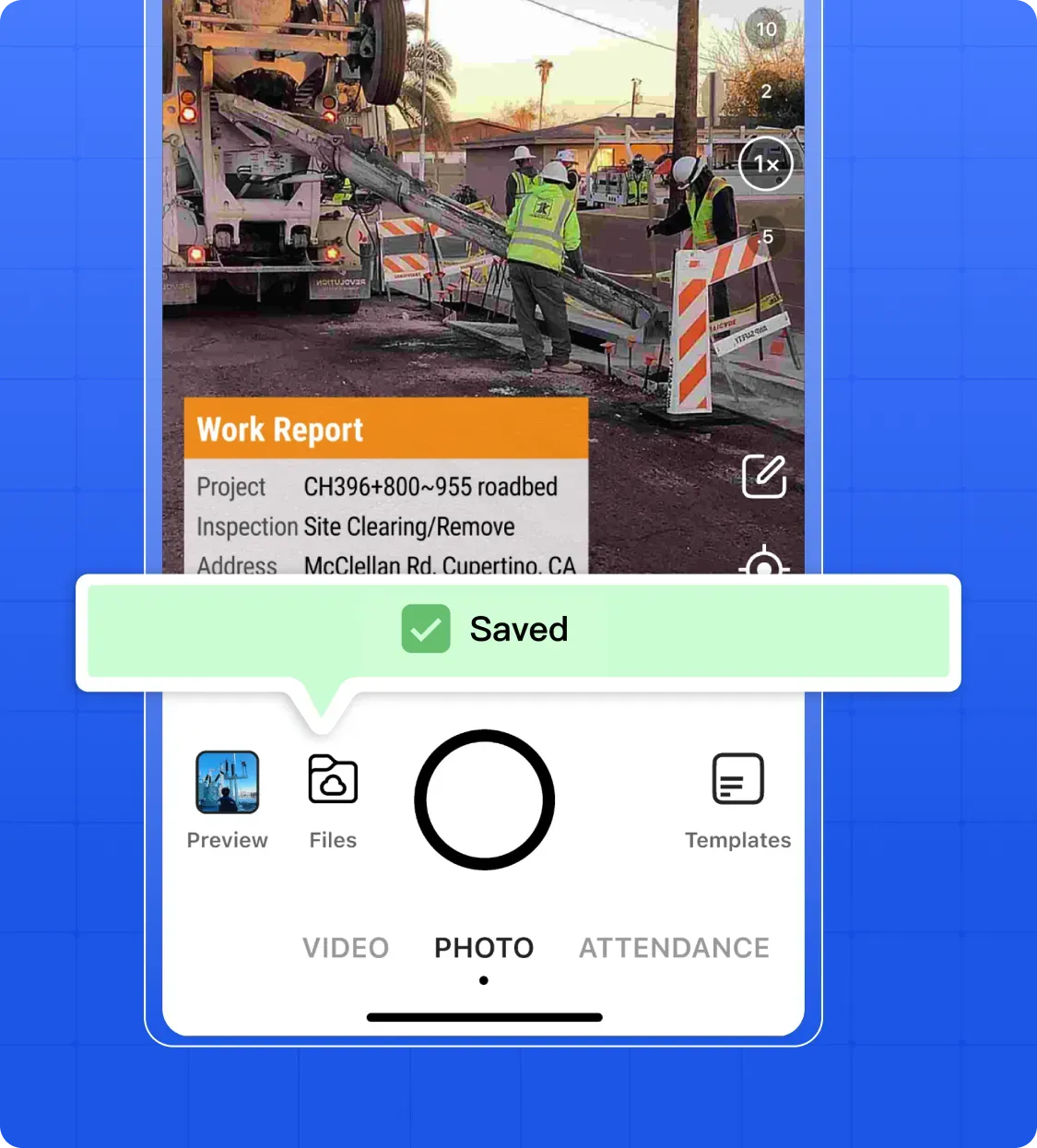
Automatically collect photos from team devices, saving time and ensuring no detail is missed-time, location, note or any detail you need.
- Seamless Capture: Photos are pulled from devices without manual uploads.
- Smart Categorization: Automatically organizes images by projects and members.
- Effortless Tracking: Every site activity is documented in real-time.
- Ready for Review: Photos are immediately available for inspection or auditing.
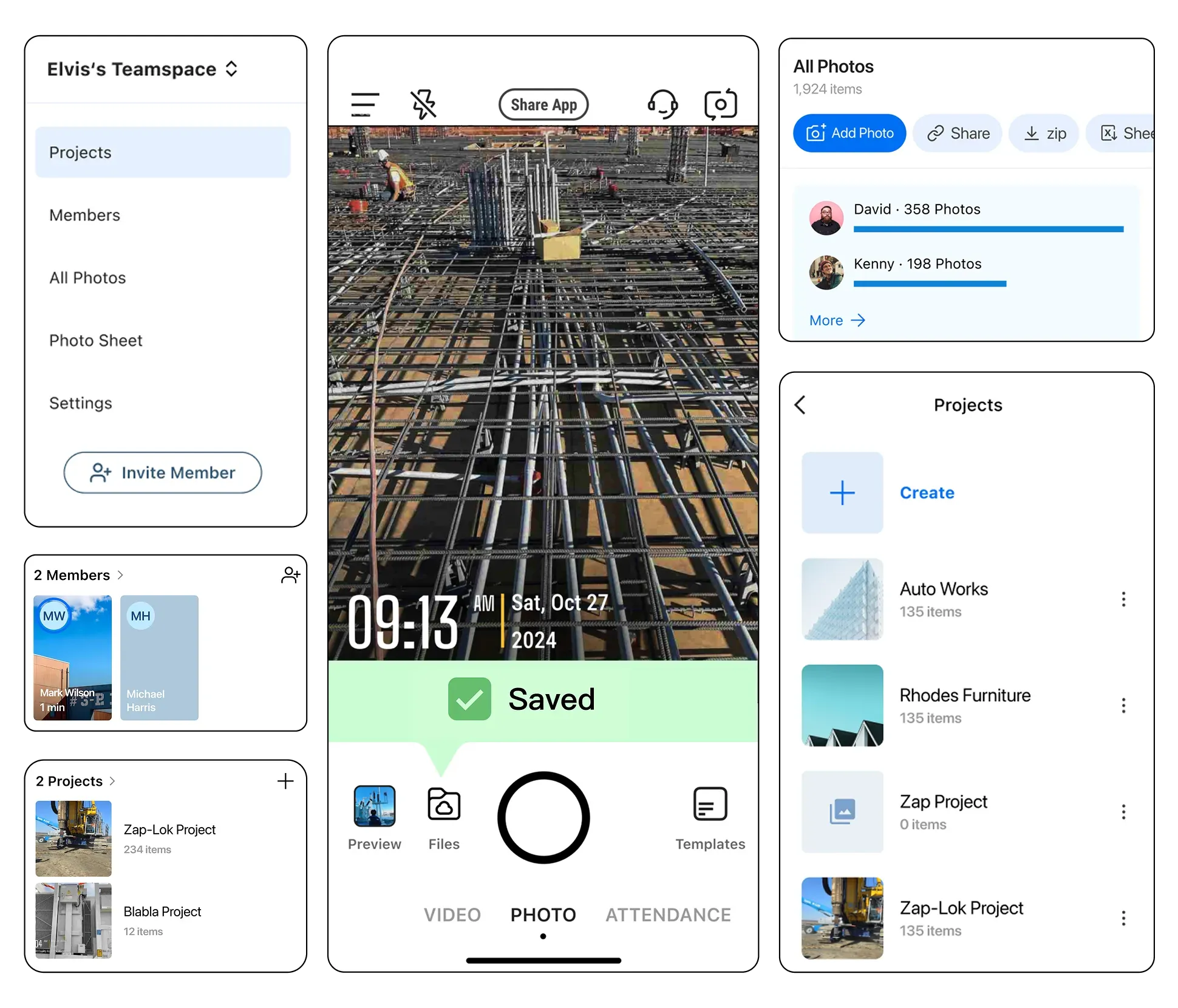
Team & Project Organization
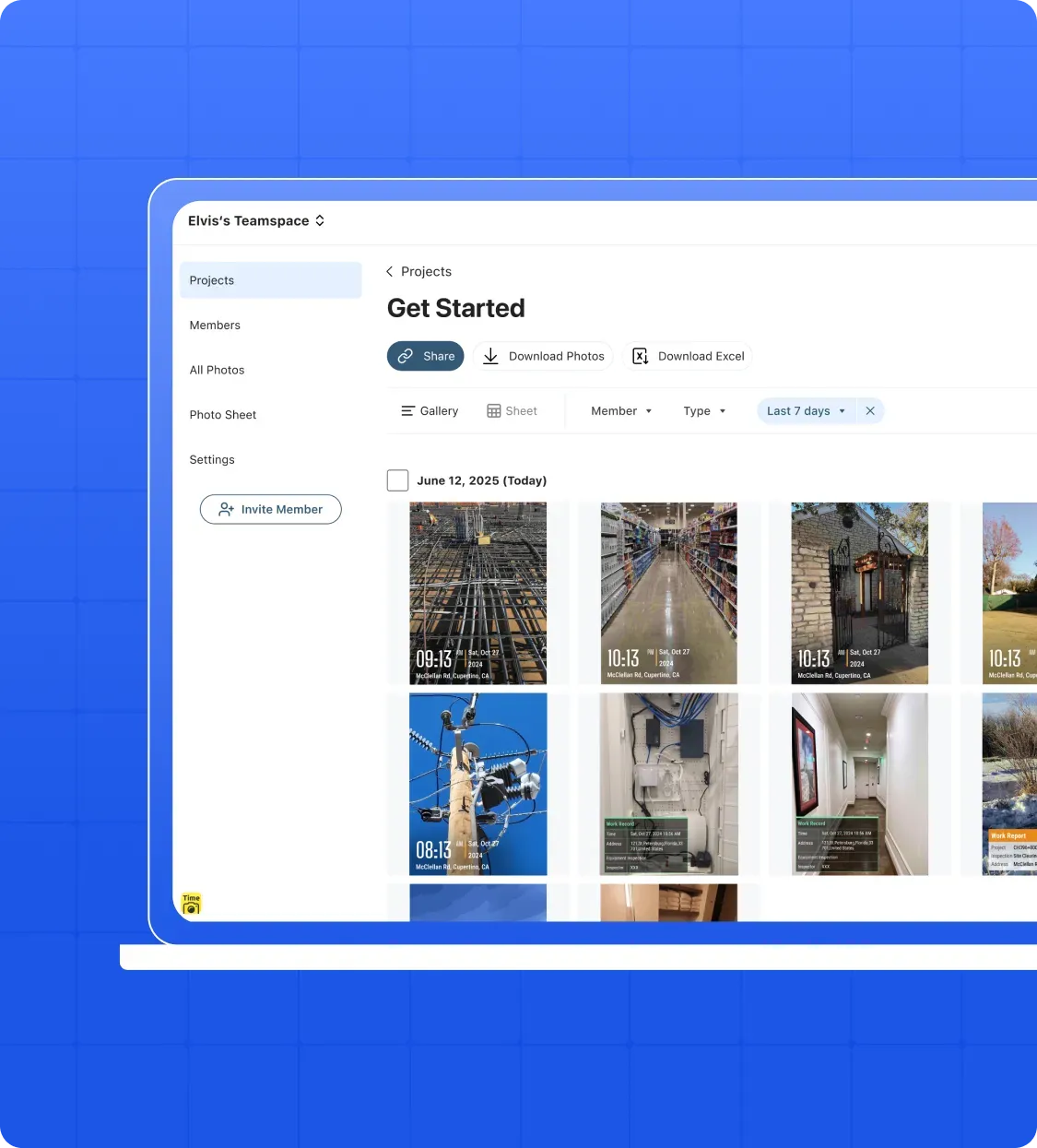
Every project gets its own main folder, with photos organized by team member, making it easy to locate any image and generate reports instantly. Assign photos and tasks to specific projects.
- Dedicated Project Folders: Each project has a main folder to keep all related photos in one place.
- Member-Based Subfolders: Photos are automatically split by team member for clear accountability.
- Quick Search: Find any photo—like one from the "Main Street Job" taken by Jake—in seconds.
- Audit-Ready Reports: Generate professional reports quickly without digging through messy libraries.

Multiple Views
The best free site inspection software offers multiple views to track progress and manage photos effortlessly from any perspective.
- Gallery View: Display client photos in a large, clear format for quick overviews.
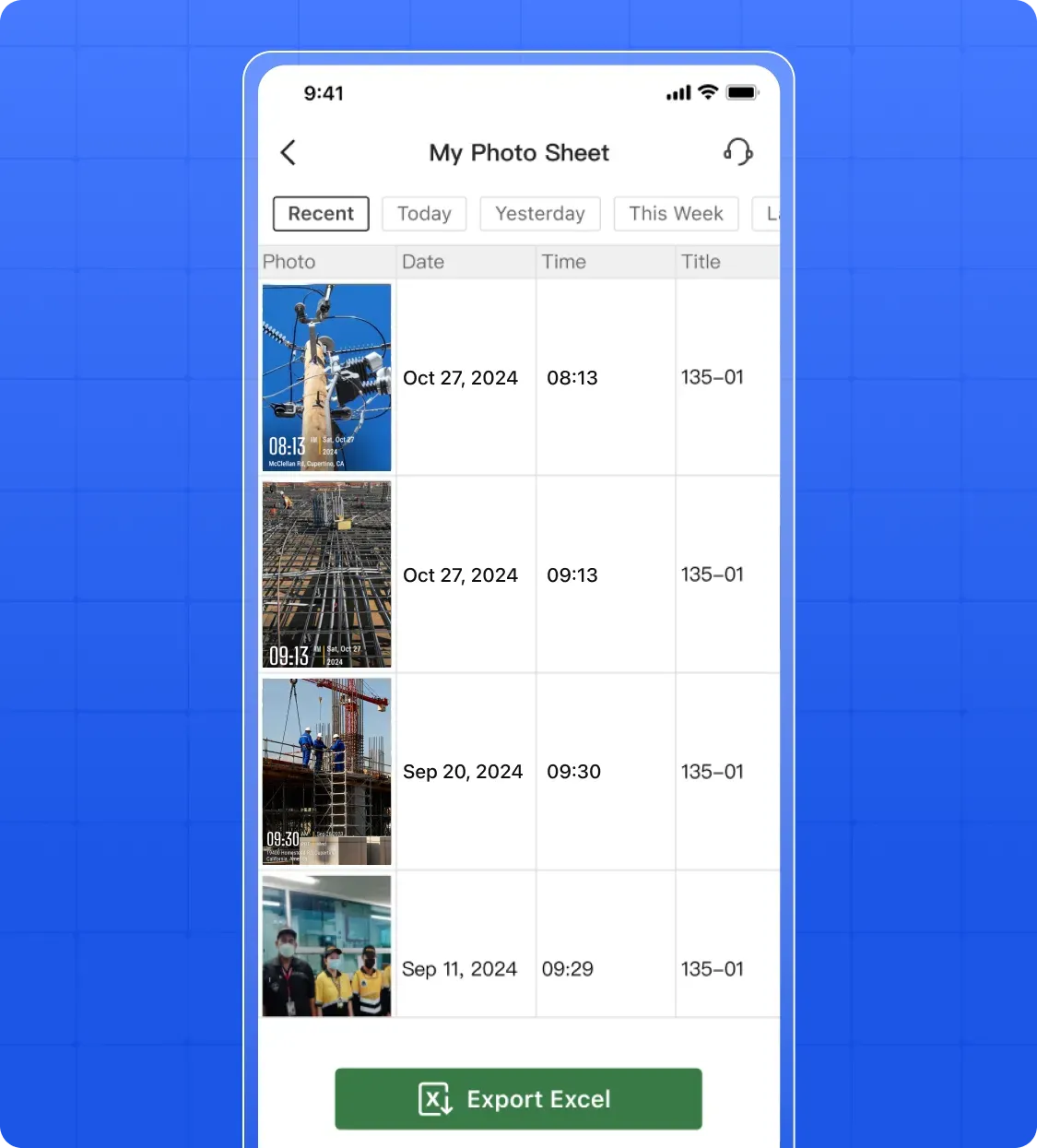
- Sheet View: List each photo with GPS, date, and team member details; filter or search for specific shots and generate audit-ready reports.
- Map View: Plot photos on a real map to see exactly where each on-site shot was taken.
- Flexible Access: Use the software on desktop or mobile to switch between views anytime, anywhere.
Easy Sharing & Reports
With the best free site inspection software, you can quickly share work with clients or colleagues and generate professional, audit-ready reports without any hassle.
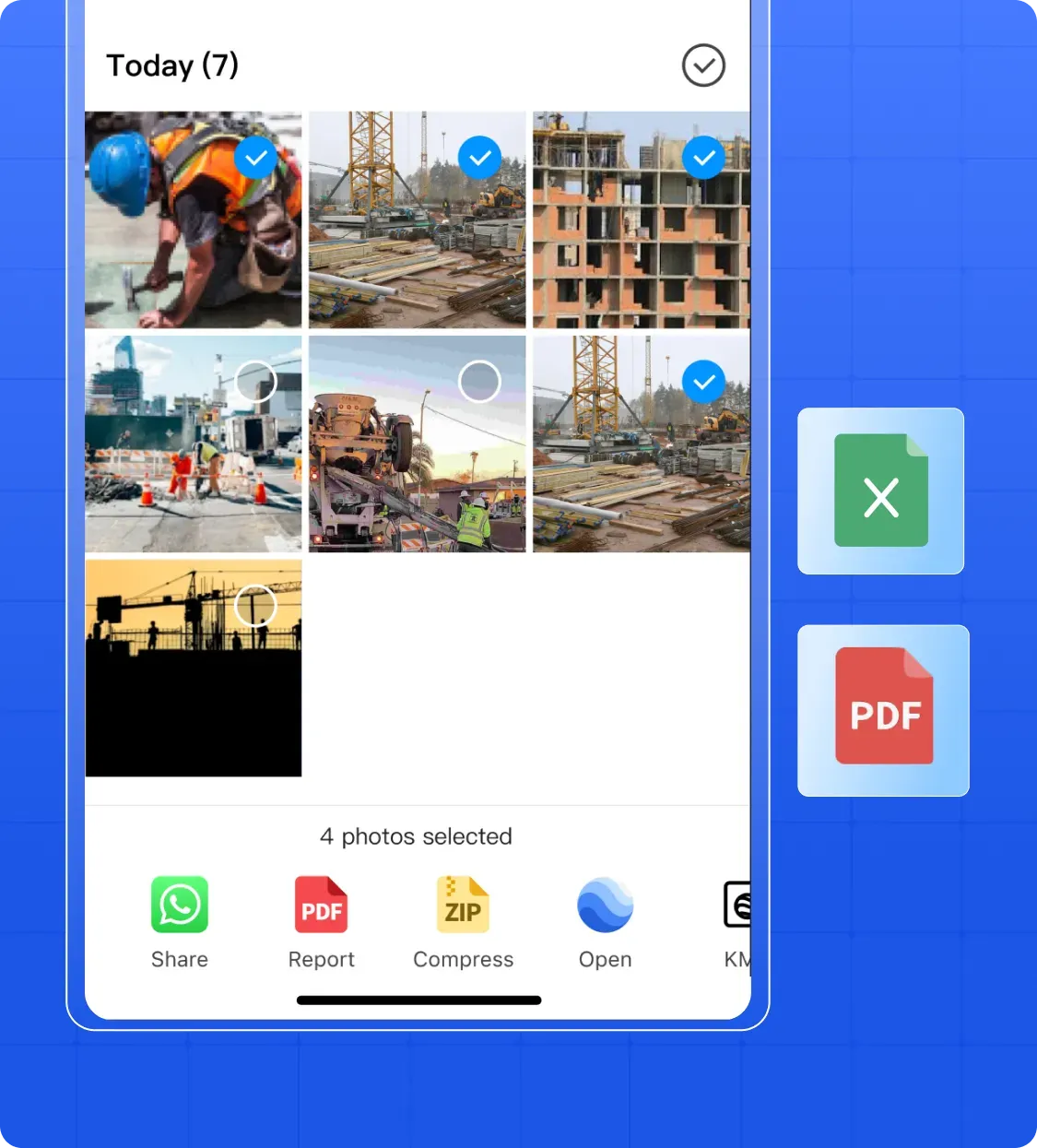
- One-Click Export: Generate PDF, Excel, or KMZ reports instantly.
- Share Links: Share project updates via secure links without attachments.
- Customizable Reports: Include only relevant photos and notes.
- Client-Ready: Reports are formatted for immediate presentation or submission.
Offline Access
Work seamlessly on-site even without internet, with automatic syncing once reconnected.
- Full Functionality: Capture and organize photos offline.
- Auto Sync: Updates are automatically synced once online.
- Reliable Access: View previously collected photos anytime.
- Uninterrupted Workflow: No internet required to continue your tasks.
Use Cases

Construction Contractors
Big projects get delayed 20% and overrun 80% due to bad data. Timemark auto-organizes site photos, so you have all shots to avoid rework and keep costs down!

Field Service Teams
You spend hours chasing photos via email. Timemark grabs your team's on-site shots automatically. Share updates fast, keeping everyone on the same page, even on remote jobs!

Quality Management Teams
Safety audits and quality checks need clear docs. Timemark stores photos with GPS stamps. Find what you need fast, prove compliance, and cut audit stress!
Your Field Photos Are Safe & Secure With Timemark
Privacy and safety matter for your construction or on-site photos. Timemark stores every shot securely, and each one has GPS and date stamps (so you have clear context). Plus, once photos are uploaded or signed, they stay as-is. No edits allowed! This is key for industries that handle legal issues. Your photos stay trustworthy, always.

Customer Testimonials
“Manual photo sorting killed my productivity. Timemark auto-collects and sorts. Now I focus on on-site work, not files. Saved 6 hours weekly!”

“I could never find who took which site photo. Timemark's folders by project/member solved that. No more guessing, saved 5 hours a week!”
“Emailing photos was a nightmare. Now I share Timemark links with clients. They see progress instantly, and complaints dropped!”
“I used to spend 10 hours a week making photo reports. Timemark generates them fast, plus auto-sorts photos. Cut time on reporting by 60%!”
“I used to miss key photos for safety checks. Timemark keeps everything organized, and we avoid costly mistakes. Best tool for our team!”
“Before Timemark, I panicked when I lost photos for client checks. Now it sorts shots by member, and I always have what I need. Cut rework by 30%!”
Frequently Asked Questions

Ready to Stop Fighting With Field Photo Chaos?
The best site inspection app, Timemark, auto-collects photos by project/member, works offline, and creates audit-ready reports fast.
Start For Free