
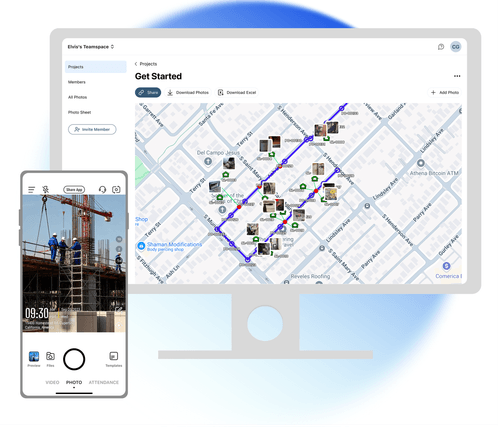
Site photos on map, with design KML overlaid
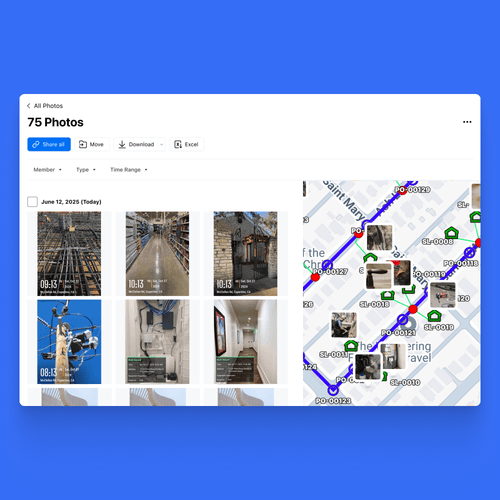
Import your design KML onto your photo map and verify planned vs. actual on the spot. Field crews capture, office teams compare and sign off — all in one place. No exporting, no separate GIS tool.
Trusted by 3.7M field pros and teams from






Verifying field work shouldn't mean juggling two separate tools
Your field photos are geotagged, and your design lives in a separate KML file. Until now, comparing the two meant loading both into a GIS tool and overlaying them by hand. With Timemark, it all happens in one place. Import your design KML straight onto your photo map and compare planned vs. actual o
Key Features
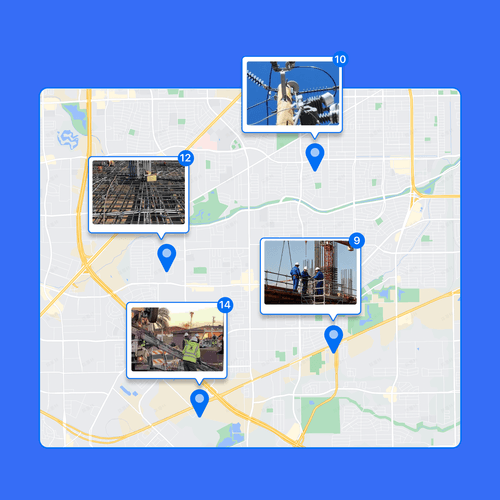
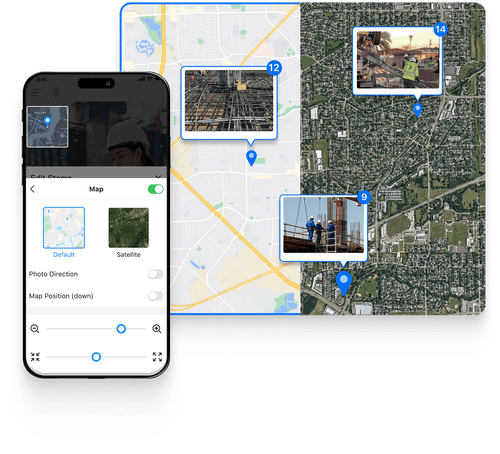
Photos on the map, auto-tagged
Download Timemark APP
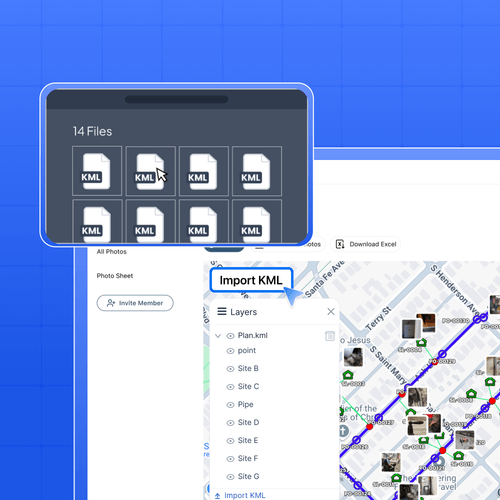
Import & overlay design KML
Upload your engineering design file straight onto the photo map. Points, lines, and polygons render as a KML overlay right on your photos. No conversion, no third-party tools.
Compare Planned vs. Actual
See photo locations and design coordinates in one view. Catch where the work drifts off-plan before it turns into a dispute. Built for office teams on the web.
How to verify field work against your design KML?
1. Get Timemark App Go to app stores, find Timemark and download it. Open the app, grant camera and location permissions. That’s it. No complex steps, just a few taps to get ready.2. Take Geotagged Photos Tap the camera in Timemark to shoot your site. Every photo gets an auto GPS and time stamp, the
Built for as-built verification
Check splice pits and handholes against the planned cable route before each segment is signed off. Overlay the design alignment on your field photos for inspection and acceptance, deviation by deviation. Track built work against design plans on one map, a clear visual record for clients and supervisors. Cross-reference inspection photos with the designated survey areas, location by location.

Why field teams verify their work in Timemark
Overlay the design KML on your field photos and check each segment against the plan. Spot wrong installs or off-route work early, and fix them before they turn into a rework or a failed acceptance. Each photo carries a timestamp and the exact spot it was taken. That's proof you can trust. If a client or vendor disputes the work, show the geotagged evidence against the design KML. No more guesswork. Field crews shoot on mobile, the office verifies on web, all from one map. No exporting, no switching tools, no version mix-ups. Everyone works from the same picture.

Your Field Photos Are Safe & Secure With Timemark
Privacy and safety matter for your construction photos. Timemark’s construction progress photography keeps every shot secure with GPS and date stamps, providing full context for every image. Once uploaded, photos stay exactly as-is—no edits allowed. Trustworthy site documentation, always reliable for legal and compliance needs.

Frequently Asked Questions
Try Timemark ‑ the Best Timestamp Camera Free!
Download Timemark now to add verifiable timestamps to photos and create your team’s organized photo workflow fast.
Download Timemark APP