Best Timestamp Camera for Field Work

Timemark adds location, timestamp, notes, and logo directly to photos. Get verifiable field service, inspection, or construction photos fast.
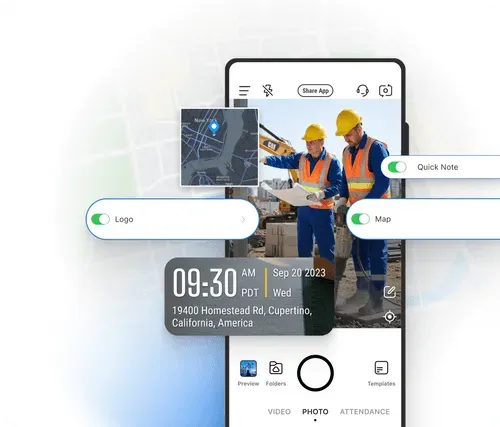
Image 01

Trusted by 3.7M field pros and teams from

Charter logoSpectrum logoCoca cola logoUnilever logoSeven eleven logoAIA logoG4S logoCoteccons logoMasTec logoWaskita logo
Charter logoSpectrum logoCoca Cola logoUnilever logoSeven Eleven nlogoWalmart logoG4S logoContecons logoWaskita logoMasTec logo

Why Using a Timestamp Camera Boosts Efficiency

Adding timestamps to photos cuts down on the time field service teams waste on disorganized documentation. Instead of manually logging when a photo was taken or arguing over unclear timelines for service work, a timestamp automatically locks in real-time context, helping prevent metadata errors noted in Padilha et al., 2021.

This means no more sorting through unlabeled or incorrectly labelled photos to find the right one for a report, no more missed details about when a task was completed, and faster sharing of verifiable updates with clients or team members.See field pros’ tips.

Feature Image

How to Use a Timestamp Camera?

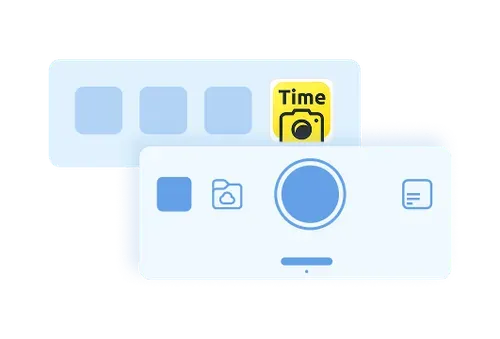
A demonstrative graphic that shows the "capture" button on Timemark
1. Get Timemark App
Go to app stores, find Timemark and download it. Open the app, grant camera and location permissions. That’s it. No complex steps, just a few taps to get ready.
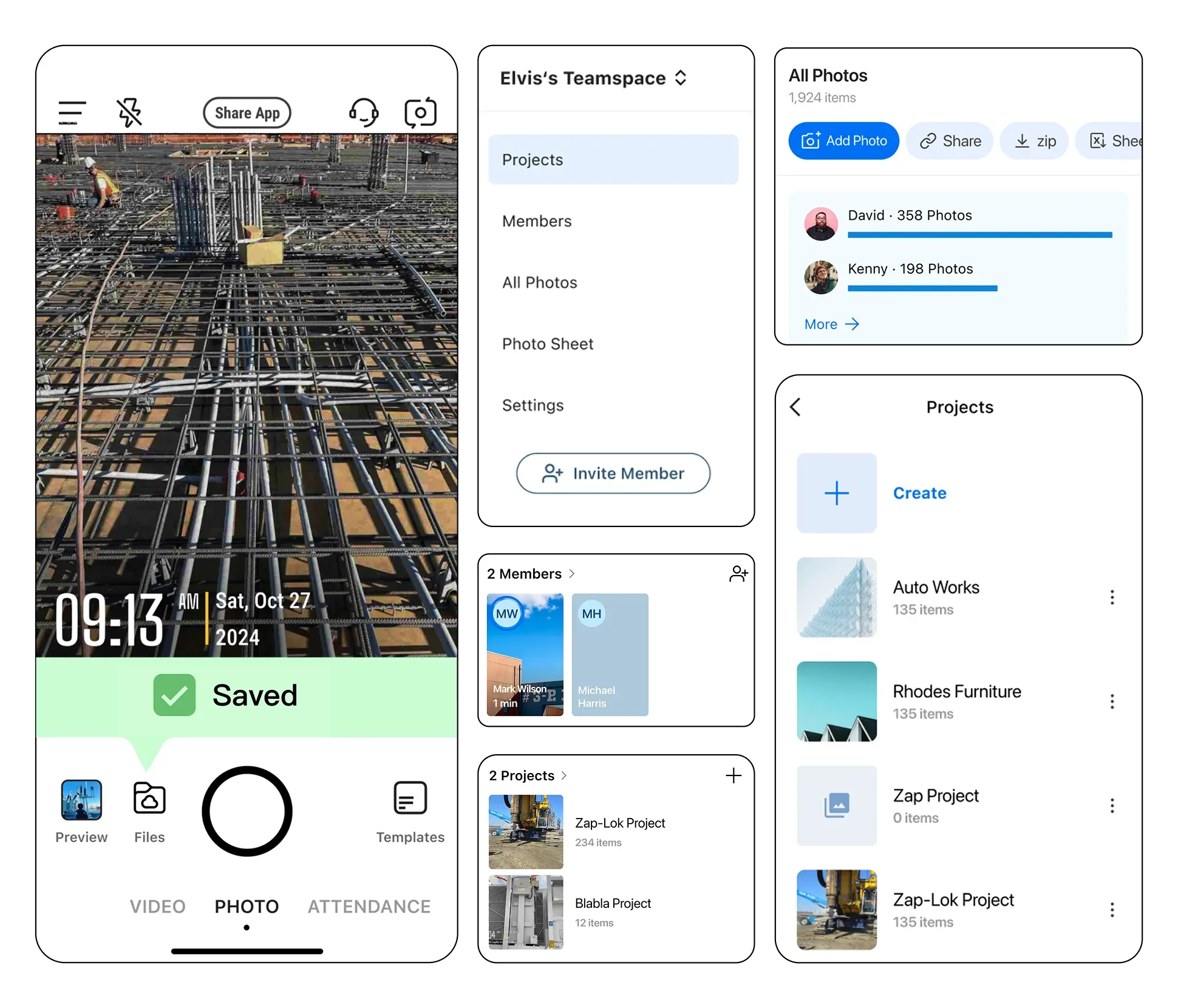
A demonstrative graphic that shows the project view and member view of job photos on Timemark
2. Take Timestamped Photos
Tap the camera button in Timemark to shoot. Timemark adds non-forged timestamp and location automatically. No manual edits, just clear work proof.
A demonstrative graphic that shows the interface of web Teamspace
3. Use It Right Away
Timemark’s design is simple with no training needed. Field teams and managers can jump in, take photos and find files easily. Start boosting workflow in minutes.
Download Timemark App

Key Features

The interface of Timemark with a timestamped photo. The sync status bar shows “Saved”.

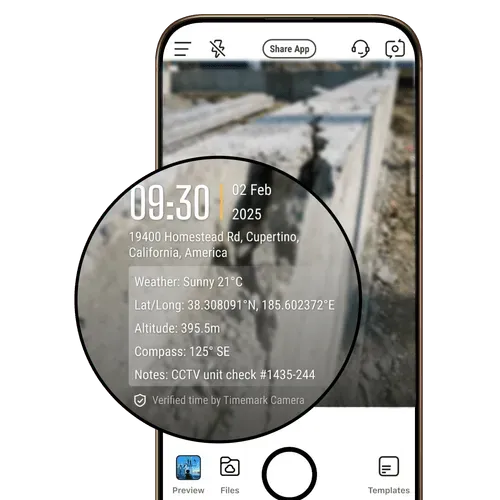
Add Geotags & Timestamps

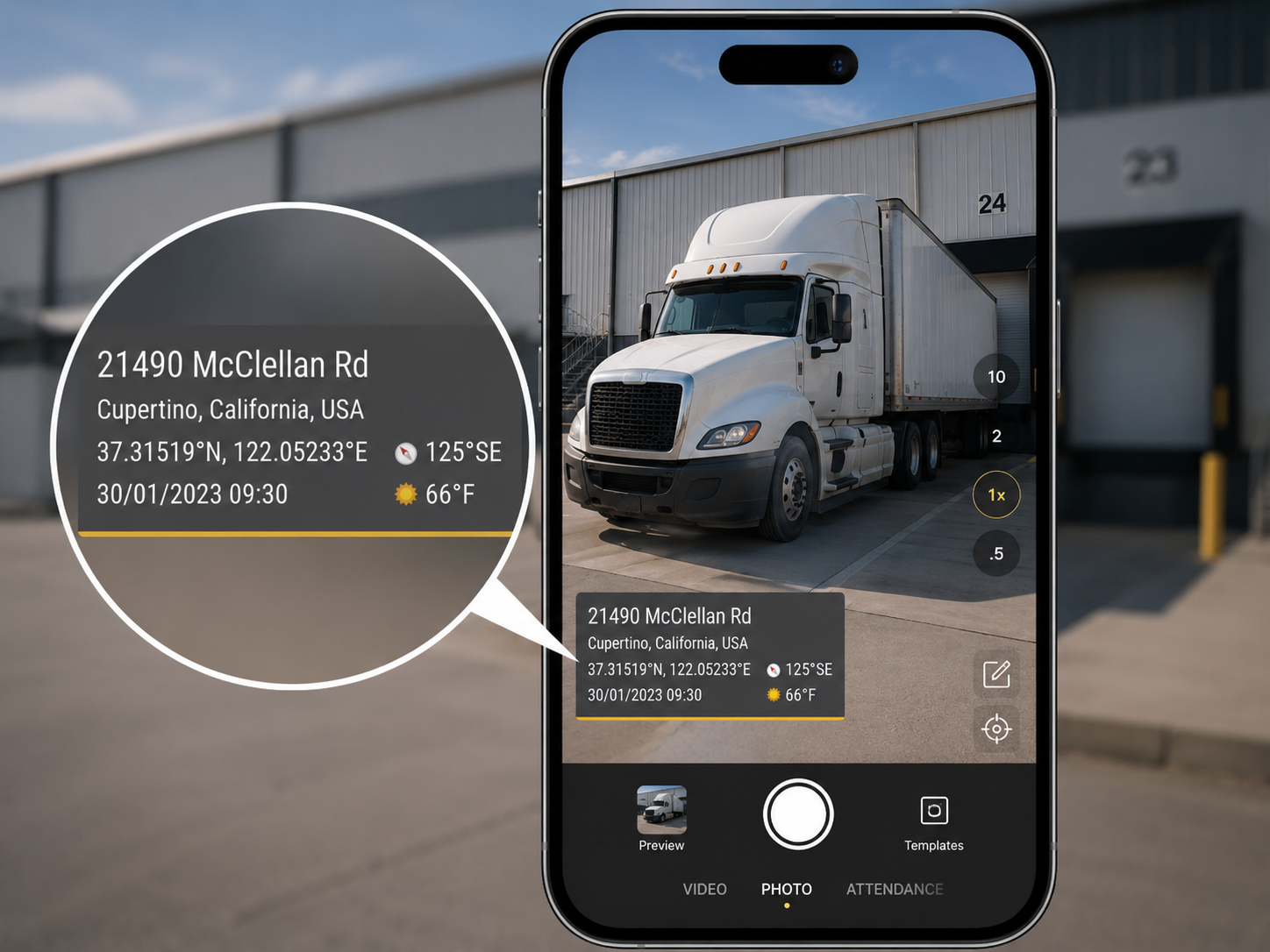
Get reliable proof of work timing and location with every shot. Timemark’s timestamp camera automatically tags each photo with GPS data, date, time, and coordinates, delivering trustworthy visual evidence for any inspection or report.

  • GPS and timestamp data are tamper-proof, even if system time or GPS is manipulated
  • Switch on to add more context such as latitude, longitude, weather, elevation, compass direction, etc.
  • Built-in verification via a unique photo code ensures every record is authentic and traceable
The data fields inside the ‘Edit Template’ with the Address field toggled on; all other fields are toggled off including Logo, Business Card, Tags, Weather, Lat/Long, Altitude, and Compass.

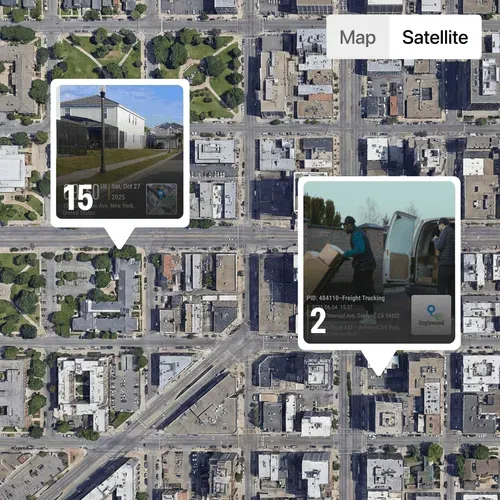
Display Map & Map View

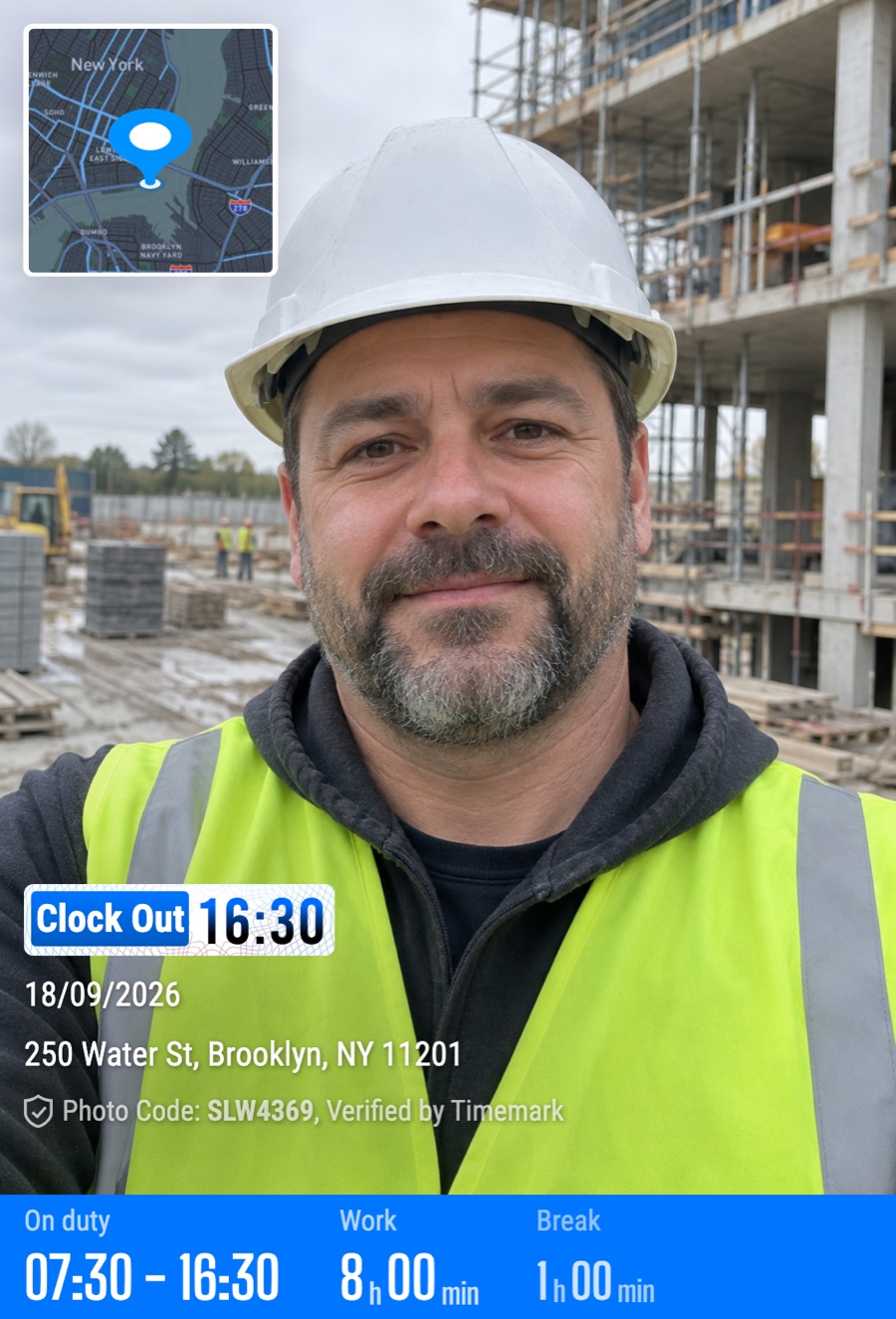
Add a small map overlay that automatically displays where each photo was taken. The  map view on the web portal helps users visualize field progress and verify project locations with precision.

  • Toggle on map field to include a map pinpoint showing the capture location
  • Track project progress on an easy-to-view map layout
  • Zoom in to examine specific areas or zoom out to view the overall site status at a glance
A photo gallery that has a few photos selected; on the right hand side shows the options to export to Excel or PDF; at the bottom shows the options to share to WhatsApp, export as PDF / ZIP / KMZ.

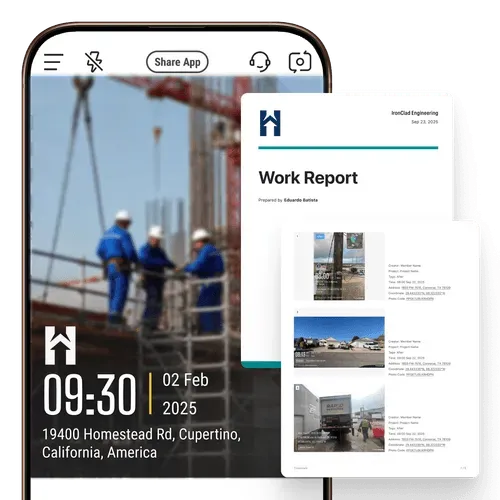
Stamp Logo

Show professionalism in every proof. Timemark lets you stamp your company logo on each photo or video, turning field documentation into branded, verifiable evidence.

  • Add a logo by uploads, searching within the app, or creating one with art text
  • Edit logos with tools like background remover and opacity control
  • Apply your logo directly to client-ready reports
A photo gallery that has a few photos selected; on the right hand side shows the options to export to Excel or PDF; at the bottom shows the options to share to WhatsApp, export as PDF / ZIP / KMZ.

Jot Quick Notes

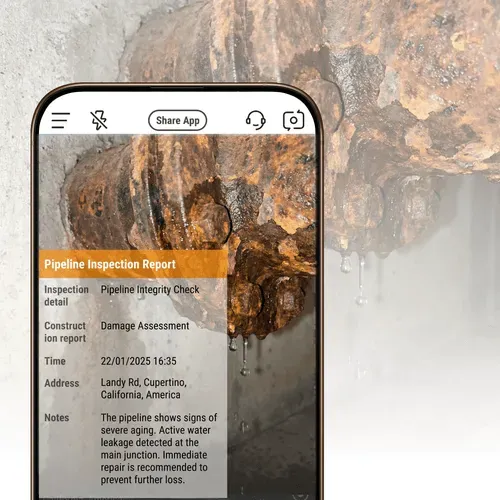
Keep project information right where it belongs, on your images. Add text notes directly to photos alongside time and date stamps to ensure every photo carries its context.

  • Quick note entry in one tap for faster annotation
  • Notes stay attached to the photo for team reference and reporting
  • Combine visual data and written context to streamline documentation

Timemark vs Other Photo Tools

Timemark combines verifiable metadata, an intuitive interface, and easy photo management, making it the best timestamp camera.
Comparison
What You Get
Timemark's Advantages
vs System Camera
Basic photo with no trusted metadata
Timemark adds network synced time, GPS, and  notes directly on photos for verifiable evidence and audits. The Teamspace feature auto organizes photos by project and member.
vs Timestamp Camera
Unsecured time and location overlay
Timemark adds non-forged timestamp, GPS, logo, and more to photos plus team features and web portal to view and manage photos.
vs CompanyCam
Overpay for complex project sharing features with basic timestamp and GPS overlay
Timemark allows you to capture more context other than just timestamp and GPS. It is straightforward and cost-effective for capturing and organizing photos, ideal for small to medium-sized field teams seeking simplicity and scalability.

Want to Organize Job Photos Smarter?

Apart from being the best timestamp camera, Timemark’s Teamspace auto-sorts your timestamped photos by project/member, no manual sorting or cluttered mailbox. Your team accesses or shares photos in real time, making team collaboration smooth.

Get Started Free
Feature Image
Star IconStar IconStar IconStar IconStar Icon

"I’m a construction contractor, and Timemark fixes my biggest pain. Photos get my logo and exact location automatically. Clients love the verifiable evidence, and disputes are gone. So easy my crew uses it day one."

Star IconStar IconStar IconStar IconStar Icon

"Timemark is unbeatable. We add notes right to photos, and the non-forged time and GPS keeps audits smooth. We can still capture GPS even offline at remote sites. Best documentation tool we’ve used!"

Star IconStar IconStar IconStar IconStar Icon

"Timemark saves us hours on site docs. Every photo has GPS and timestamp. No more arguing with inspectors. The Teamspace feature sorts photos by project, helping our team track progress fast. Best app for field service!"

Frequently Asked Questions

Can I add my company logo and job-specific text to the timestamp?
Faq Icon
Why is a specialized timestamp camera application necessary for professional evidence, instead of my phone's default camera?
Faq Icon
Are geotagged and timestamped photos considered legally admissible evidence in disputes?
Faq Icon
What essential data points must be captured to make a photo "verifiable"?
Faq Icon
How does using this technology save my field service team time on documentation?
Faq Icon
For construction contractors, what are the most critical times to use this kind of documentation?
Faq Icon
Does this type of camera support large-scale video documentation for site inspections?
Faq Icon
Is timestamp camera free?
Faq Icon

Try Timemark - the Best Timestamp Camera Free!

Download Timemark now to add verifiable timestamps to photos and create your team’s organized photo workflow fast.