
See Jobsite Photos on a Interactive Map
Turn scattered site photos into a clear, location-based view—so you always know where work happened.
Trusted by 3.7M field pros and teams from











Can’t Tell Where Your Photos Were Taken?
Are These Challenges Holding You Back?

No Idea Where Photos Were Taken
- Photos saved to a camera roll carry no location context, so nobody can tell which site they belong to.
Missed Coverage Gaps
- Without a map view, it’s hard to spot which areas of a large site were never photographed.
Slow Manual Cross-Referencing
- Matching photos to addresses by hand wastes hours on every multi-site project.
Key Feature: Map Based Jobsite Photo Visualization
Visualize Photos by Exact Location
- Map Your Photos: Every photo is automatically pinned to the map using GPS data for easy location tracking.
- Quick Location Insights: See where work happened, compare locations, and spot missing coverage, without opening photos one by one.
- Perfect for Large Sites: Ideal for large job sites, multi-location projects, and route-based work.

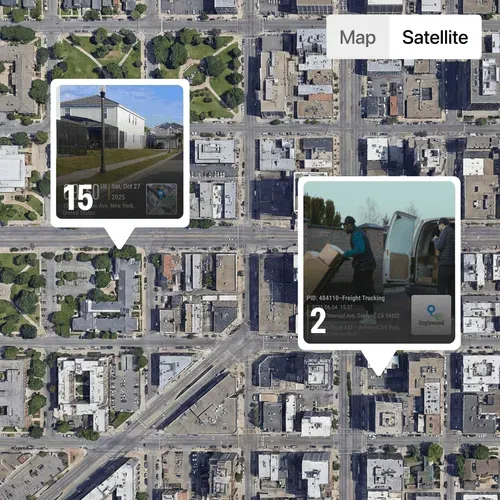
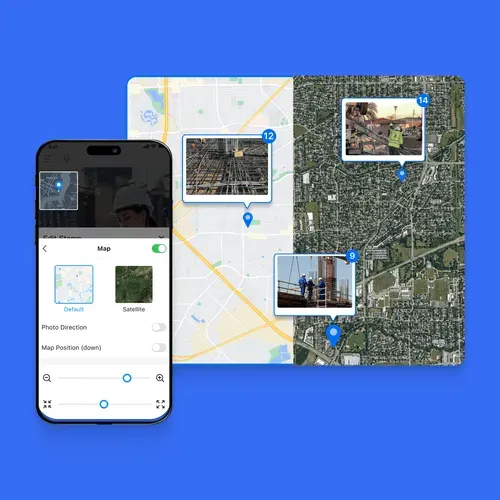
Switch Between Map and Satellite Views
- Flexible Views: Choose the view that fits your workflow for easy photo navigation.
- Map View: Clean, distraction-free layout that lets you quickly scan all jobsite locations, compare positions, and spot missing coverage at a glance.
- Satellite View: See real-world surroundings, structures, and terrain for full context.
- Ideal for Field Work: Perfect for construction sites, telecom routes, land surveys, and security patrols. Find the Right Photo
Faster with Optional Location Labels
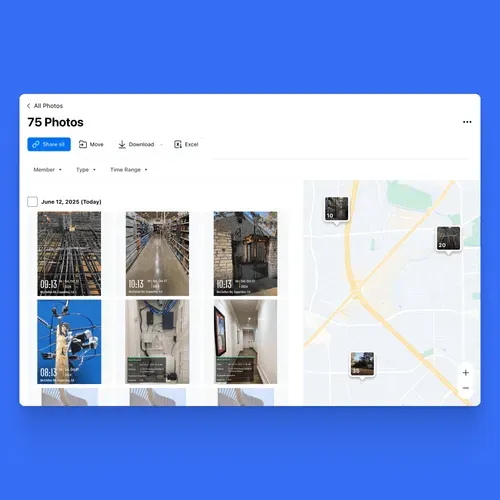
- Precise Location Selection: Zoom into the map and click the exact photo location—no guessing filenames or scrolling endless galleries.
- Split-Screen View: See all photos on the left and their exact locations on the map on the right, all on the same screen.
- Quick Photo Search: Easily locate the photos you need directly from the map, without wasting time scrolling or searching endlessly.
- Show or Hide Terrain: Easily choose whether to display terrain on the map for a clear or detailed view.
What Field Teams Say About Timemark
“Authenticity matters. Timemark lets us capture on-site photos with real time, location, and notes—making every image professional and trustworthy.”

David Smith
“Timemark changes how we document medical and legal cases. Every photo captures real time, location, and on-site notes, making documentation fast, accurate, and professional.”
William Miller
“One of the best apps for on-site photos. It captures the exact time and location, making documentation fast and professional.”
Jennifer Moore
Frequently Asked Questions
Yes. On the web, open a project and switch from Gallery to Map, or choose Photo Map in the left sidebar to see the team's photos together. In the Timemark app, tap Tools, then Photo Map. Photos with GPS data appear as location pins. Click a pin to view the photos taken there.
Use the map to find photos by where they were taken. Zoom to the job site and click its pins to see photos from that location. You can narrow the map by time range, projects, team members, or photo type. In All Photos, keyword search can also search the address, title, and watermark fields.
Timemark records the GPS location when you take the photo. It prints the location on the photo and writes it into the photo's metadata. The capture time and location are set automatically and cannot be edited. Phone GPS is typically accurate to about 5 to 15 meters.
Yes. On the web, Projects and All Photos have a Gallery and Map toggle. Photo Sheet shows the same photos in a table view. When you share photos by link, recipients can also switch between Gallery, Sheet, and Map views to review the photos in the format that suits them.
On the map, tap Share to send the currently filtered photos as a link. Your client can open the link without a Timemark account. You can also export photos as a KMZ file for Google Earth. PDF reports can include a map page when you need to share photos in a report.

Know exactly where every photo was taken without extra work.
Use Timemark Photo Map to review, verify, and deliver site photos with confidence.
Start For Free