
Best GPS Camera to Geotag Photos
Add GPS watermarks to field photos easily with the best GPS camera. Tag location, time and project data automatically. Help your team track work, share proofs and speed up workflow.
Trusted by 3.7M field pros and teams from










Manual Geotagging Wastes Your Time
Manual geotagging of large photo collections is time-consuming and laborious. You have to switch between tools, guess locations, and fix wrong coordinates. Unmarked photos delay client reports, cut efficiency, and risk missing work proof. Location and time stored only in a file's metadata are easy to lose when photos are shared, and easy to change with free tools, so it matters that they are captured automatically and shown on the photo itself. Timemark addresses this by automatically stamping every photo with GPS coordinates and snap time, instantly organizing project shots for fast, verifiable reporting. Teams can efficiently capture and manage all field photos with full location and time context, reducing errors and improving accountability.
How to Use a GPS Camera?

1. Get Timemark App
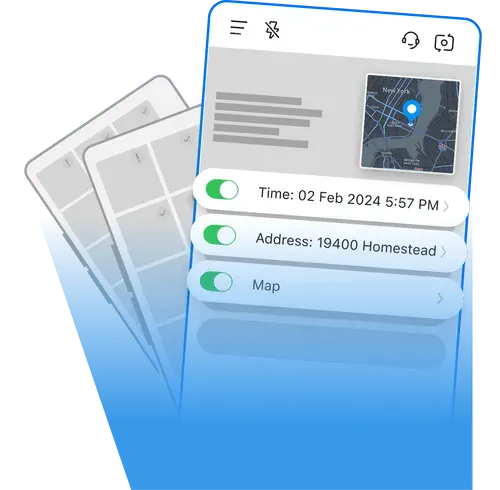
Go to app stores, find Timemark and download it. Open the app, grant camera and location permissions. That's it. No complex steps, just a few taps to get ready.
2. Take Stamped Photos
Tap the camera button in Timemark to shoot. Every photo gets auto GPS stamps and project tags. No manual edits, just clear work proof.
3. Use It Right Away
Timemark's design is simple with no training needed. Field teams and managers can jump in, take photos and find files easily. Start boosting workflow in minutes.
Key Features
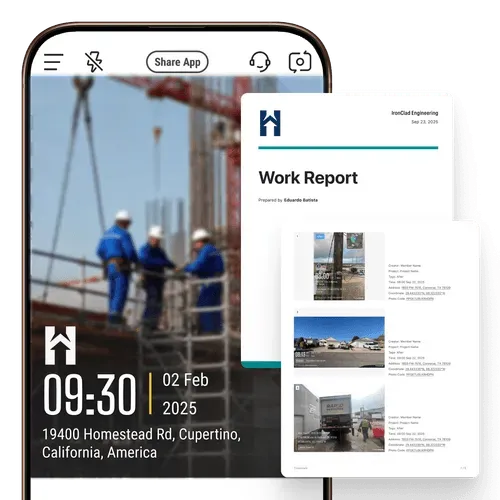
Add Geotags & Timestamps
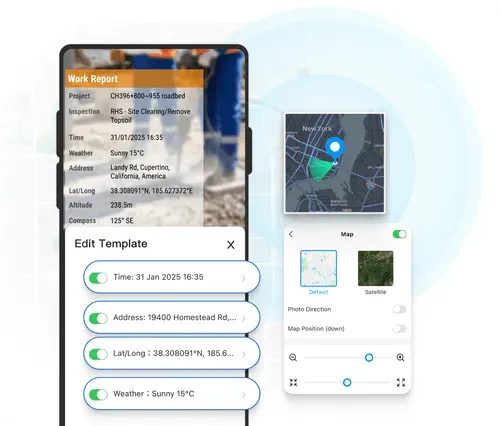
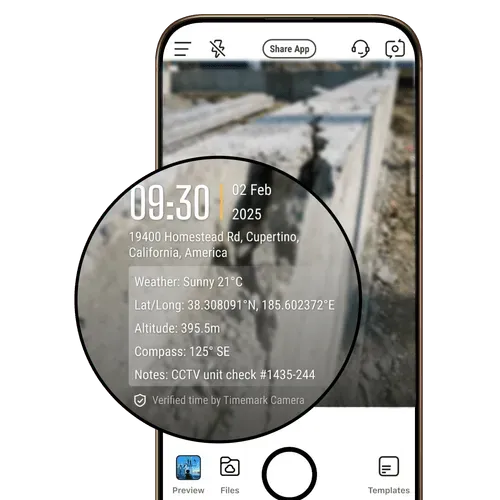
Get reliable proof of work timing and location with every shot. Timemark's timestamp camera automatically tags each photo with GPS data, date, time, and coordinates, delivering trustworthy visual evidence for any inspection or report.
- GPS and timestamp data are tamper-proof, even if system time or GPS is manipulated.
- Switch on to add more context such as latitude, longitude, weather, elevation, compass direction, etc.
- Built-in verification via a unique photo code ensures every record is authentic and traceable.
Display Map & Map View
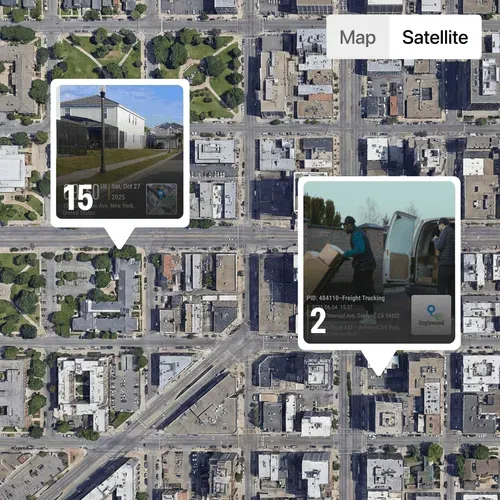
Add a small map overlay that automatically displays where each photo was taken. The map view on the web portal helps users visualize field progress and verify project locations with precision.
- Toggle on map field to include a map pinpoint showing the capture location.
- Track project progress on an easy-to-view map layout.
- Zoom in to examine specific areas or zoom out to view the overall site status.
Stamp Logo
Show professionalism in every proof. Timemark lets you stamp your company logo on each photo or video, turning field documentation into branded, verifiable evidence.
- Add a logo by uploads, searching within the app, or creating one with art text.
- Edit logos with tools like background remover and opacity control.
- Apply your logo directly to client-ready reports.
Jot Quick Notes
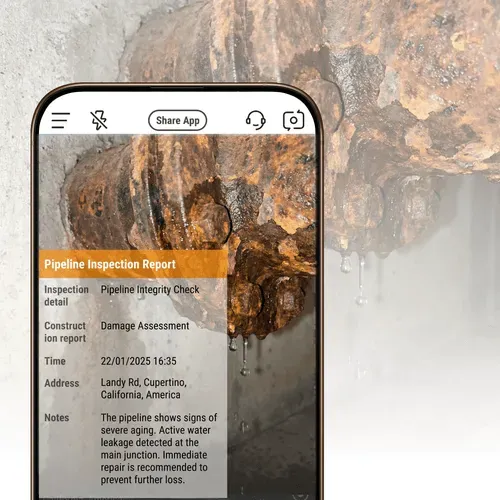
Keep project information right where it belongs, on your images. Add text notes directly to photos alongside time and date stamps to ensure every photo carries its context.
- Quick note entry in one tap for faster annotation.
- Notes stay attached to the photo for team reference and reporting.
- Combine visual data and written context to streamline documentation.
Use Cases
Construction Pros
The GPS Camera by Timemark verifies change orders and proves work completion. Backup every photo with location data. Your best defense against disputes.
Fiber Optics Contractors
Capture splice pits, handholes, pull-boxes and duct runs with map-view tracking and location-based metadata, giving clients a transparent visual record of work as it happens.
Land surveying
Capture precise location and timestamp data and detailed metadata such as compass and elevation to create a reliable and complete documentation. Export photos as KMZ files for seamless integration with mapping software.
Timemark vs Other Photo Tools
Timemark's Advantages
Timemark keeps GPS location even when sharing photos. System camera loses location, so you'd have to add them back manually.
vs GPS Map Camera
Unlike other GPS camera solutions, Timemark locks real GPS and timestamp data to prevent tampering. While GPS Map Camera also lacks centralized storage and team sync, Timemark securely stores all photos in one place for real-time access. It also offers multiple viewing modes, including gallery and sheet views.
Timemark locks time and location to keep proof of work reliable, and lets you add or generate professional logos easily. CompanyCam allows edits and offers fewer logo options.
vs Drone
While drones are useful for capturing wide aerial views, Timemark is the best GPS camera system for accurate, ground-level documentation. It provides real GPS and timestamp data and automatic cloud backup for team access. Compared to the high cost and maintenance of drones, Timemark is a far more cost-effective solution.
Want to Organize Job Photos Smarter?
Timemark's GPS camera feature captures geotagged photos, and the Teamspace takes it further. You can auto-organize all those job photos by project or team member, no manual sorting ever. Jump to Teamspace now to turn your GPS shots into a tidy, easy-to-share workflow.
Get Started Free“I'm a construction contractor, and Timemark changed how we handle field photos. Before, I spent 2 hours every night sorting photos from my team and trying to remember which shot went to which project. Now I have Timemark that auto-adds GPS stamps and organizes everything by project and member. It's the best GPS camera app I've ever used!”

“As a telecom contractor, we're always on different job sites, and tracking photos used to be a nightmare. My team would send photos via text or email, and half the time they'd miss location notes. With Timemark, every photo has a GPS stamp and timestamp.”
“Our team covers 20+ sites a day, and Timemark keeps us organized. Every inspection photo has exact time and place. Even new hires pick it up in 5 minutes. It's reliable, simple, and the only tool we need to prove we did the work right.”
Frequently Asked Questions

Try the Best GPS Camera Free!
Download Timemark free to auto-geotag and auto-sort field photos, get work proof, and protect your business income.
Download Timemark APP