
Collect Job Photos Without Chasing
Crew photos reach Teamspace automatically, so your office can see work without waiting for messages.

Trusted by 3.7M field pros and teams from











Are you facing the following problems?

Photos Get Forgotten
- Crew members may forget to send photos after the job.

Waiting For Photos
- Office staff wait for photos until the day is over.

Details Go Missing
- Forwarded photos can lose useful file details or quality.
How Teamspace by Timemark Can Help
Photos Upload Themselves
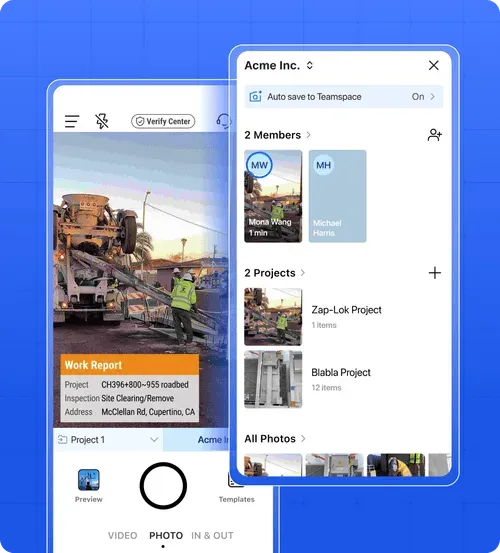
When your crew shoots in Timemark, photos go to Teamspace automatically, without a separate sending step.
- No Sending Step: Photos taken in the Timemark app upload automatically to Teamspace.
- One Place: Bring crew and subcontractor photos together by inviting members to your team.
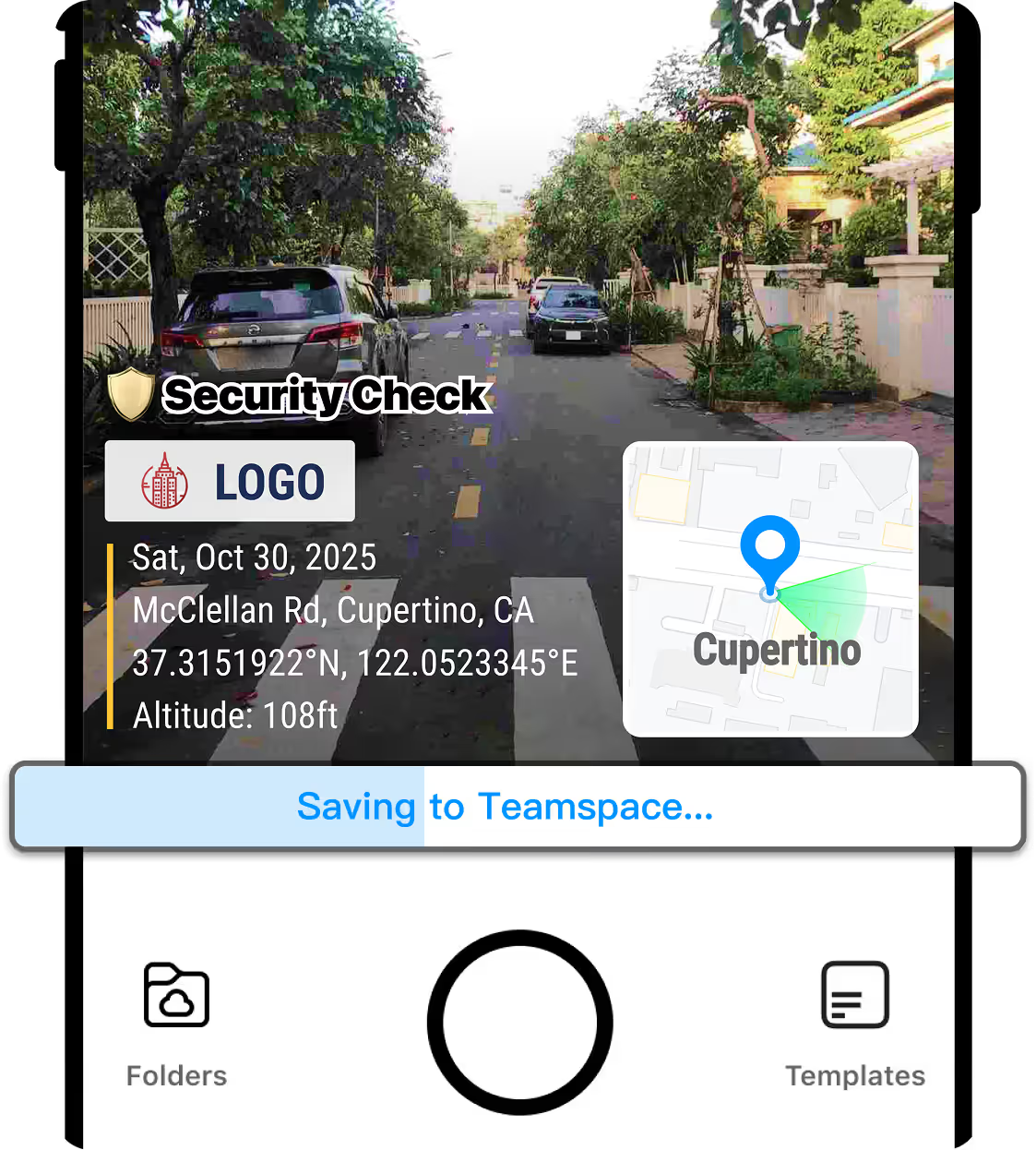
See Work As It Happens
Your office can follow incoming photos in Teamspace while work is underway, even when crews temporarily lose signal.
- Live Office View: Teamspace shows new photos as they upload from crew phones.
- No Signal Plan: Photos wait on the phone until an internet connection returns.
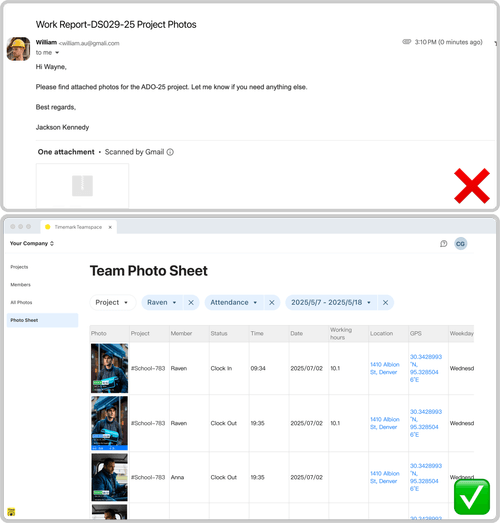
Keep The Full Record
Forwarding through WhatsApp can compress photos and remove original capture time and GPS data, while email size limits can lower quality. Teamspace keeps the full photo record.
- Photo Details: Each photo includes photographer, time, GPS location, address, and project.
- Original Download: The office can download the original photo from Teamspace.
- WhatsApp Limits: Normal photo sending compresses files and removes original capture time and GPS data.
Start Collecting In Three Steps

Create Your Team
Create a team and add projects for the jobs your crew works on.

Invite Your Crew
Invite members by email or share an invite link with your crew.

Shoot In Timemark
Crew takes photos in Timemark, and they upload to Teamspace when phones have internet.
Photos Arrived? Keep Them Organized
Once photos reach Teamspace, they are linked to the member and project, and you can search for the one you need.
Organize Photos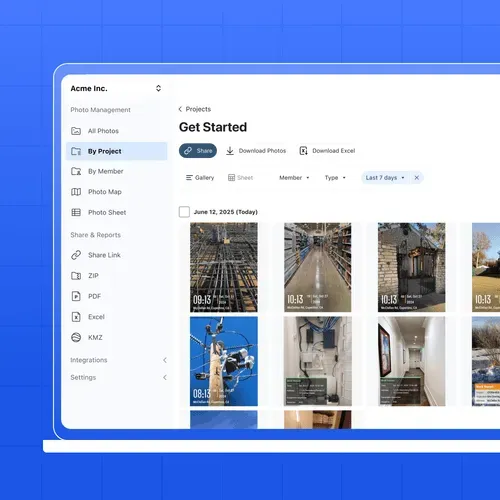
What Field Teams Say About Timemark
“Timemark gives us a scalable way to collect tamper-proof, georeferenced field photos, improving transparency, auditability, and operational efficiency across our restoration projects.”

“Timemark streamlines how our field techs collect photos and eliminates the download process and email back-and-forth. And with all the context shown directly on the photos, they become much more usable for project managers and clients.”
“Timemark provides us with a scalable, cost-effective solution for managing photos across 100+ monthly projects and generating over 10 PDF reports each day.”
Frequently Asked Questions


Start Collecting Crew Photos
Create a team to start a free Business trial. No credit card is required.
Start For Free