Best Photo Authentication for Work

Timemark provides photo authentication with tamper-proof evidence for contractors and field service pros. Verify work with time-stamped and geo-tagged images. Build trust and prevent disputes.

Timemark app interface showing a construction site photo with timestamp (09:30 AM, Sep 20 2023, 19400 Homestead Rd, Cupertino, California, America), options like "Preview", "Files", "Templates", a photo gallery of Mark Wilson (234 items, dated 25 May 2025), and an authenticity check result stating "The check result is Authentic" with details on time & date, location (location not enabled), image analysis, and a photo code.

Trusted by 3.7M field pros and teams from

Charter logoSpectrum logoCoca cola logoUnilever logoSeven eleven logoAIA logoG4S logoCoteccons logoMasTec logoWaskita logo
Charter logoSpectrum logoCoca Cola logoUnilever logoSeven Eleven nlogoWalmart logoG4S logoContecons logoWaskita logoMasTec logo
Verify Job Photos With Tamper Proof Data

Is this photo real? Was it really taken on-site and at the right time? Is this photo real? Was it really taken on‑site and at the right time? Research from the National Institute of Standards and Technology shows that image metadata, such as GPS coordinates, dates and times, may be limited, absent, inaccurate, or altered without necessarily changing image content.

As noted in another industry research, there is a clear "need for lightweight authentication solutions to detect basic tampering in field-collected images. Timemark acts as your on-site photo authentication tool. It captures secure photo data like a digital seal, so you and your clients can verify its authenticity instantly, straight from the camera.

Feature Image

Key Features

See how Timemark secures photo authentication for reliable evidence

The interface of Timemark with a timestamped photo. The sync status bar shows “Saved”.

Auto-Tag Photos

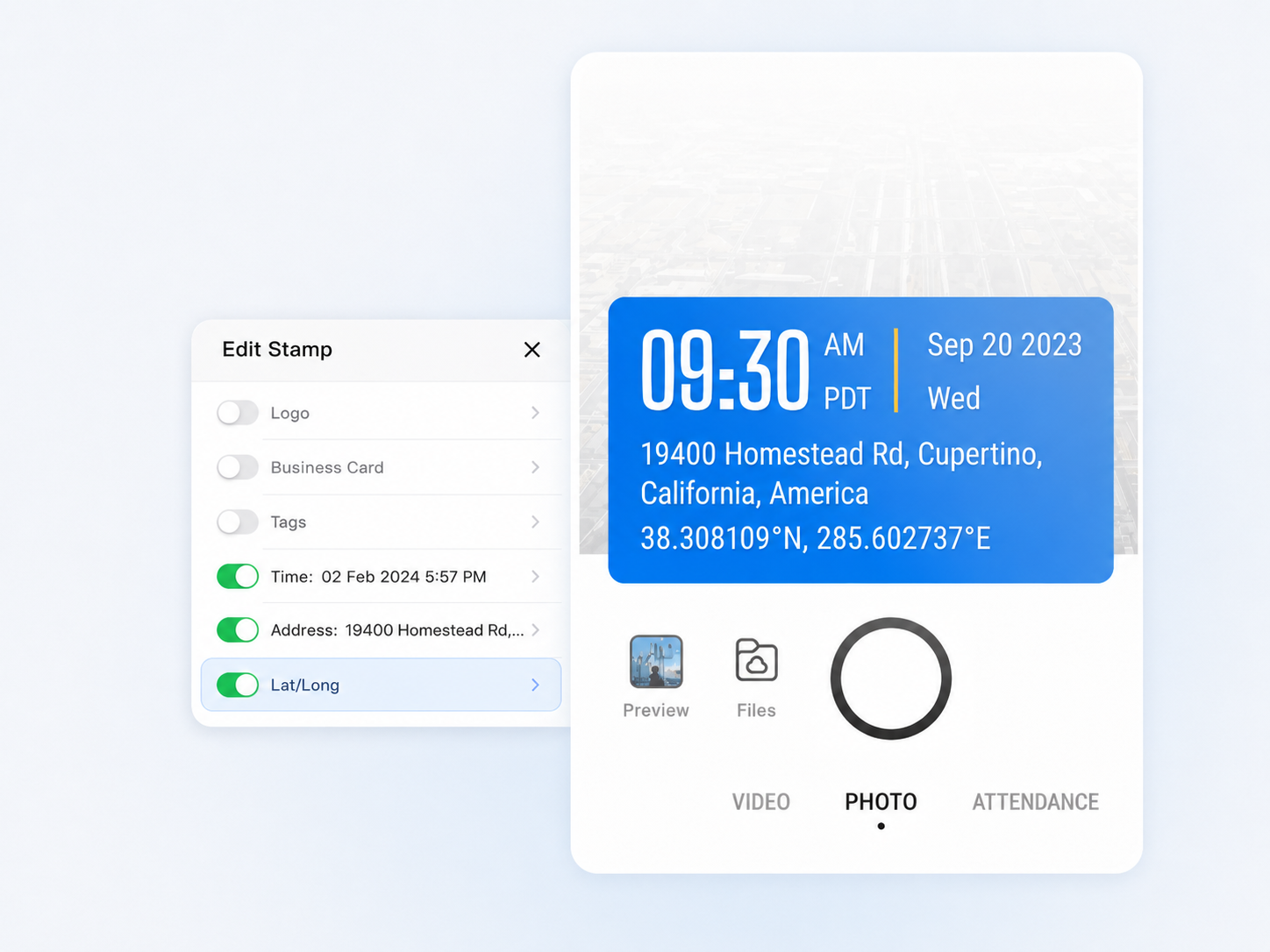
Each photo you take automatically includes verifiable data for digital photo authentication: time, GPS coordinates, and address are all securely recorded. Unlike standard phone cameras, Timemark saves you from digging through metadata or guessing details later.

  • GPS and timestamp data are tamper-proof, even if system time or GPS is manipulated
  • Switch on to add more context such as latitude, longitude, weather, elevation, compass direction, etc.
A photo gallery that has a few photos selected; on the right hand side shows the options to export to Excel or PDF; at the bottom shows the options to share to WhatsApp, export as PDF / ZIP / KMZ.

Photo Verification

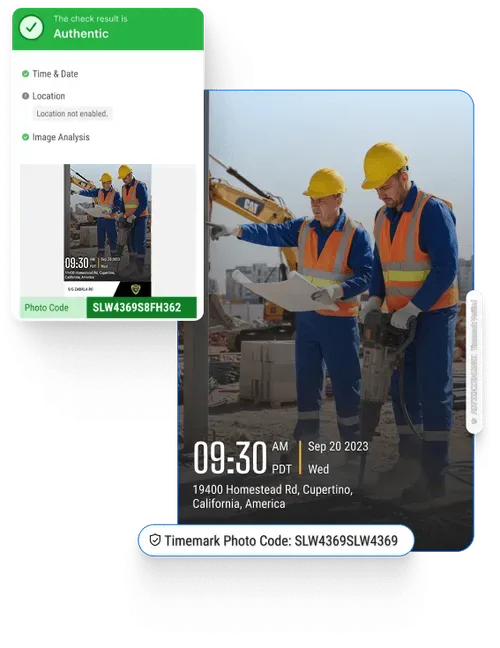
Every photo you take with Timemark comes with a unique photo code that makes photo authentication simple and reliable. Enter the code or upload the photo in Timemark’s Verification Center to instantly check its authenticity.

  • Each code links to full metadata including GPS photo location, timestamp, and device details
  • Provides trustworthy evidence for audits, insurance claims, or dispute resolution
  • Quickly share verified photo or job documentation with clients or management
The data fields inside the ‘Edit Template’ with the Address field toggled on; all other fields are toggled off including Logo, Business Card, Tags, Weather, Lat/Long, Altitude, and Compass.

View on a Map

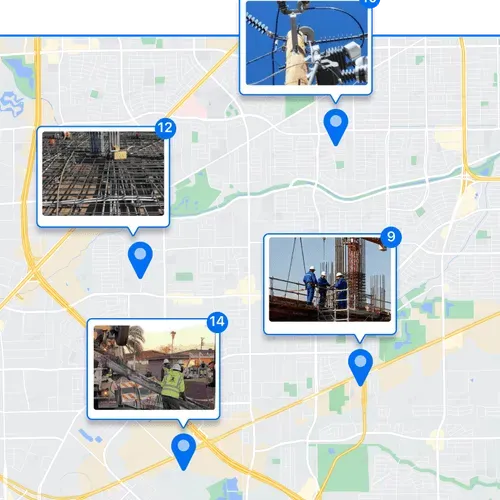
See every verified photo on a map to confirm where and when work happened. Perfect for remote site checks, delivery tracking, or inspection verification.

  • Zoom in to examine specific areas or zoom out to view the overall site status at a glance
  • Instantly identify missing records or inconsistent documentation
  • Keep every photo neatly organized and accessible for audits or reports
A photo gallery that has a few photos selected; on the right hand side shows the options to export to Excel or PDF; at the bottom shows the options to share to WhatsApp, export as PDF / ZIP / KMZ.

Quick Professional Reports

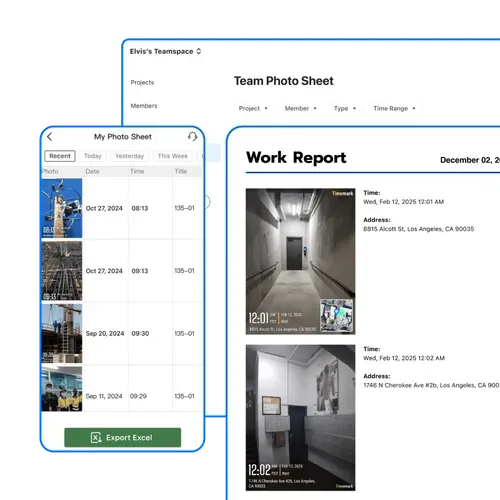
Turn your verifiable photos into clean, professional reports in minutes. Each file you export includes timestamp, GPS location, and verification data. Ideal for audits, insurance claims, or compliance.

  • Export all GPS photo locations, timestamps, and notes in one file
  • Sort or filter by project, date, or other job details in Excel for fast analysis
  • Maintain verifiable evidence images to share confidently with clients or management

How to Ensure Photo Authentication?

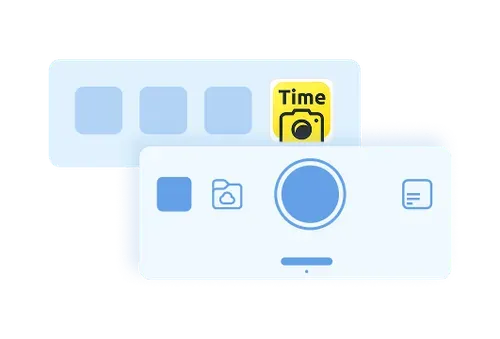
A demonstrative graphic that shows the "capture" button on Timemark
1. Get Timemark App
Go to app stores, find Timemark and download it. Open the app, grant camera and location permissions.
A demonstrative graphic that shows the project view and member view of job photos on Timemark
2. Take Stamped Photos
Tap the camera button. Timemark adds non-forged timestamp and location automatically.
A demonstrative graphic that shows the interface of web Teamspace
3. Verify Authenticity
Open the Verification Center to confirm your photo’s details and view all traceable metadata for proof and reports.
Download Timemark APP

Use Cases

Construction

Construction teams use Timemark for on-site photos. It adds GPS to mark locations (e.g., wall framing) and auto-sorts by project, making it easy to prove work to clients and cut rework.

Image
Cleaning Services

Cleaners use Timemark to snap before/after site photos. Tamper-proof GPS tags confirm site location, time-stamps prove service hours, and easy sharing resolves client disputes fast.

Image
Repair Teams

Timemark lets repair pros snap issue/repair photos. Auto-sort by repair job, sync to cloud, and build reports in one click. Simplify prove work to clients and managers.

Image

Timemark vs Other Solutions

Comparison
System Camera
Timestamp Camera App
CompanyCam
Timemark Camera
Data Integrity
Low. Metadata can be easily changed.
Medium. Timestamp and GPS location can be manipulated by changing the system time zone and using fake GPS.
Medium. Only offers basic timestamping feature. Timestamp and GPS location can be forged.
High. Verified, tamper-proof data locked at the moment of capture, ensuring photo authentication.
User Experience
Simple for anyone
Can be confusing to navigate
Too many bloated features
Simple for everyone, powerful for the whole company
Best For
Personal photos
Basic time logging
Internal team collaboration
Resolving disputes and proving work with undeniable evidence
Star IconStar IconStar IconStar IconStar Icon

"Timemark’s unique photo codes keep our site shots trusted. It’s the best photo authentication tool we’ve used for keeping photo records clean and credible. Sharing reports with one click also made updating the office on cable installs way faster."

Star IconStar IconStar IconStar IconStar Icon

"Our crew’s photos used to be chaos. No location, no context. With Timemark, every image is timestamped, mapped, and verifiable. We’ve completely stopped the ‘where is this?’ back-and-forth."

Star IconStar IconStar IconStar IconStar Icon

"The general contractor accused us of being behind schedule. I sent a Timemark report with a week's worth of time stamped photos. This is the best app ever that gives us the evidence we need to protect our reputation and our payments."

Want to Organize Job Photos Smarter?

Authentic photos are only valuable when they’re organized. Teamspace auto-collects and auto-organizes verified photos by project, location, and crew, creating a reliable record your entire team can access and share.

Get Started Free
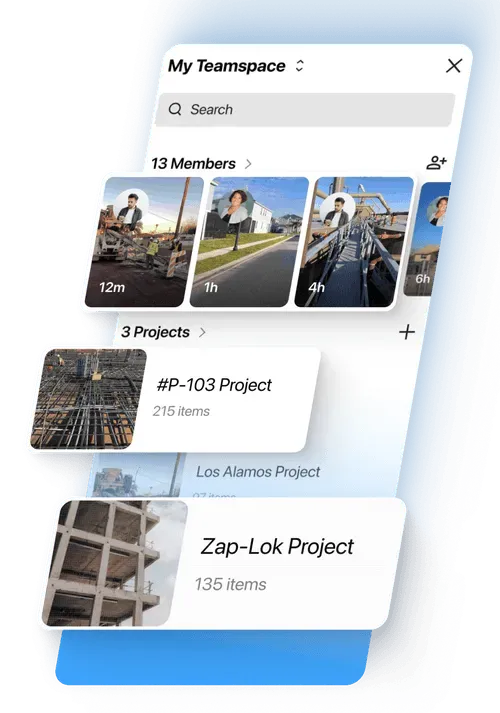
Teamspace interface "My Teamspace" showing 13 members and 3 projects (#P - 103 Project, Los Alamos Project, Zap - Lok Project).

Frequently Asked Questions

What essential details should photo proof show?
Faq Icon
What information confirms the photo's authenticity?
Faq Icon
How do photos ensure accurate delivery?
Faq Icon
Is photo data stored securely in the app?
Faq Icon
Can authenticated photos be used as legal proof?
Faq Icon
How does the system prevent photo tampering?
Faq Icon
Why is real-time photo upload important?
Faq Icon

Try Timemark Free & Get Easy Photo Authentication

Download Timemark free to add secure timestamps/GPS, share proofs, and stop work photo headaches fast.