
A drop-off may be disputed
A signature does not show the goods, quantity, condition, or where they were left. Capture the full delivery before the receiver moves it.
TIMEMARK FOR LOGISTICS TEAMS
Timemark helps drivers, warehouse crews, and receiving teams capture delivery photos with time, GPS, street address, and job details. Give the person who approves, pays, or disputes the shipment a clear record.
✓ When a delivery photo is missing, your team may need to replace goods or delay an invoice.
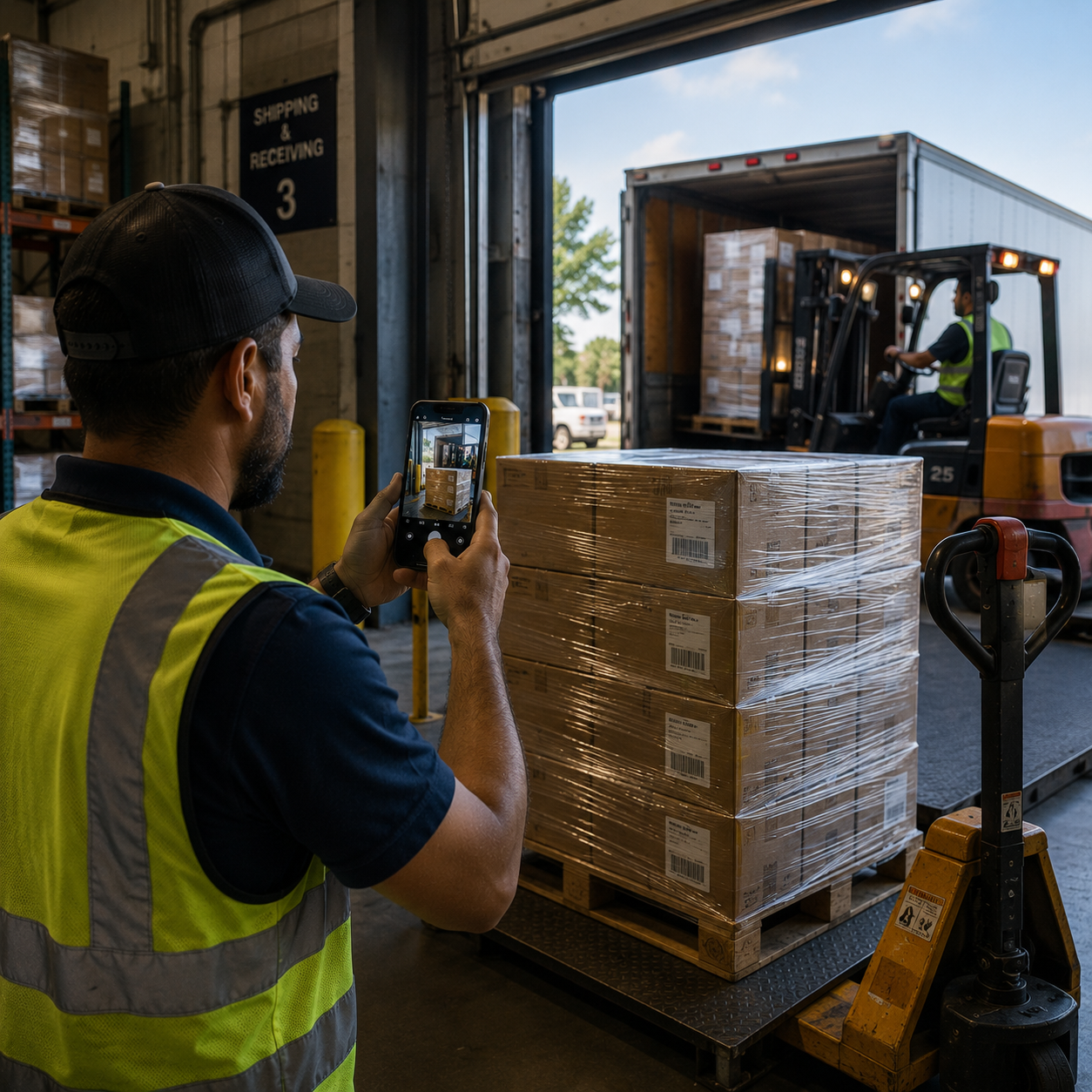
WHEN DELIVERY PHOTOS ARE MISSING
Customers may say an order never arrived or items were missing. Without clear photos, your team may re-supply goods, delay payment, or spend time searching texts and chat.
A signature does not show the goods, quantity, condition, or where they were left. Capture the full delivery before the receiver moves it.
Photograph labels, outer packaging, damage, and contents as soon as an issue is found. Later photos may not show what happened.
When an invoice depends on a delivery photo, drivers need a simple, consistent way to capture proof at every stop.
THE MOMENTS THAT CANNOT BE RECREATED
A shipment can be loaded, moved, unpacked, or handed to another crew within minutes. Capture its condition, labels, time, and location while they are visible.
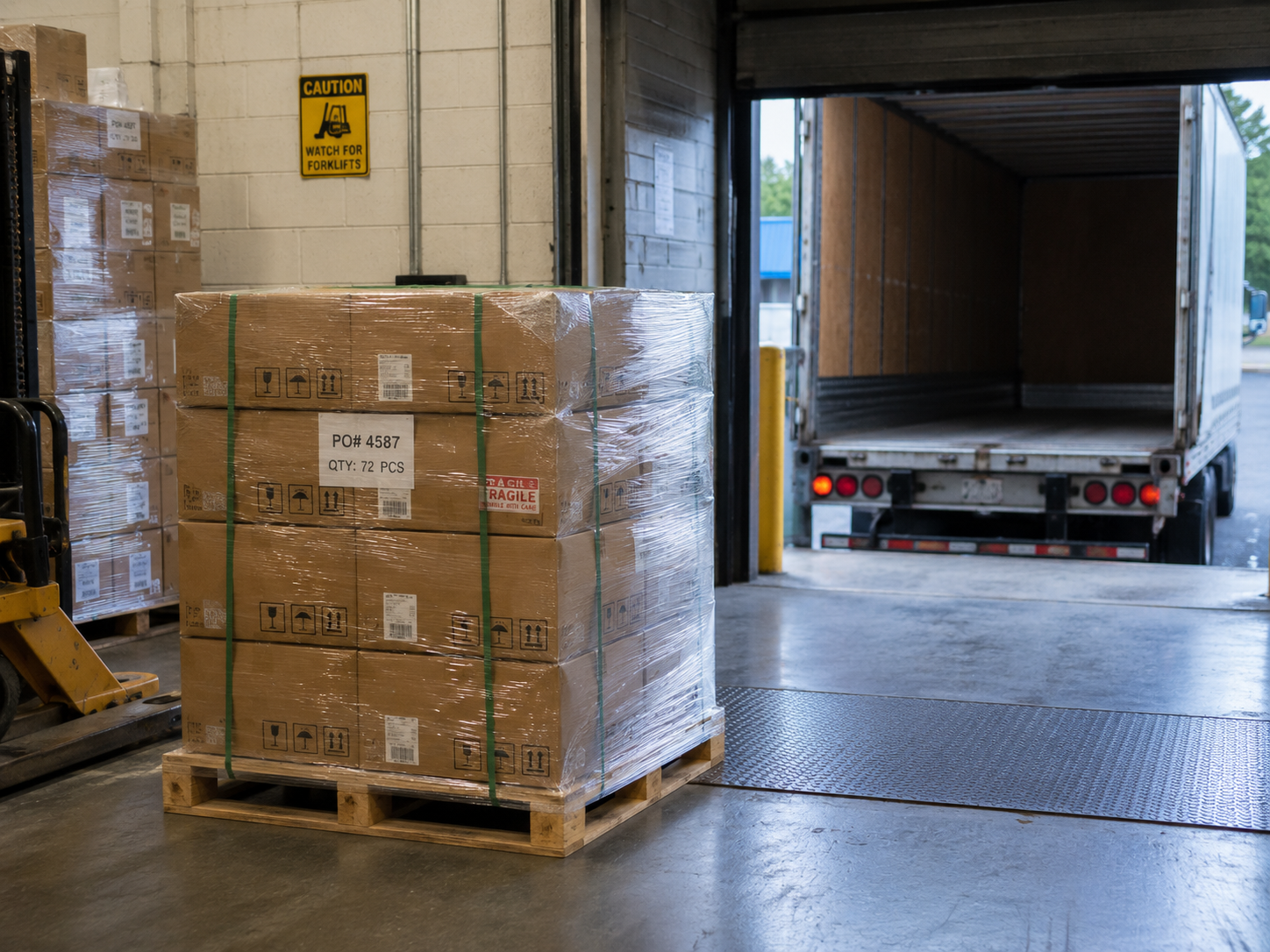
Photograph the shipment from above to show contents, quantity, labels, packaging, and visible condition before it goes into the vehicle.
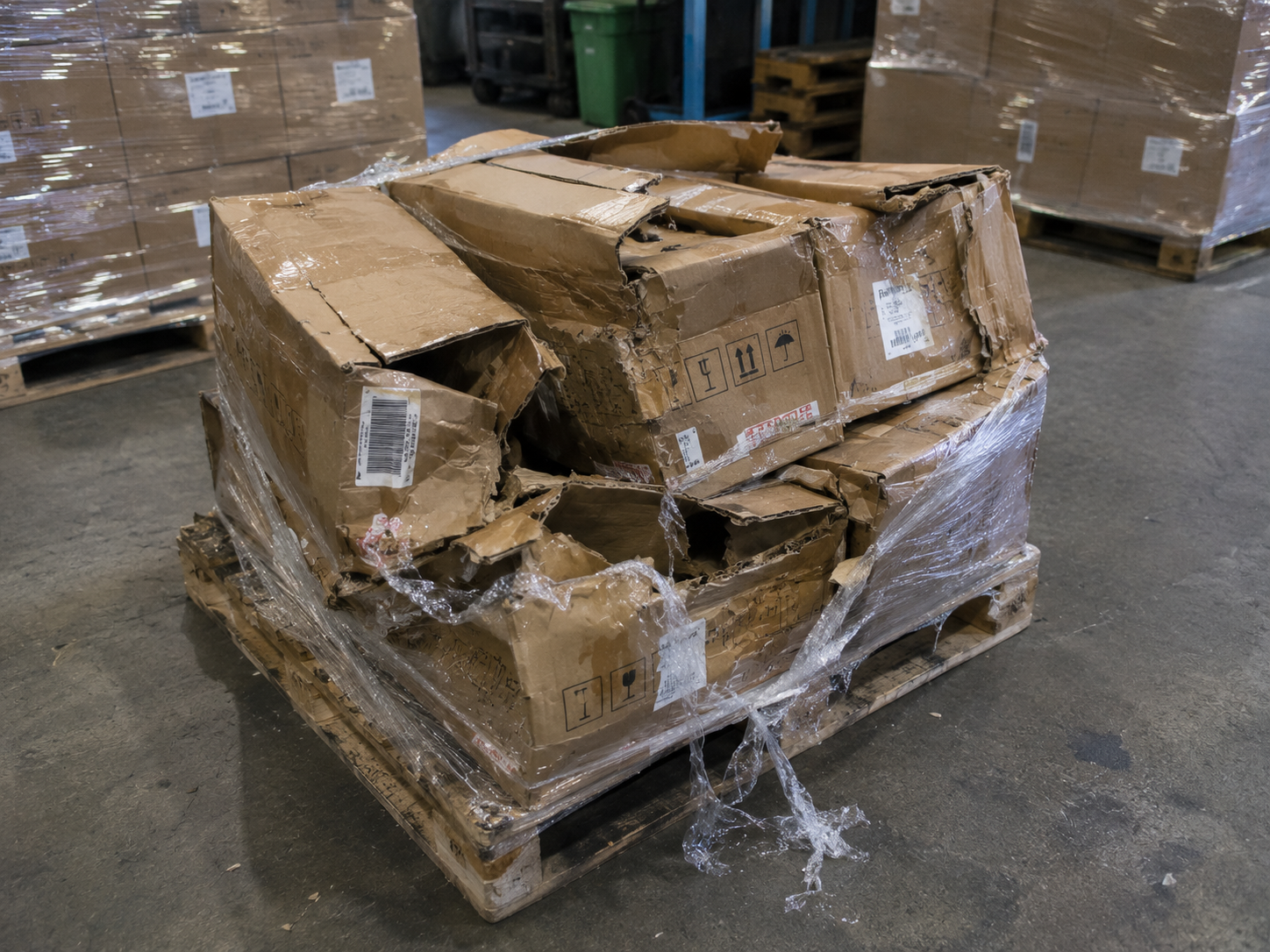
Capture damaged packaging, labels, and the goods inside before anything is moved, unpacked, repacked, or accepted.
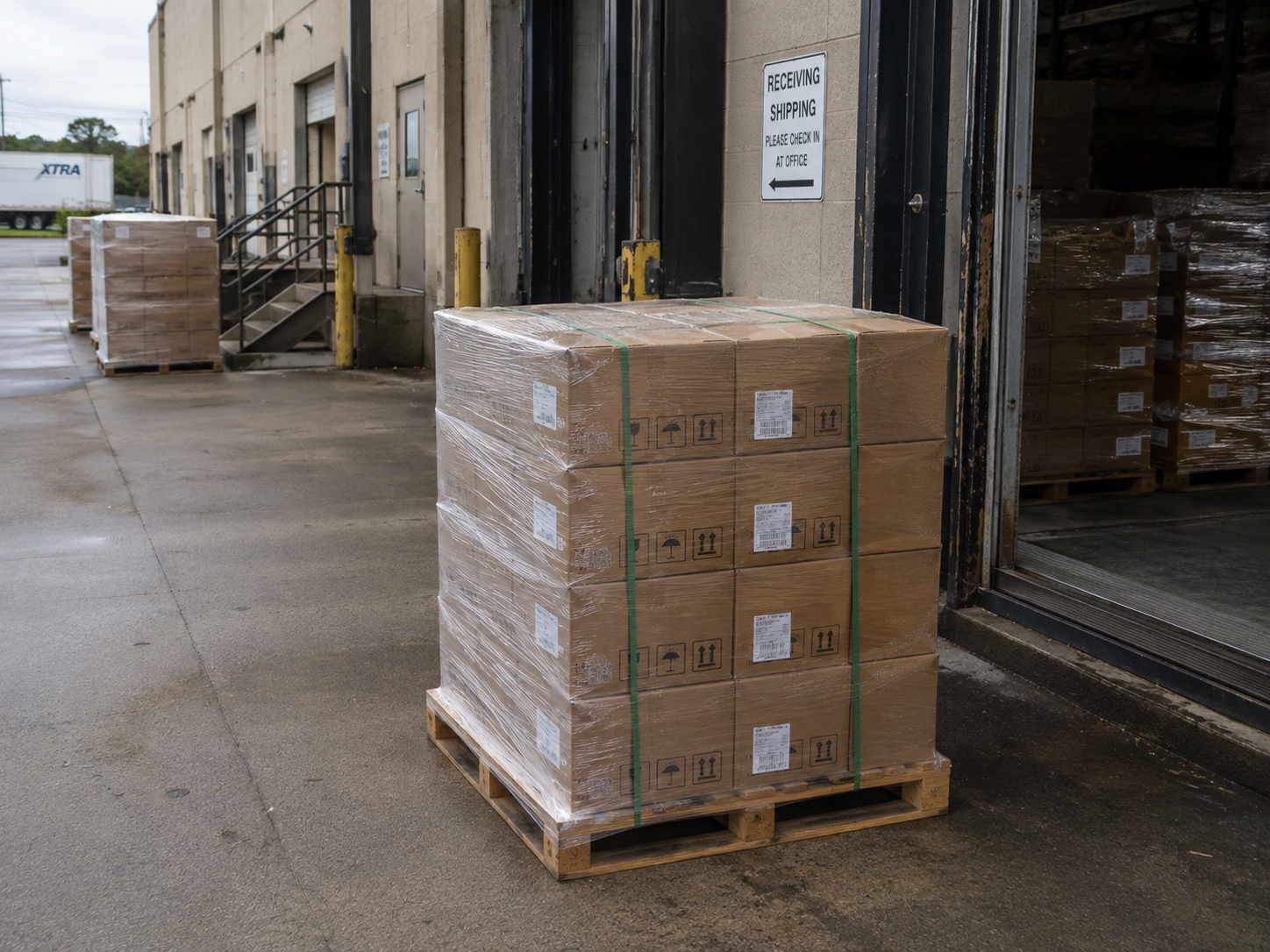
Photograph the goods at the delivery address to show quantity, condition, placement, and the surrounding area before other crews move them.
PROOF FOR EACH HANDOVER
Set up photo templates and checklists for the handovers that matter most.
Capture shipping labels, tracking numbers, packaging, contents, quantity, and condition before goods leave the dock or enter a vehicle.
Record the goods at the address, or photograph damage and notes while the driver or receiving crew is still there.
A PHOTO TEMPLATE FOR EACH STOP
Set the fields your team needs, then use checklists so required proof is not missed.
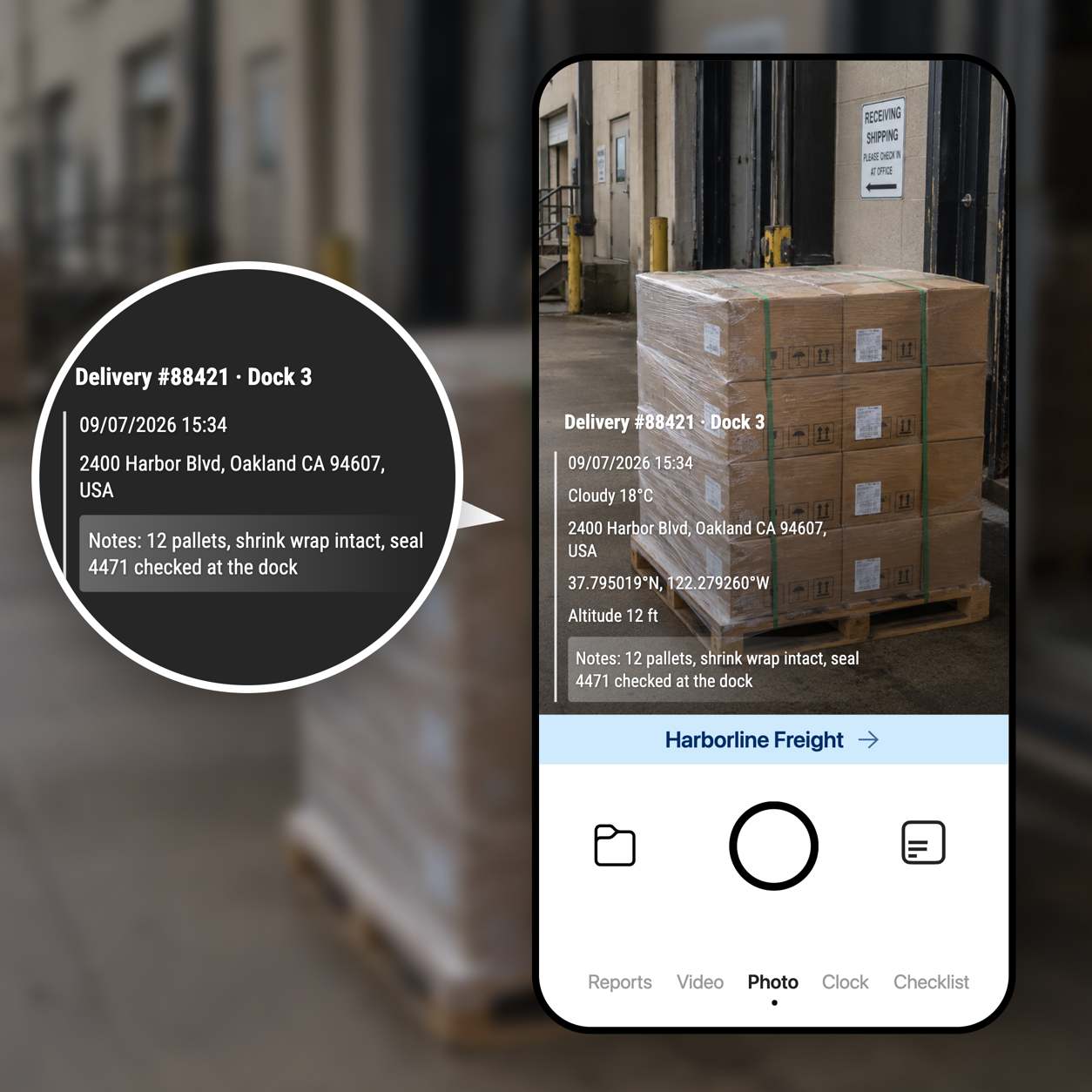
Add your logo, project, address, coordinates, notes, and custom fields. Make key fields read-only when needed.
Use checklists for loading, receiving, damage, and delivery. Each photo keeps a time and location that cannot be edited and can be verified.
FROM THE FIELD TO TEAMSPACE
Photos sync to Teamspace and are organized by project, team member, and date. Dispatch, finance, customers, and inspectors can find the record without asking for photos again.
Sign up for Teamspace →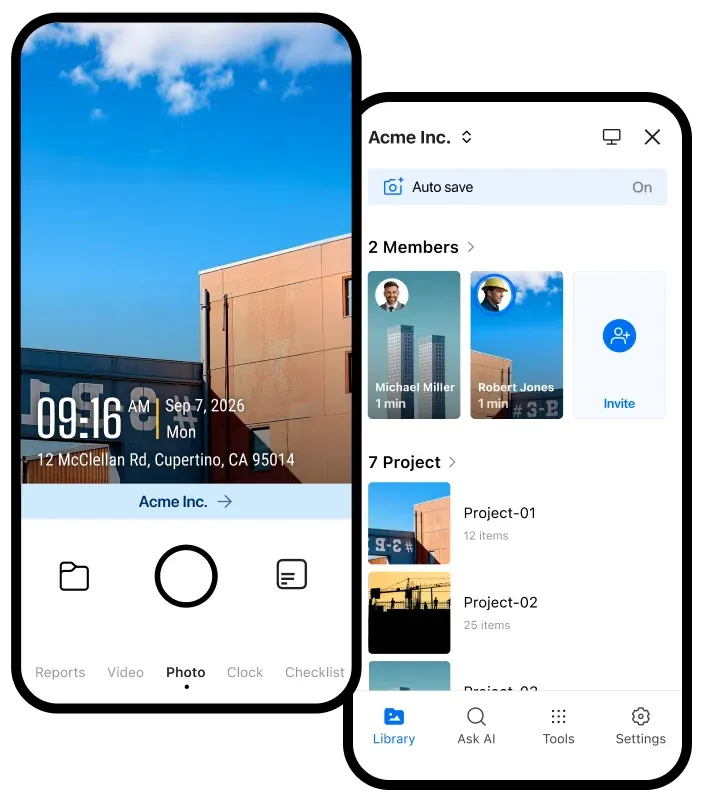
Organize loading, receiving, damage, and delivery photos in the project where your team needs them.
Give dispatch and managers one shared place to review photos from drivers and warehouse crews.
Create PDF, Excel, ZIP, KMZ, collage, or Before & After reports, or share a link anyone can open.
KEEP DELIVERY PROOF USEFUL
Explore tools for delivery photos, proof of delivery, damage records, Teamspace organization, and photo maps.
Share verified field records with the storage and automation tools your team already uses.

Automatically send verified jobsite photos and reports to the Google Drive folders your team already uses.

Keep project evidence available in OneDrive so office teams and field teams work from the same record.

Send job events and verified field records to the internal systems and automation tools your team relies on.

Sync verified job photos and field records with the jobs your team manages in Jobber.
BUILT FOR LOGISTICS TEAMS
Give drivers a clear photo workflow and give dispatch, finance, customers, and inspectors the proof they need when a delivery is questioned.
Get Timemark free →