
Digital Photo Checklist for Field Teams
A photo proves one moment. A checklist proves the whole job — every required step, every photo, signed off on site and exported as one report.
Trusted by 3.7M field pros and teams from











Photos Alone Don't Prove the Job Was Done
Are These Gaps Costing You?

Nothing Shows a Step Was Skipped
A folder of photos can't tell you which check never happened. You find out when the client asks.

No One Signed For It
Photos show the work. They don't show who accepted it, or when.

Every Crew Documents Differently
Without a locked template, one crew shoots four photos and the next shoots one. Audits fall apart.
From the Field

A £50,000 Lesson From a Delivery Dispute
A UK customer told us they lost a £50,000 claim after their client went into administration and denied receiving months of goods. They had signatures on about 80% of the delivery notes, but no photos of the drops — and signatures alone didn't carry the claim. Every drop is now photographed, so the next dispute comes with a record behind it.

Three Photos at Every Location
A US fiber contractor shoots the same three photos at every location — the tray, the vault, and the case with the fiber labels. As a checklist template, those three become required steps, and each location exports as its own PDF close-out package, ready to hand over.
Key Features
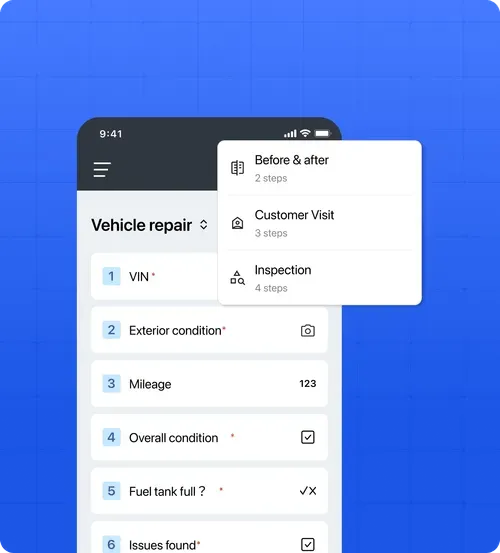
Build Standardized Templates
New crew members don't need training on what to shoot. The template walks them through it, and required steps block submission until they're done.
- Flexible Data Fields: Support any workflow with photo evidence, text inputs, numbers, yes/no toggles, multiple-choice questions, and signatures. Mark critical steps as required to ensure crucial data is never skipped.
- Ready-to-Use Presets: Start instantly with pre-built industry templates for inspection, quality check, and before-and-after documentation.
- Locked for Standardization: Admins control the master templates so field members always follow the exact same standards without unauthorized changes.
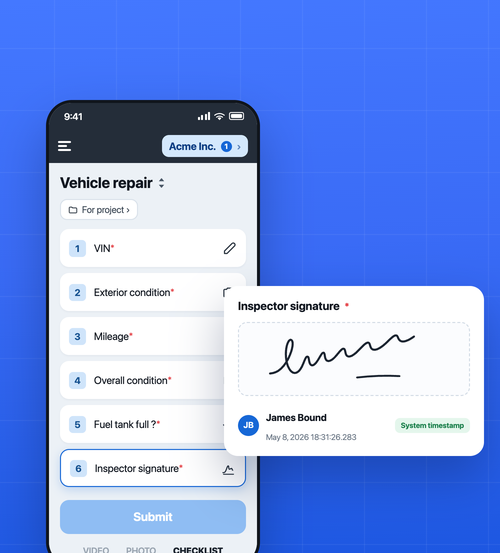
Capture Sign-Off On Site
- Signature Steps: Add a signature step anywhere in the template. Your inspector signs for the result, or you hand the phone to the client to sign for the handover.
- Signer Name and Timestamp: Every signature is stored with the signer's name and the exact moment it was saved — recorded by the system, and nobody can change it afterwards.
- Signs Offline: Collect the signature on site with no connection. It uploads with the rest of the checklist once the phone is back online.
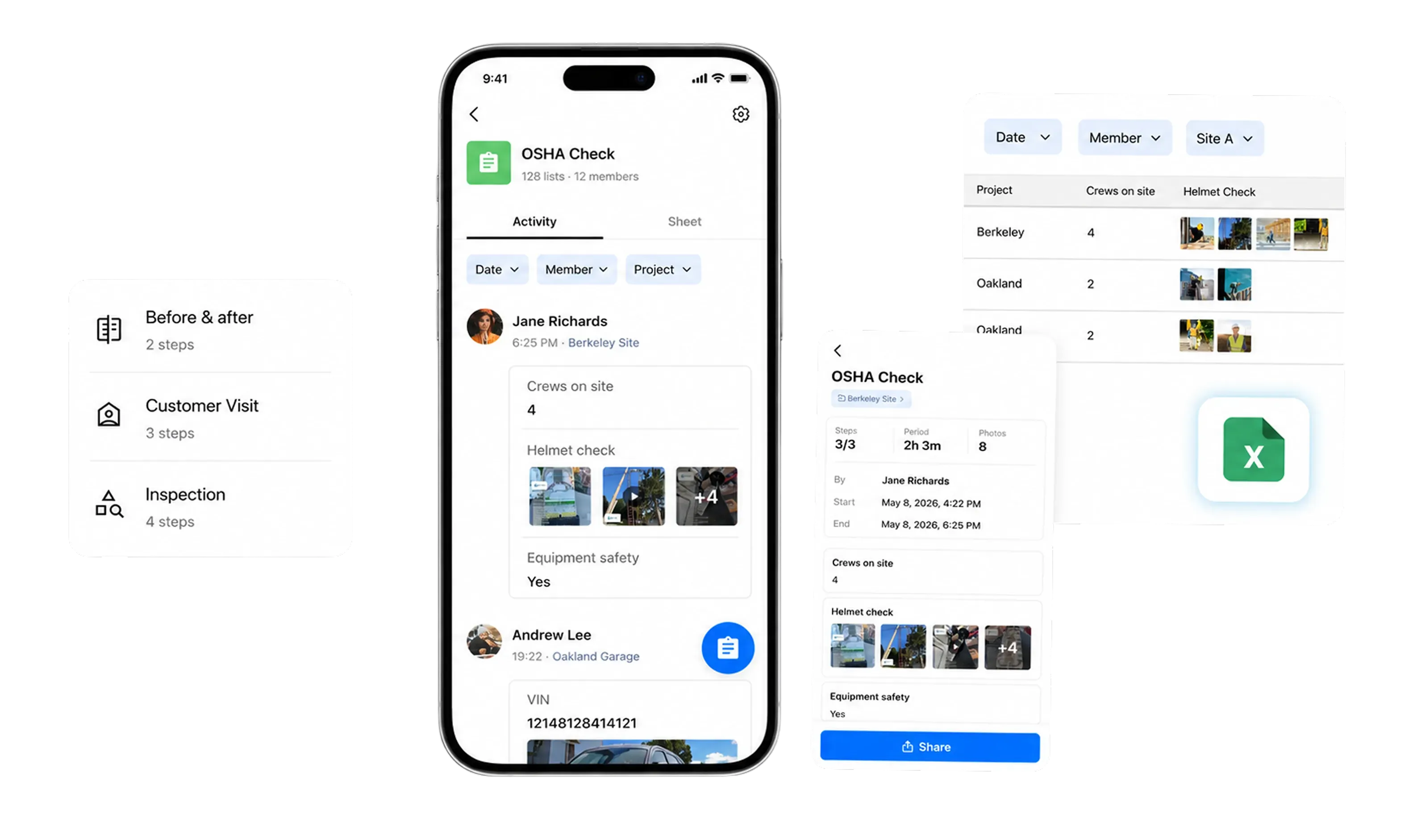
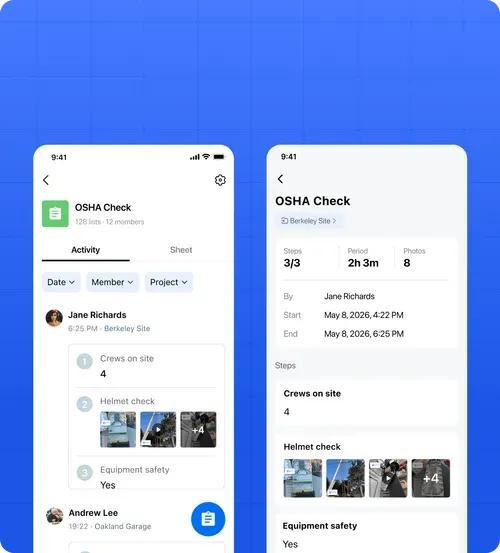
Monitor All Activities in Teamspace
- Real-Time Syncing: Upload checklist activities and photos to your teamspace instantly. Activities queue up safely in remote areas and automatically retry syncing the moment connection returns.
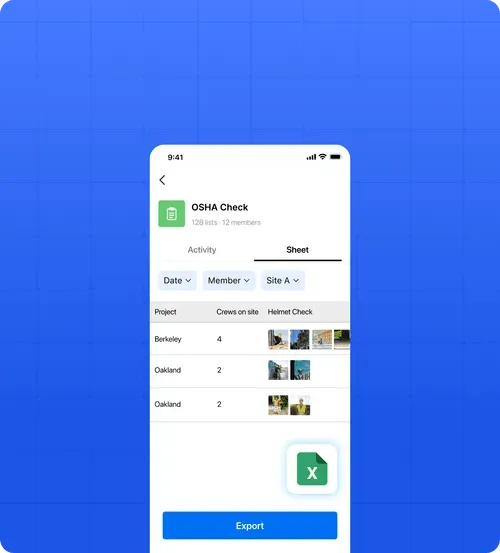
- Organize by Crew or Project: Pull up records by specific team member, project site, or date range to stay on top of daily progress.
- Deep-Dive Detail Pages: View complete records with each photo's capture time and location, plus job duration.
Turn a Finished Checklist Into a Client Report
- PDF Reports: Export any submitted checklist as an A4 PDF — the template name, every answer, photos as a thumbnail grid, and the signatures. Save it or share the file straight from your phone.
- Web Links: Share a secure, direct link to any checklist's detail page with clients or stakeholders—no login required for them.
- Excel for the Back Office: Export clean, organized spreadsheets optimized for internal audits, client compliance, or payroll backup.
What Field Teams Say About Timemark
“Timemark gives us a scalable way to collect tamper-proof, georeferenced field photos, improving transparency, auditability, and operational efficiency across our restoration projects.”

“Timemark streamlines how our field techs collect photos and eliminates the download process and email back-and-forth. And with all the context shown directly on the photos, they become much more usable for project managers and clients.”
“Timemark provides us with a scalable, cost-effective solution for managing photos across 100+ monthly projects and generating over 10 PDF reports each day.”
Frequently Asked Questions

Prove the Whole Job, Not Just One Photo.
Guide your crews step by step, capture sign-off on site, and hand the client a finished report.
Start For Free