GPS Map Camera vs Timemark
Lots of apps can put a timestamp on a photo. Only Timemark makes it impossible to fake.
4.8/5 Rating on app stores
10M+ Downloads


.webp)


Trusted photo proof
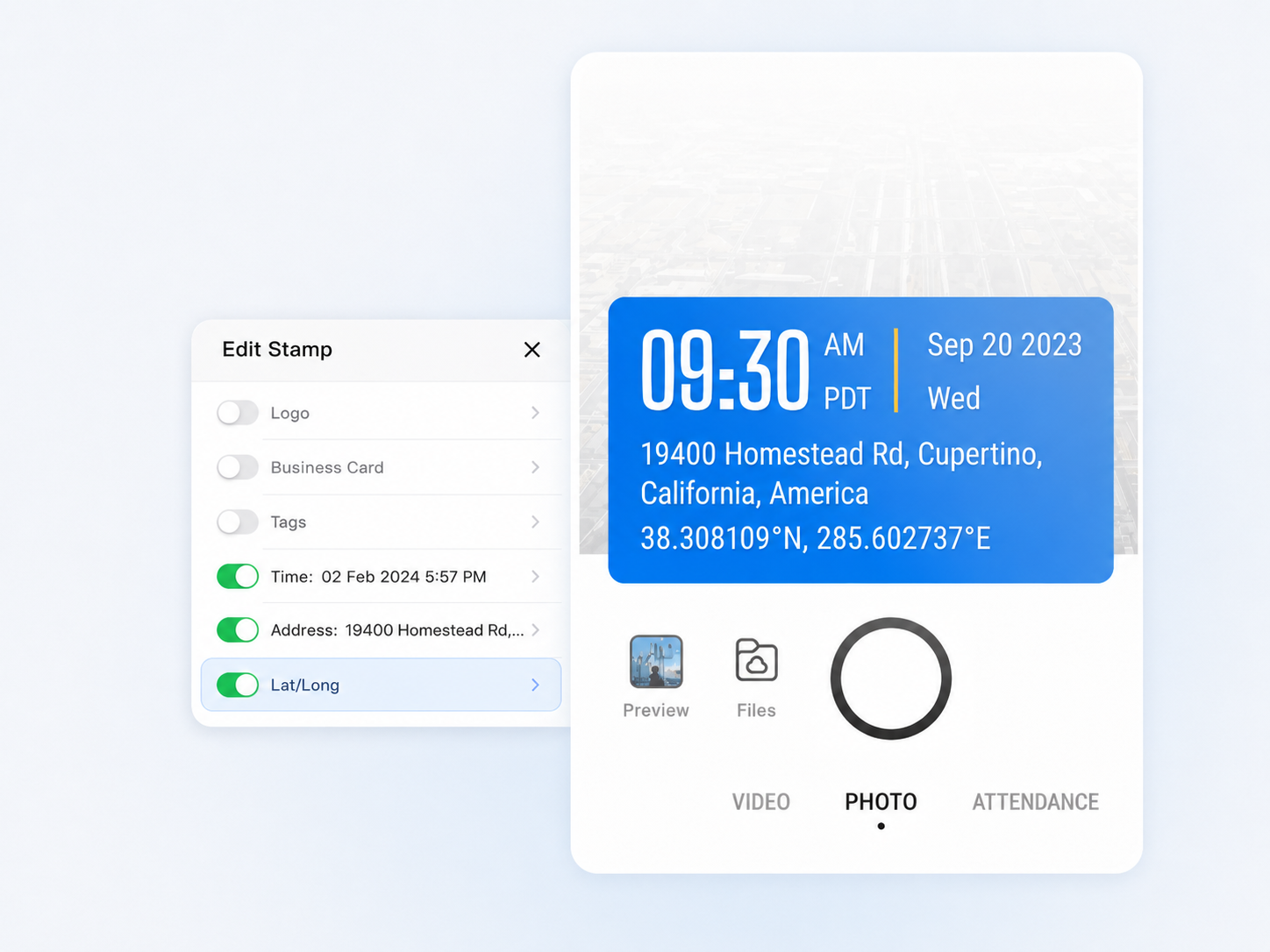
With GPS Map Camera, anyone can fake a timestamp by changing their phone clock. Timemark locks the timestamp against NTP servers at capture. What the photo says is what happened.
Auto-Saved
to the Cloud
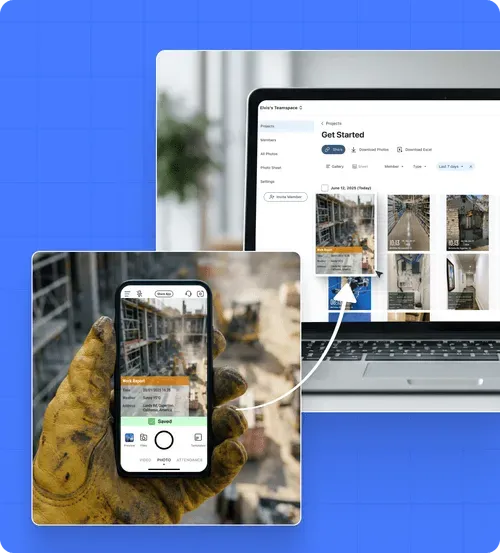
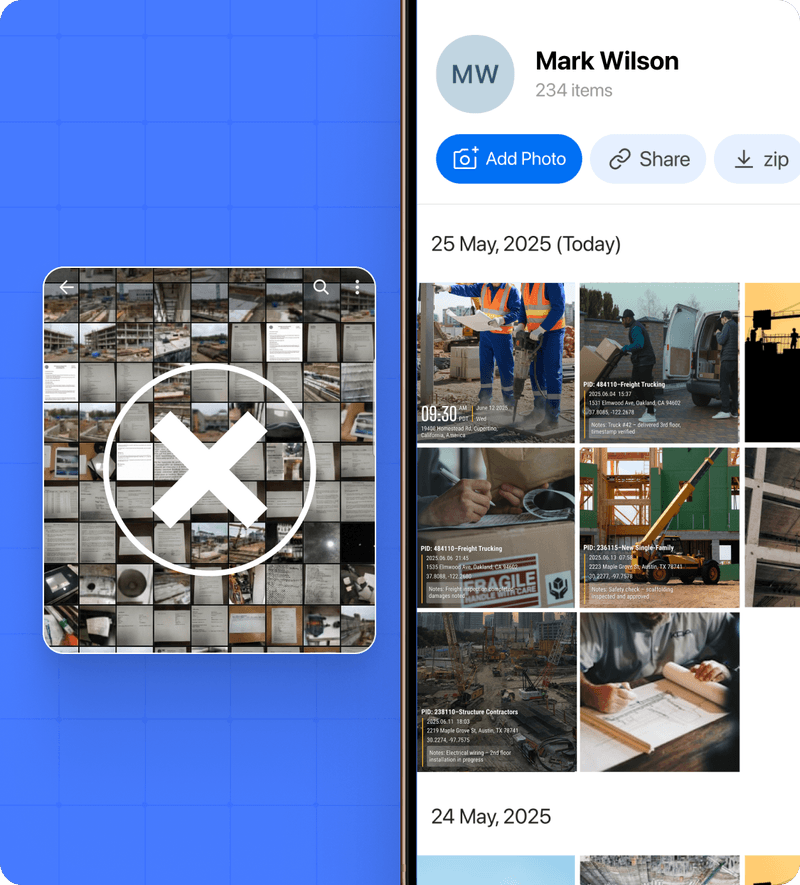
Timemark uploads work photos directly to a shared cloud workspace, keeping your job documentation separate from your personal photos and accessible to the whole team.
No Lost Photos
Timemark automatically collects photos from field crew and securely stores them in a cloud workspace. Even photos taken offline will upload automatically once back online.
Better Project Delivery
Deliver organized project photos to clients instantly in Excel, PDF, KMZ, or guest links without waiting for hours to get download links by email.
Super Easy to Get Started
No training required. Start saving time today.
Start for free
No credit card required to start a free trial.
/01
.png)
Capture Photos on Site
Take photos on-site, and Timemark automatically adds time, location, notes, and other context, then categorizes them by project.
/02

Organize in Office
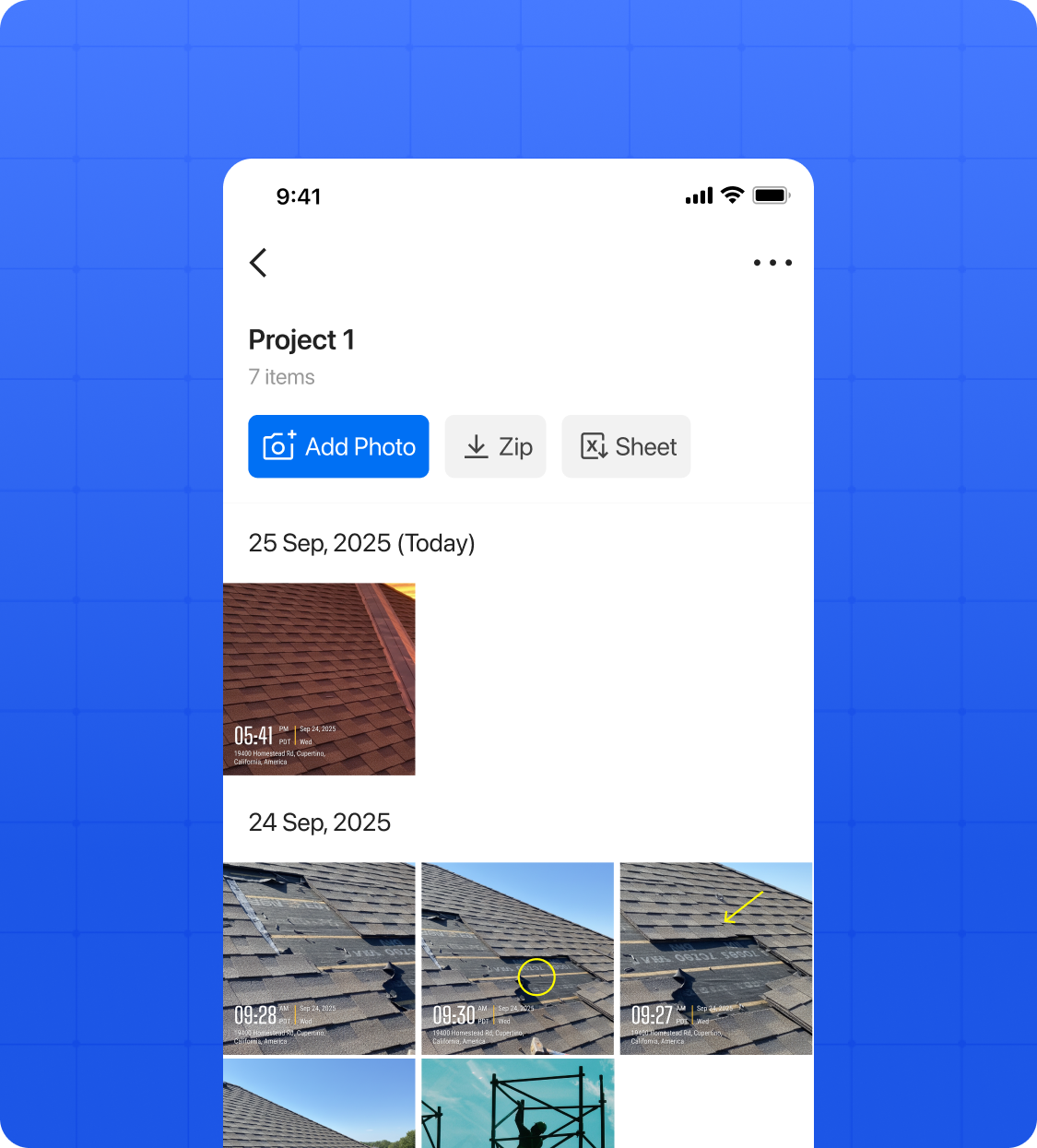
View and manage team photos by project or crew in gallery, map, or sheet view from the app or web portal.
/03
.png)
Share with One Click
Send photo updates to clients instantly in Excel, PDF, KMZ, ZIP, or links not hours later like CompanyCam.
Free Plan: $0/month
Start with basic photo capture, automatic time & location stamps, and simple project organization.
Pro Plan: $79/month
Billed annually for teams starting at least 3 users.
$29/ Additional User
Pro & Business : $5 per user/month
Adds offline use, more photos, unlimited members/projects, and advanced exports.
Premium Plan: $129/month
Advanced team tools with AI reports and templates.
$29/ Additional User
Enterprise
Contact Us for large teams with custom needs, integrations, and higher limits.
Elite Plan: $199/month
Everything in Premium plus client tools and secure project features.
$29/ Additional User
.webp)
Automatic Photo Information: Each photo is stamped with time, location, notes, logo, etc. for accuracy.
Verified & Secure: Time and gps location are temperproof, keeping all images reliable and legally defensible.
Reliable Offline Capture: Photos are safely captured offline and automatically uploaded and organized once online.
.png)
Automatic Photo Organization: Timemark automatically sorts photos by project and team member, removing manual work.
Multiple Viewing Options: View photos in gallery, sheet, or map view for flexible browsing.
Quick Photo Search: Find photos instantly with intuitive search and filters.
.png)
Simplified Photo Sharing: As one of the best CompanyCam alternatives, Timemark lets you download and share photos immediately without waiting for email links.
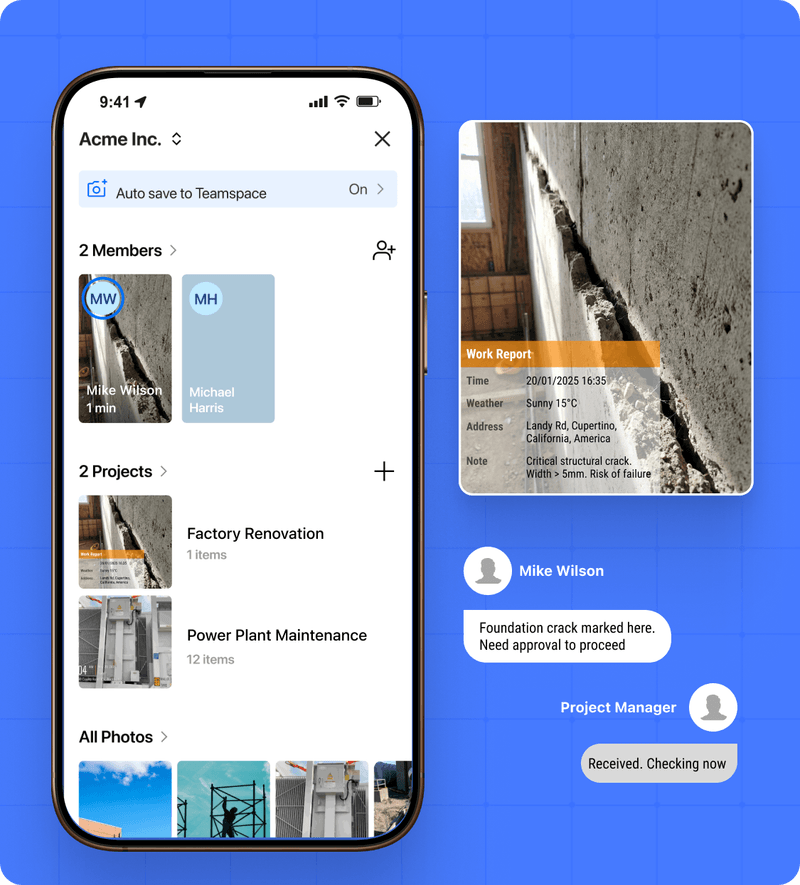
Fast Team Collaboration: Share photos quickly with your team, ensuring everyone has access to the latest updates.
Add Notes and Updates: Leave notes directly on photos to communicate context and keep everyone informed without chaos.
On-site work needs verified photo management. Many teams switching from CompanyCam rely on Timemark to automatically gather and share immutable field photos, enabling faster and more reliable client delivery.

Quality control and daily reports need clear, verified photos. Unlike CompanyCam, Timemark automatically adds time and location, sorts photos by project and team member, and keeps everything organized. Save hours, reduce errors, and lower legal risks.

Network installation, maintenance, and troubleshooting require reliable photos. Teams switching from CompanyCam choose Timemark because it works offline, automatically syncs when online, and ensures no key site photos are ever missed, keeping projects on track and reducing risk.

Timemark Camera
CompanyCam
Overall
Free plan
Pricing
$5 / seat / month
$99 for 3 users; $34 for additional user
Billing
Prorated billing for added or removed seat
Fixed billing
Platform
Android, iOS, Web
Android, iOS, Web
Ratings
4.8 rated by 338k users
4.7 rated by 22k users
Team Features
Projects
Unlimited
Unlimited
Photo Storage
Free: 100 photos
Business: 300k photos
Unlimited
Members
No minimum
Starts at 3 users
Customize team templates
Export
Excel / PDF/ Link / ZIP
PDF / Link
View
Project / Member / Date / Map
Take Photos
Add timestamp, geolocation to photos
Meta data traceability
Stability
Fast loading
Reported delays in refreshing
Photo Templates
Customize watermark templates
Share templates
Logo
Logo & transparent logo
No transparent logo
Colorful styled notes
Others
Time tracking
Integration with OneDrive & Google Drive
Google Drive
"CompanyCam forced 3 seats on us, even though it’s just me and my helper. Timemark lets us pay per user and saves us $120/month. Plus, photos go straight to the right project folder. No extra work!"
"A client said we damaged their wall. But Timemark’s photos had geotags and timestamps showing the damage was there before. We avoided a $2k claim. This tool protects our business!"
"We spent 3 hours a day organizing photos from texts. Timemark auto-collects and sorts by member/project. Now we have more time for on-site work!"
Here are some of the best CompanyCam alternatives that contractors, field teams, and property-service providers rely on:
Timemark – the standout alternative offering flexible seat-based pricing, full offline photo capture, automatic project/member sorting, and all the core features you need without paying for what you don’t.
Raken – Strong reporting and daily-log features suited for large construction teams.
SiteCapture – Focuses on structured photo documentation for inspections.
BuildBook – Great for client communication and progress tracking.
PhotoCircle for Business – A simpler team photo-sharing solution.
Each of these CompanyCam alternatives provides a unique balance of cost, usability and reporting capabilities — but for many small-to-mid teams seeking the most cost-effective and straightforward option, Timemark stands out.
Yes — affordability is one of the biggest reasons teams switch to CompanyCam alternatives.
1. Timemark lets you start free and upgrade only when you need premium features.
2. There are no minimum seat requirements, meaning you pay only for active members.
3. By avoiding unused licenses and unnecessary extras, teams can reduce monthly costs by up to 50%.
Among the best CompanyCam alternatives, Timemark is widely recognized for delivering enterprise-grade tools at a small-team price.
Best App for Jobsite Photos: Timemark
Automatic Time & Location – Photos get timestamp and GPS automatically.
Offline & Auto-Sync – Capture offline; syncs when online.
Smart Organization – Photos sorted by project and team member.
Easy Export & Sharing – Excel, PDF, KMZ, ZIP, or shareable links.Save Time & Reduce Risk – Verifiable photos, faster reporting, lower legal risk.
Timemark is one of the best tools for tracking projects because it:
Automatically adds time & location to photos so every record is verifiable
Works offline and auto‑syncs when you’re back online
Organizes photos by project and team member without extra work
Lets you export and share easily (Excel, PDF, KMZ, links)
Saves time and reduces risk compared to scattered phone photos
For teams that need reliable, easy project tracking with clear photo records, Timemark is a smart and cost‑effective choice.
Small teams need simplicity, flexibility, and fair pricing. The best CompanyCam alternatives offer:
No minimum seats or forced bundles – only pay for your real users.
Easy onboarding – set up and start taking photos in minutes.
Core tools that matter – GPS tagging, automatic sorting, and quick report export.
Timemark combines all these advantages in one clean, intuitive platform — making it the go-to choice for small contractors and growing field teams.
Absolutely. Most top CompanyCam alternatives are designed for field use — and Timemark leads the way:
1. You can take unlimited photos offline without losing data.
2. Timemark automatically syncs everything to the right project and member once a connection is restored.
3. It ensures consistent, secure photo documentation even in remote areas.
For teams working in rural or low-signal environments, Timemark is often considered the most reliable offline CompanyCam alternative.
Enjoy easy photo management, offline access, and verified, immutable photos with Timemark. Sign up now and discover a smarter alternative to CompanyCam without paying for unused features!