
Construction Photo Documentation Software for Teams
For effortless Construction Photo Documentation, Timemark automatically collects your team's site photos, organizes them by project, and makes sharing instant. Deliver faster, save time, and reduce risks.
Trusted by 3.7M field pros and teams from










Bad Construction Photo Documentation Risks Millions
Construction Photo Documentation is the best defense: 70% of disputes start from missing records, costing U.S. businesses $42.8 million on average. Don't let messy site photos or project video gaps hurt your business!

Pay for Mistakes
Unorganized site photos let others pass the buck. You end up covering their errors with your money.

Safety Fines
Without time-stamped docs, safety audits turn into big fines that eat away your hard-earned profits.

Delayed Handovers
Messy docs slow you down, make clients angry, and push future jobs straight to your competitors.
How to Create Construction Photo Documentation

1. Snap Site Photos
Launch the app on your phone, select the right project, then tap "Capture". Take clear photos of progress, issues, or safety spots. Add notes if needed.
2. Auto-Organize
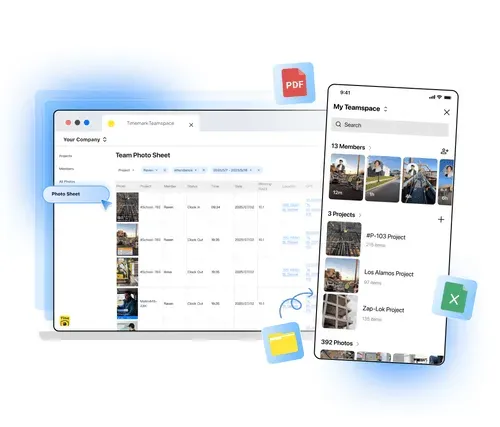
Timemark puts photos into project / member folders, adds timestamps and geotags to file names, so you find them in seconds.
3. View Photos
Open the web portal or app to view photos in gallery / sheet / map views.
4. Download Reports
Tap "Export" to get a PDF or Excel report with sorted photos. For stakeholders, send a live project link. They can see the progress without signing up.
Why Timemark Stands Out for Construction Photo Documentation

Auto-Organize Site Photos
Organize your site photos by project, member, and date with Timemark. The software separates work from personal photos and supports 360° and video files, making retrieval effortless.

All Key Features in One Tool
Capture site photos, track project progress, share with stakeholders, and create reports. Timemark combines all these in one app, fitting your workflow and saving time switching between platforms.

Trusted Time & Location
Timemark adds automatic timestamps and geotags to every photo. This gives you reliable evidence for disputes, payments, or audits, so your work has solid proof.
Use Cases
Daily Progress. Milestone Tracking
Use Timemark for Construction Photo Documentation—the best tool to capture project milestones with site photos, from framing to concrete pours. Auto-sorted by date and project, your visual timeline can be shared with owners or GC to prove progress and accelerate payments.
Get Started Free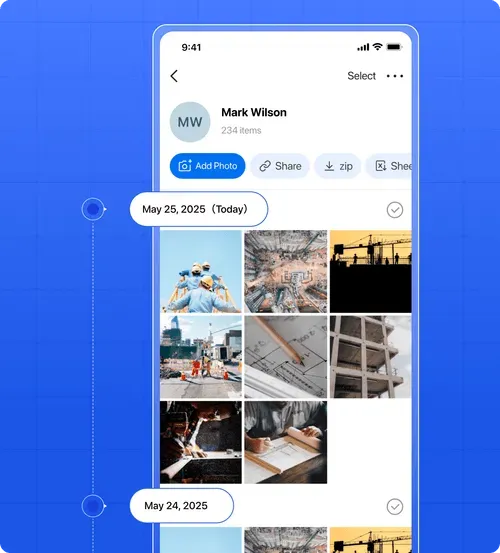
Safety Compliance. Site Documentation
Use Timemark for Construction Photo Documentation—the best tool to snap site photos of safety compliance, including workers in PPE. Timestamps and geotags give credible evidence for audits or accidents, while your team can securely share and track safety practices.
Get Started Free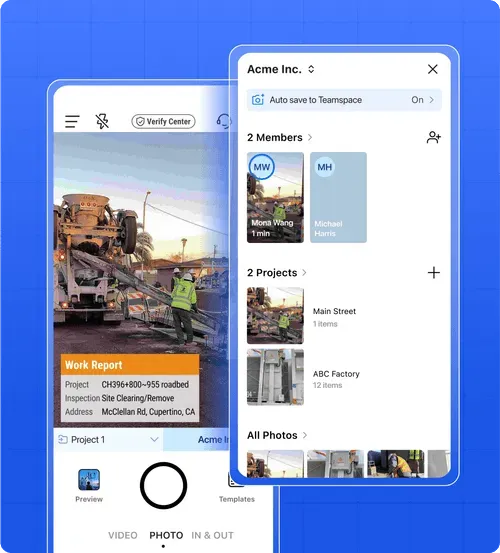
Dispute Resolution. Claim Defense
Use Timemark for Construction Photo Documentation—the best tool to capture and organize site photos. Time-stamped project images help defend against claims like poor craftsmanship, proving your case and speeding up dispute resolution while saving money.
Get Started Free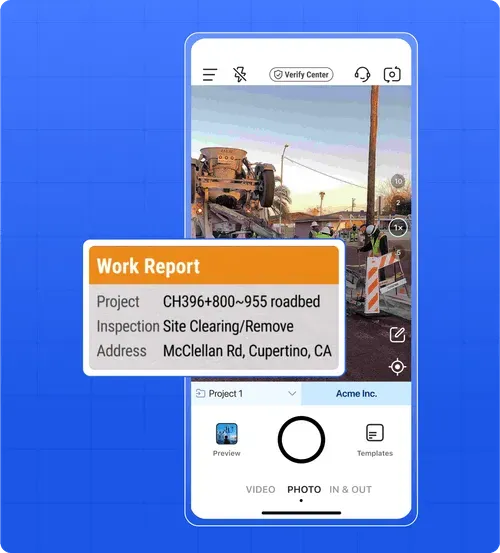
Subcontractor Collaboration. Work Proof
Timemark's Construction Photo Documentation software is the best way for subcontractors to snap site photos of completed tasks and share them instantly with GC to prove payment. It keeps all project photos in one place, so you don't juggle multiple apps, helping you avoid arguments and get paid faster.
Explore the Jobsite Photo App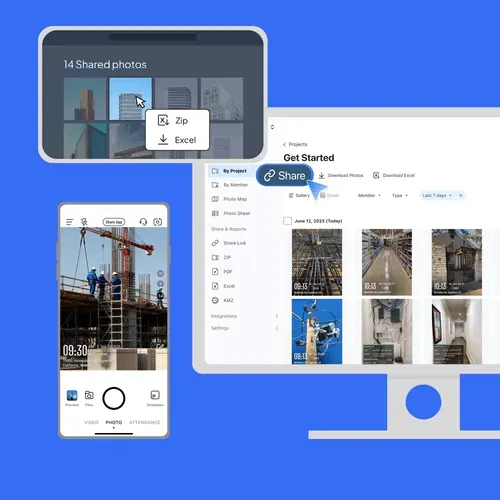
Anyone Can Check Timemark Photos
Timemark uses network time, so the photo shows the real time even if the phone clock was changed. A Photo Code links the photo to the original time, location, and picture features stored on Timemark's servers. Anyone can check a photo with a code free at verify.timemark.com or with "Verify Photos" in the app.
- The photo shows real time even if the phone clock was changed.
- Fake GPS locations are labeled "Virtual location detected".
- Editing the photo file or metadata does not change the stored record.

Customer Testimonials
“Timemark auto-sorts our jobsite photos by project—no more digging through emails. It saved me 3 hours a week on reports, and the time stamps win us disputes.”

“Timemark's map view shows where photos were taken—critical for utility jobs. Exporting PDF reports cuts client delivery time in half.”
“I show GCs completed work via Timemark links. They see photos fast. The app separates work/personal pics, so I never mix them up again.”
“I used to spend hours organizing photos. Now Timemark does it—plus, geotags prove we followed safety rules during audits.”
“Our team uses Timemark's mobile app to snap hidden work shots. Auto-organizing by member lets me check progress without site visits.”
“Timemark gives us enterprise-level docs at our budget. Sharing photos with clients boosted our reputation—we got 2 repeat jobs!”
Frequently Asked Questions
Your Field Photos Are Safe & Secure With Timemark
Privacy and safety matter for your construction and site photos. Timemark's construction photo documentation is the best way to securely store every shot, each with GPS and date stamps for clear context. Once uploaded, photos stay as-is—no edits allowed! This ensures trustworthy records for legal or compliance-sensitive projects, including videos and 360° content.


Start Your Free Trial. Simplify Construction Photo Documentation Now!
Join for free today to auto-sort photos by project, share with stakeholders easily, and turn messy shots into professional docs just in 2 minutes.
Start For Free