
Deliver Field Reports in 1 minute.
Transform your job photos and notes into professional reports in just a few clicks. Save hours of manual work and eliminate inbox clutter.

Trusted by 3.7M field pros and teams from











Are you facing the following problems?
Are These Challenges Holding You Back?

Delayed Reporting
- Manually compiling job photos and notes takes hours, slowing workflow, delaying decisions, and holding up critical issue resolution.
Disorganized Documentation
- Inconsistent or unstructured reports make it hard to read, track progress, and find key information quickly.
Human Errors
- Manual reporting can lead to much misaligned information, missing data, and mistakes that reduce accuracy and accountability.
How Reports of Timemark Can Help
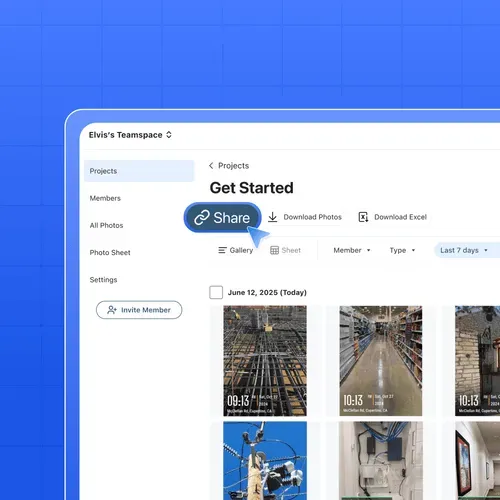
Share Photos by Link
- Share by Link: Share any number of photos with clients using a simple link that opens instantly—no login or downloads required.
- Works Anywhere: Send photo links on any device and through any platform, with no limits or restrictions.
- Permanent Access: Links never expire, making it easy to revisit, track, and organize shared photos over time.
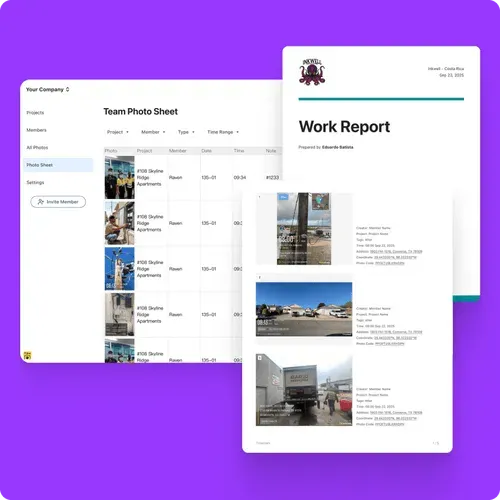
Create PDF Photo Reports
- Instant PDF Reports: Generate photo reports as PDFs in just a few clicks, no manual work needed.
- Complete Photo Details: Each report includes full photo information like GPS location, timestamps, and other key information.
- Branded & Consistent: Every PDF comes with your company logo and a clean, consistent layout that looks professional and client-ready.
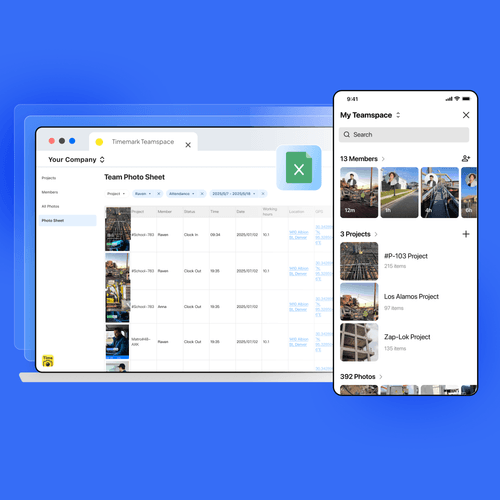
Export Photo Data to Excel
- Instant Excel Reports: Generate photo reports as Excel files in just a few clicks for easy review and analysis.
- Complete, Readable Data: Each spreadsheet includes the original photos along with full details like GPS location, timestamps, notes, members, and more—clearly organized and easy to read.
- Ready for Analysis: Use the data directly in Excel to run deeper calculations, such as attendance tracking, time analysis, and custom reports.
Other Report Features
- ZIP Export: Download photos as a ZIP file for easy offline storage and bulk photo transfer, even with large photo sets.
- KMZ Export: Export photos as a KMZ file and import them directly into map tools to view photos by location and fit seamlessly into exis

What Our Users Say
“Excellent app for reliable, traceable photos with real-time time and location stamps.”

Verified Timemark user 1
“It’s perfect for creating daily reports for projects. Every photo is stamped and documented, so my reports are always reliable.”
Verified Timemark user 2
“The reporting feature saves me hours every week. Instead of manually creating documents, everything is ready as soon as I take the photos.”
Verified Timemark user 3
Frequently Asked Questions
Timemark can export job photo reports as PDF, Excel, or a shareable web link — pick whichever format fits your workflow.
No. Shared report links open directly in the browser with no login required.
Yes. Every photo in a report keeps its original time, GPS location, and any notes added in the field.
Yes, PDF reports include your company logo and a consistent, client-ready layout.

Export Reports in the Format You Need for Free
Choose the right format for every workflow: PDF, Excel, ZIP, or live shareable links. Timemark organizes your photos automatically, so reports are ready instantly.
Start For Free