
Best GPS Photo Location App for Contractors
Find and verify GPS photo location fast. Timemark helps contractors or field teams capture, view, and organize geotagged photos, so you never have to ask "where is this" again.
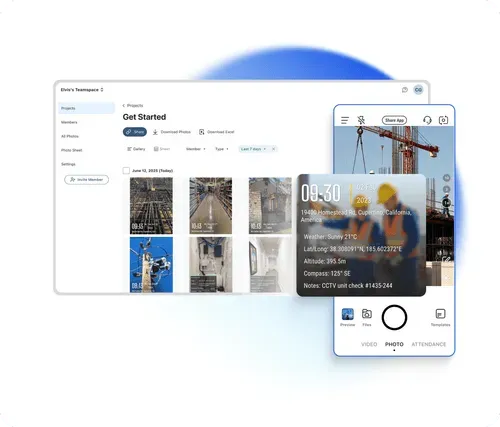
Trusted by 3.7M field pros and teams from










When Photos Lack GPS Location, Work Stalls
Without GPS data, teams waste time trying to find where a photo was taken—delaying inspections, progress tracking, and reporting. Timemark automatically records each photo’s location, time, and proof details, so field teams can find, verify, and share every jobsite photo fast.
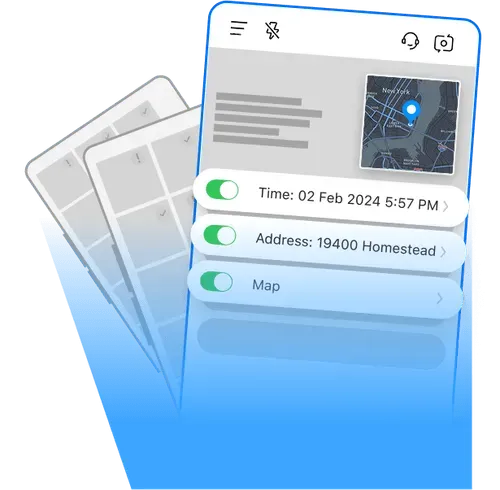
Key Features
Auto-Tag Photos
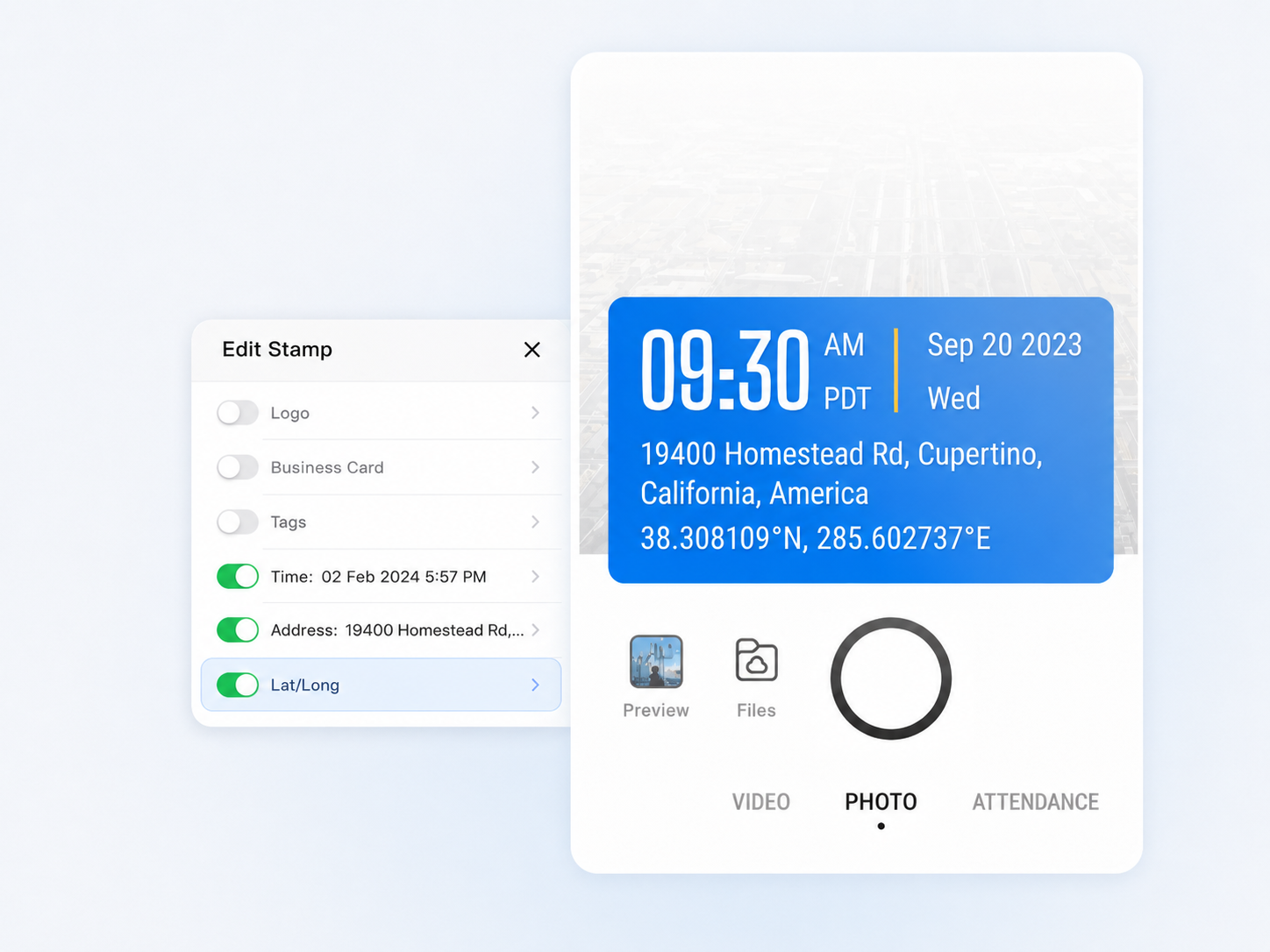
Every photo you take gets stamped with the exact time and GPS photo location instantly. Unlike using a regular phone camera, you don't have to dig through metadata or enter info manually.
- GPS and timestamp data are tamper-proof, even if system time or GPS is manipulated.
- Switch on to add more context such as latitude, longitude, weather, elevation, compass direction, etc.
- Built-in verification via a unique photo code ensures every record is authentic and traceable.
View on a Map
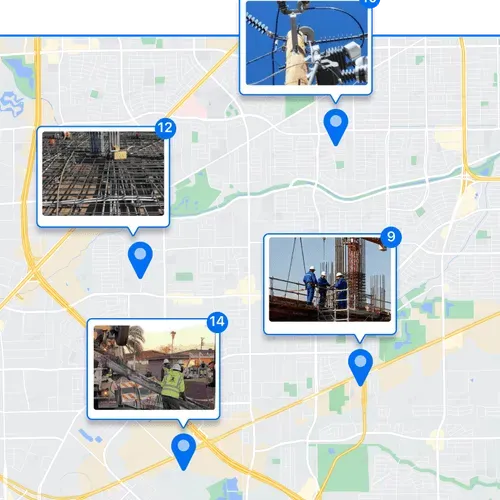
See every photo on a map to understand where work happened. Perfect for remote progress checks or multi-site projects.
- Zoom in to examine specific areas or zoom out to view the overall site status at a glance.
- Quickly spot gaps in documentation or track progress remotely.
Quick Professional Reports
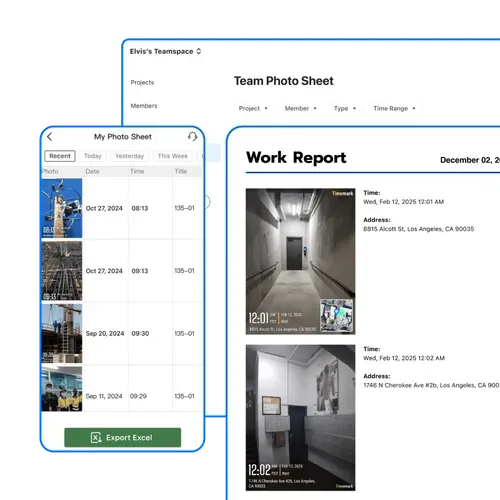
Turn your organized, location-tagged photos into professional reports in minutes. Less admin stress, more time for real work.
- Export all GPS photo locations, timestamps, and notes in one file.
- Sort or filter by project, date, or other job details in Excel for fast analysis.
- Keep verifiable proof of work ready to share with clients or management.
Share a Live Photo Link
Get a live gallery link to your photos and share it with your team. No downloads, no attachments, just instant access.
- View the exact address along other context of each photo in the gallery.
- Combine visual data and written context to streamline documentation.
- Get the answer to "where was this photo taken?" immediately.
How to Find a Photos' GPS Location?

1. Get Timemark App
Go to app stores, find Timemark and download it. Open the app, grant camera and location permissions.
2. Take Geotagged Photos
Open Timemark's camera, snap your field photo. It auto adds GPS and timestamp.
3. Share Photos
Easily share or export your photos. Each photo's GPS location is included, letting your team check exactly where it was taken.
Timemark vs Other Photo Tools
Timemark's Advantages
System Camera doesn't add GPS directly to photos. Timemark auto-tags GPS and time, making it great for field work proof. System Camera also can't organize team photos by project, but Timemark does it automatically.
vs GPS Map Camera
GPS Map Camera has no centralized storage. Photos are messy across devices, but Timemark stores all team photos in one place for easy access. Timemark also organizes photos by member while GPS Map Camera can't do that.
CompanyCam has no Map View. You can't see photos on a map to track sites, but Timemark's Map View shows photos on maps for easy progress checks. Timemark also offers Excel View for address checks.
“Timemark makes tracking our site photos so much easier. Every photo I take automatically has the GPS photo location, so I don't have to manually check coordinates like before. I can instantly see where work is happening and share it with my team. It's the best tool we've used for reporting and tracking progress.”

“Using Timemark has changed how we document projects. The GPS photo location feature is perfect for tracking progress across multiple sites. I can click on any photo and immediately see the exact location on a map. It's so much faster than digging through metadata in the album.”
“As an inspector, I used to waste time figuring out where a photo was taken. With Timemark, each image comes with a GPS location stamped automatically. I can sort photos by site or project and even export them for client reports. Definitely the best way to manage field photos efficiently.”
Want to Organize Job Photos Smarter?
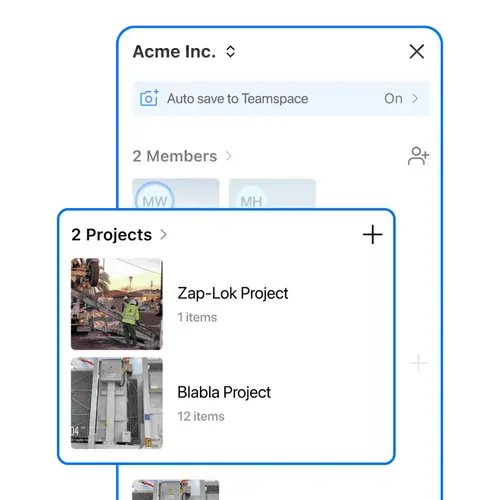
Timemark goes beyond showing a photo's GPS location. It helps your team manage every project image in one place. With Teamspace, field photos are automatically grouped by project, date, and member, making it the best solution for tracking and collaboration.
Get Started FreeFrequently Asked Questions

Track Every Photo with GPS Photo Location
Download Timemark free to automatically add GPS photo location to every picture, auto-sort field photos, and get clear proof of where each photo was taken. Protect your work and never ask "where was this photo taken" again.
Start For Free