
Patrol times can be changed or unclear
Clients need to know when a round happened, which checkpoint was visited, and what the guard found.
Timemark for Security:
Capture arrival, departure, patrol, fire watch, and incident photos with time and location for clients and property managers.
✓ Time and location cannot be edited and can be checked with a Photo Code.

SECURITY OPERATIONS DEPEND ON CONTEXT
A photo alone cannot explain which officer was on duty, what was observed, or what the next shift needs to know. The record needs to travel with the work.
Clients need to know when a round happened, which checkpoint was visited, and what the guard found.
An incident record should capture the scene, officer, location, time, and notes while details are still fresh.
Property managers need to see whether a guard arrived, completed patrols, and recorded problems at the agreed time.
THE MOMENTS THAT CANNOT BE RECREATED
A patrol, incident, or handover cannot be reconstructed reliably later. Capture the site condition, officer, time, and location while the event is still visible.

Document empty warehouses, offices, retail spaces, or other secured areas after employees and visitors have left.

Capture gates, entrances, fences, loading areas, and parking lots as they appeared during each patrol.

Record doors, locks, emergency exits, and restricted areas to show they were closed, secured, and unobstructed at the time of inspection.
RECORD THE MOMENTS THAT AFFECT THE NEXT SHIFT
Build a usable operational timeline from routine patrols through exceptions and handover.
Use a team photo template to record the location, round details, and visible condition at each critical checkpoint.
Capture the scene with the relevant task and custom note so the escalation starts with context instead of a follow-up call.
Record outstanding issues, completed checks, and site condition so the incoming officer begins with the current situation.
A STAMP FOR EACH SECURITY TASK
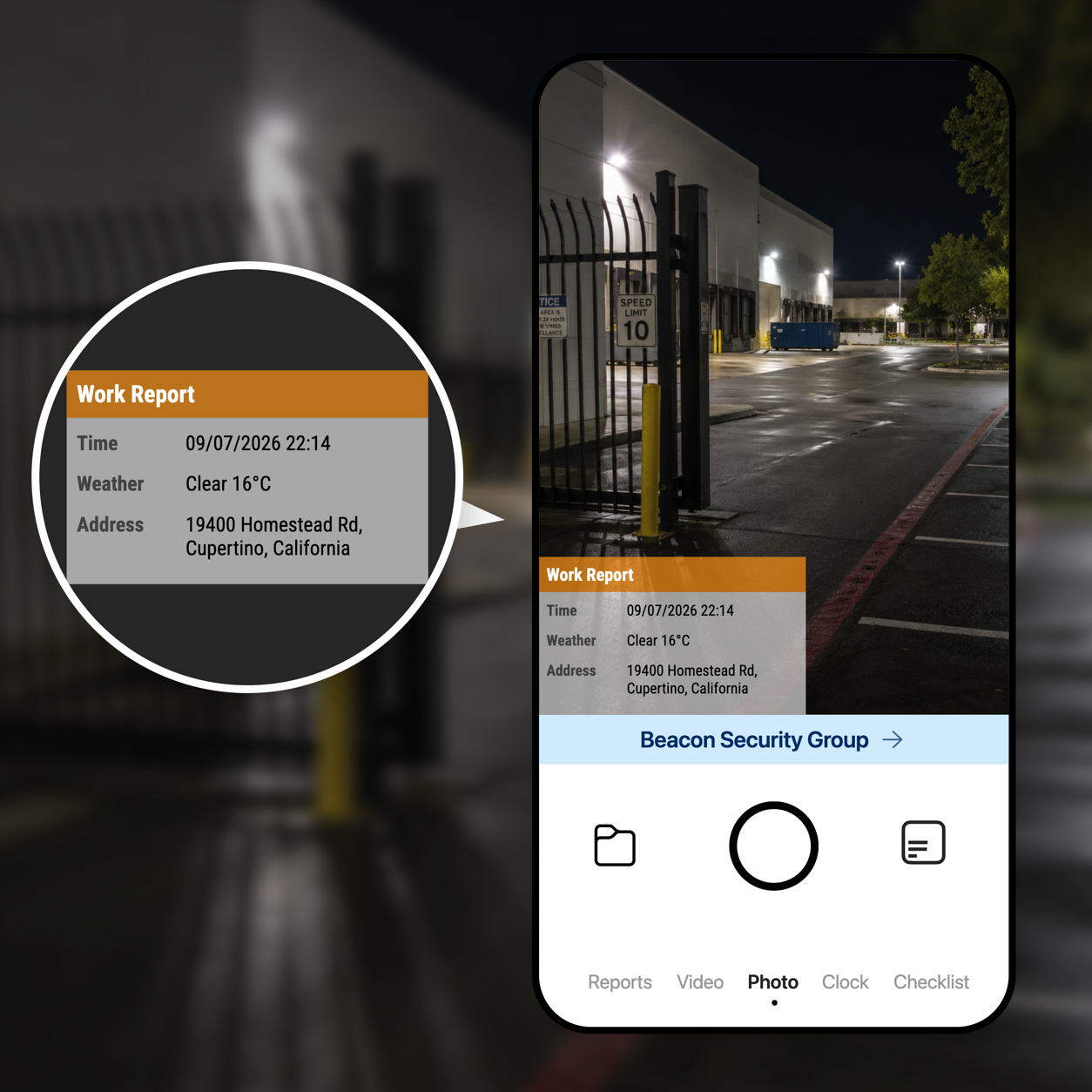
Give patrol, incident, fire watch, clock-in, and completion work their own repeatable photo template.
Include the company logo, time, GPS location, address, checkpoint, and custom details in every photo.
Collect consistent records by shift and location so supervisors, clients, and the next guard can see what needs attention.
ONE TEAMSPACE FOR EVERY SITE
Patrol, incident, and handover photos sync into Teamspace, organized by site, officer, and date, so supervisors and clients can review a shift without calling the guard.
Sign up for Teamspace →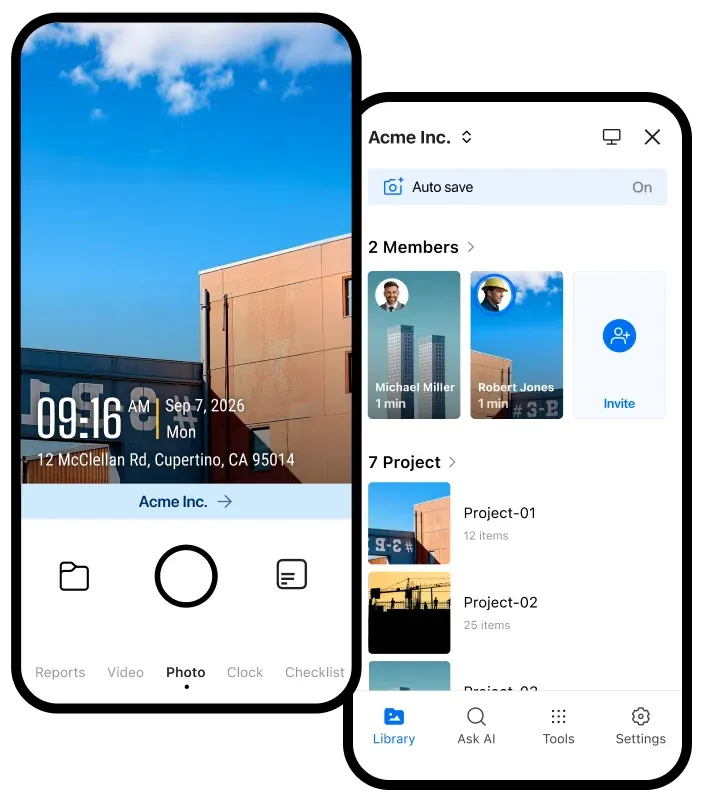
Review patrol rounds, checkpoint photos, and incidents in one place instead of texts sent to different people.
The incoming officer and the supervisor start from what the last shift recorded, with the time and location on each photo.
Share a link or export PDF, Excel, or KMZ records when a property manager asks about a patrol or an incident.
KEEP THE RECORD USEFUL AFTER THE SHIFT
Explore tools for verified photos, attendance timesheets, daily activity reports, and incident records.
Share verified field records with the storage and automation tools your team already uses.

Automatically send verified jobsite photos and reports to the Google Drive folders your team already uses.

Keep project evidence available in OneDrive so office teams and field teams work from the same record.

Send job events and verified field records to the internal systems and automation tools your team relies on.

Sync verified job photos and field records with the jobs your team manages in Jobber.
BUILT FOR SECURITY OPERATIONS
Use consistent photos and reports to show clients what guards did, when they were on site, and what needs attention next.
Get Timemark free →