
Keep Job Photos Organized in Teamspace
Teamspace files job photos by project and member, then helps you find the photos you need.
Trusted by 3.7M field pros and teams from











Are you facing the following problems?

Hours Of Sorting
- Office staff spend time placing photos in the right project.

Photos Scattered Everywhere
- Photos can land across phones, emails, and the wrong projects.

Hard To Find
- Past job photos are difficult to locate when records are scattered.
How Teamspace by Timemark Can Help
Stop Sorting Photos by Hand
Teamspace files photos for you by project, member, and date, so the office does not have to sort each one by hand.
- Project Filing: Photos go into the project a member selects before shooting.
- Site Reminder: Timemark suggests switching projects when a member arrives at a project address.
- Fix Mistakes: Move incorrectly filed photos to another project later.
Find Photos When Needed
Search the details you have, then combine filters to narrow the results.
- Keyword Search: Search by address, photo title, or any watermark field.
- Job Numbers: Find work order numbers entered as text on the watermark.
- Combined Filters: Combine time range, project, member, and photos, videos, or attendance records.

Review Photos Your Way
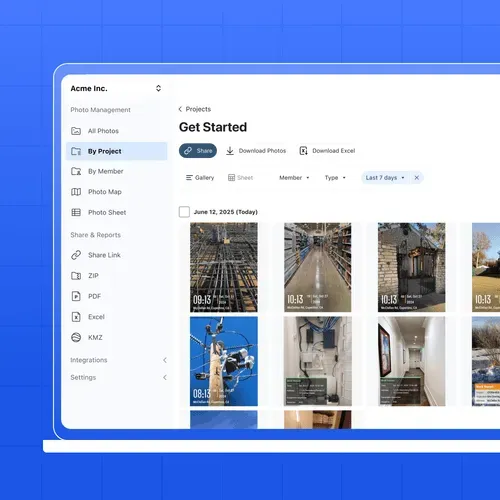
Browse by project, member, or date, then choose a view that suits the review.
- Gallery View: See photo thumbnails grouped by date for a quick visual review.
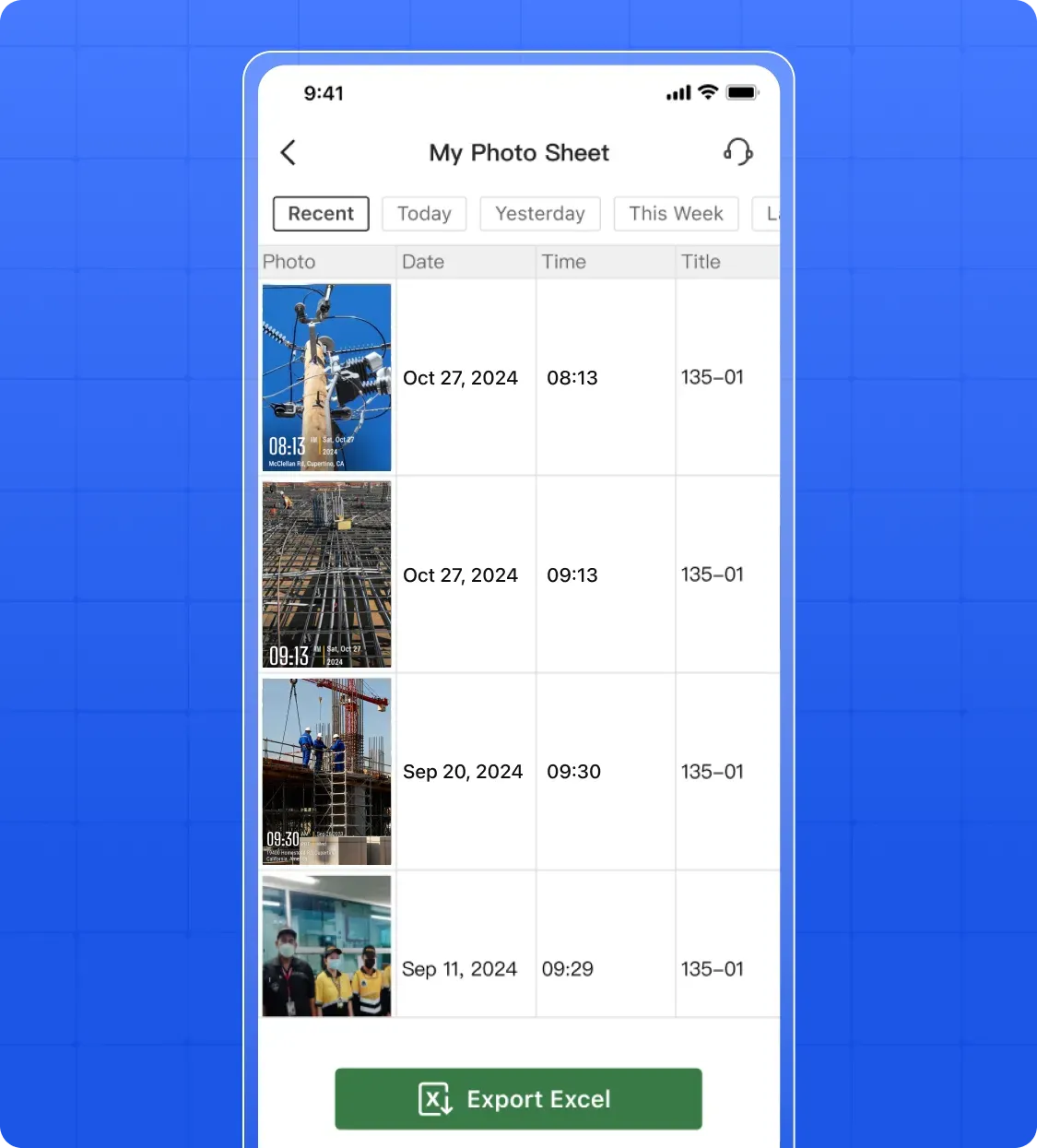
- Sheet View: Review one row per photo with time, location, member, and project, then export to Excel.
- Map View: See each photo pinned where it was taken.
Centralized Cloud Storage
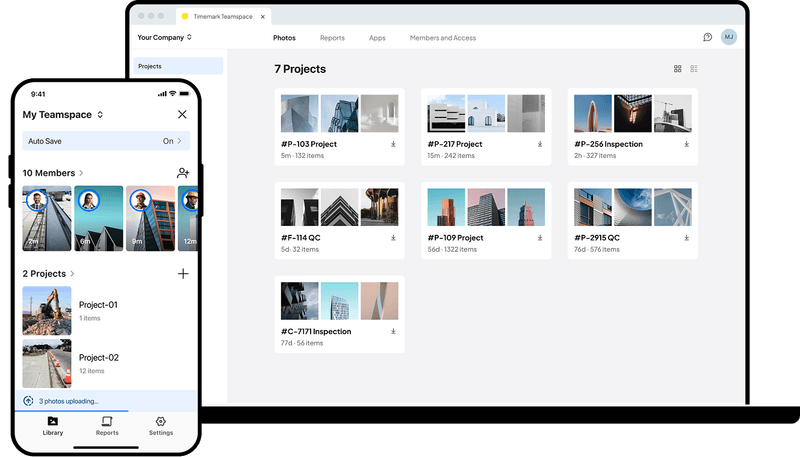
- Always accessible: View your job photos from your phone or desktop. Your entire project library is always at your fingertips.
- Large photo storage: Save your job photos or videos only in the cloud without taking up your phone storage. Add as many projects as you need. No more storage anxiety.
- All docs in one place: Attach checklist, permits, and other documents directly to each project so your whole team has everything they need in one spot.

Photos Get Here Automatically
Crew photos taken in Timemark arrive in Teamspace automatically when phones have internet.
Collect Photos
What Field Teams Say About Timemark
“Timemark gives us a scalable way to collect tamper-proof, georeferenced field photos, improving transparency, auditability, and operational efficiency across our restoration projects.”

“Timemark streamlines how our field techs collect photos and eliminates the download process and email back-and-forth. And with all the context shown directly on the photos, they become much more usable for project managers and clients.”
“Timemark provides us with a scalable, cost-effective solution for managing photos across 100+ monthly projects and generating over 10 PDF reports each day.”
Frequently Asked Questions


Stop Managing Photos. Let Timemark Do It.
Photos are collected automatically, uploaded to the cloud, and organized for you. With project location reminders, your team knows exactly when and where to document work.
Start For Free