
Capture Verifiable Job Photos
Photos captured with Timemark are automatically verified at the moment of capture. Timestamp, gps location, and notes are verifiable, helping you create legally defensible photo records without extra steps.
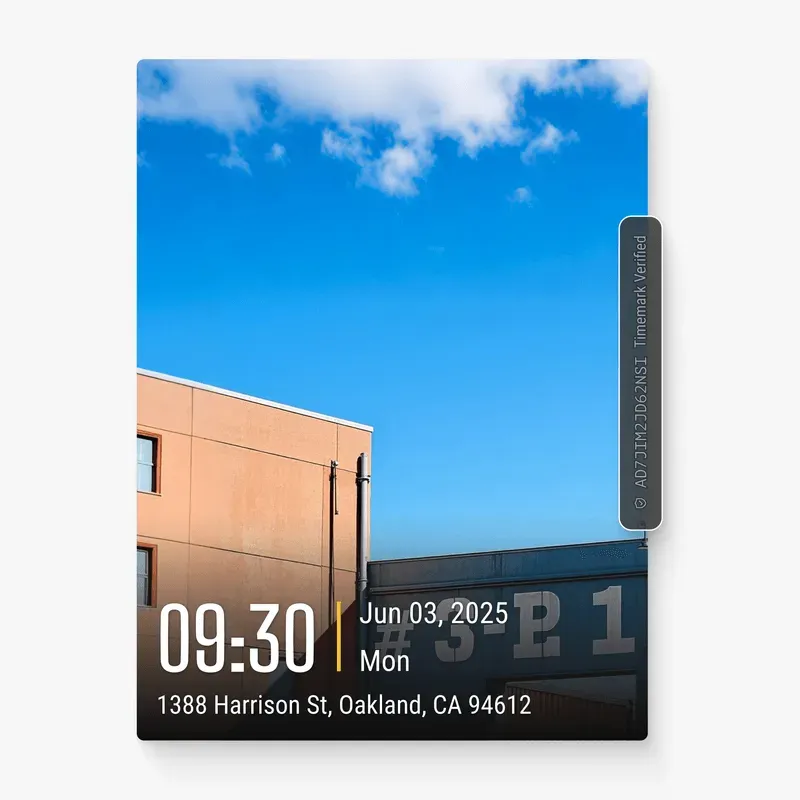
Trusted by 3.7M field pros and teams from











Still Using Your Phone for Job Photos? Lose 9 Hours a Week.
Are These Challenges Holding You Back?

Missing Time & Location
- Easy to forget when and where photos were taken
- Time and location can be faked
- This can cause mistakes or disputes.

Lost Context
- Important on-site notes can get lost.
- Teams need an easy way to write notes on photos.
- Missing notes can slow down work.

Unprofessional Photos
- Photos without logos look unofficial.
- Lack of branding can reduce trust.
- This can slow approvals and cause mistakes.
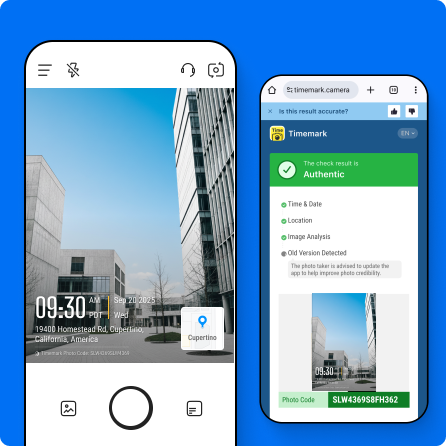
Authentic Time & Location
- Records actual time and location.
- Cannot be faked by changing system time or GPS.
- Ensures every photo is trustworthy.
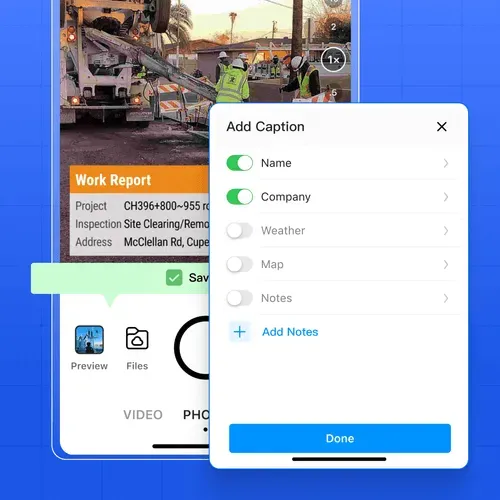
Intuitive Notes
- Add on-site notes while taking photos to capture job site context.
- Capture real conditions, details, and context in one step.
- Easily add or remove details with a tap while taking photos: GPS, weather, logos, notes and etc.
Professional Branding
- Add your company logo and custom watermarks.
- Show photos professionally to clients and regulators.
- Boosts credibility and trust.

Field-First Technology Built for Jobsite Teams
Timemark is built for real jobsite conditions. Field teams can quickly capture photos on-site in just a few steps, with real time and location automatically recorded. Even without a signal, photos are saved offline and remain secure. Add notes and company branding directly on photos to capture accurate, professional evidence every time.

Anyone Can Check Timemark Photos
Timemark uses network time, so the photo shows the real time even if the phone clock was changed. A Photo Code links the photo to the original time, location, and picture features stored on Timemark's servers. Anyone can check a photo with a code free at verify.timemark.com or with "Verify Photos" in the app.
- The photo shows real time even if the phone clock was changed.
- Fake GPS locations are labeled "Virtual location detected".
- Editing the photo file or metadata does not change the stored record.

What Field Teams Say About Timemark
“Timemark gives us a scalable way to collect tamper-proof, georeferenced field photos, improving transparency, auditability, and operational efficiency across our restoration projects.”

“Timemark streamlines how our field techs collect photos and eliminates the download process and email back-and-forth. And with all the context shown directly on the photos, they become much more usable for project managers and clients.”
“Timemark provides us with a scalable, cost-effective solution for managing photos across 100+ monthly projects and generating over 10 PDF reports each day.”
Frequently Asked Questions


Capture and Verify Jobsite Photos with Confidence
With Timemark, field teams capture on-site photos with verified time and location, creating trusted evidence instantly for every project.
Start For Free