
The Best Way to Share Photos with a Group for Professional Use
Best way to share photos with a group: Timemark auto-collects, organizes, and securely stores your shots — the best free app solution for professional work docs.
Trusted by 3.7M field pros and teams from






Timemark: The Best Way to Share Photos with a Group — A Smart Solution to Your Pain Points
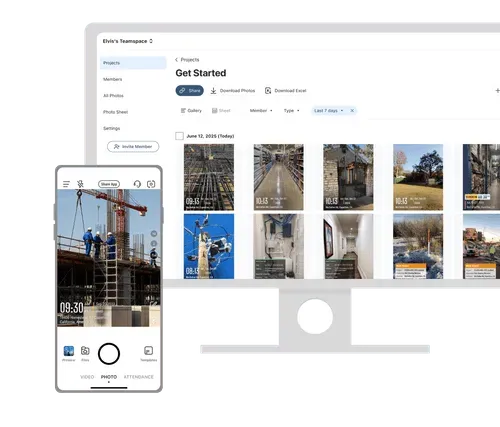
Sharing group photos via text or email is a nightmare. Files get lost, and delays slow down team workflows Timemark auto-uploads photos in one place, and everyone on the team gets instant access. Your camera roll is a mess, with hundreds of photos mixed up and hard to find. It auto-organizes group photos neatly, so you never scroll endlessly to find the right one. You add work descriptions and notes directly to photos in Timemark. All details are saved with the shot, so you have a verifiable record

Key Features
Auto GPS Location Tagging
Get Started Free

Job Notes Annotations
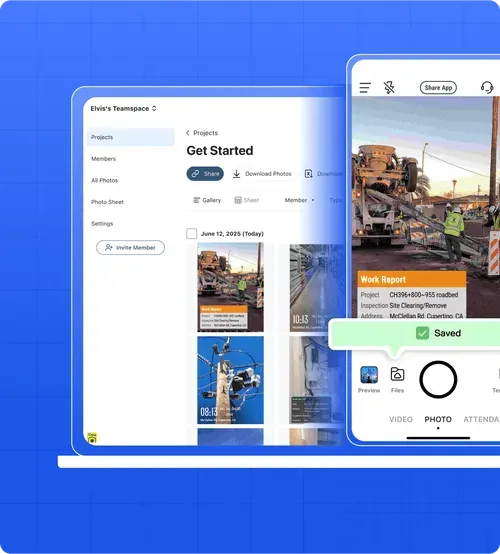
Timemark lets you add job descriptions and notes to photos, fixing the chaos of disorganized team docs. As the best way to share photos with a group, it ensures your team and clients always understand the task behind each photo — no more confusion.

One-Click Photo Sharing
Timemark lets you turn group work photos into shareable PDF or Excel reports with just one click. As the best way to share photos with a group, you can instantly share project progress, site updates, or inspection results with clients, stakeholders, or team members — giving everyone organized, easy-to-review photo records.
Fun Fact: Discover the Best Way to Share Photos with a Group Instantly
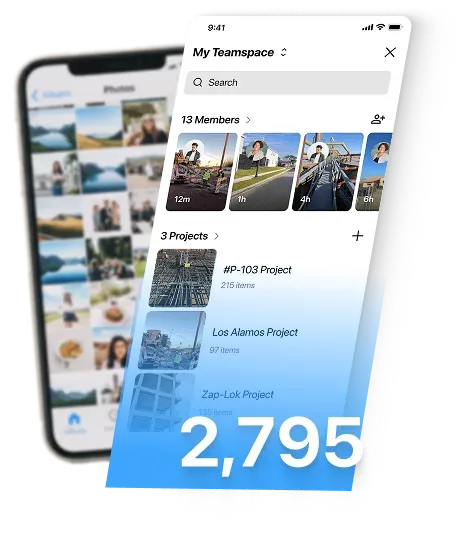
Here’s a fun stat: The average smartphone user stores about 2,795 photos in their camera roll. No wonder it’s hard to find group or work photos! Timemark auto-organizes them, making it the best way to share photos with a group — so you spend less time scrolling and more time sharing.
Plan Comparison
Current Plan $5 per user / month Get in App $7 per user / month Upgrade Contact Photos 100 100 300,000 More Members Unlimited Unlimited Unlimited Unlimited Projects Unlimited Unlimited Unlimited Unlimited Custom team template Contact for details Watermarking feature Save original photos Auto backup to One Drive & Google Drive Custom templates Share templates Remove developer watermark Colorful styled notes Professional portrait
Customer Testimonials
“I add notes to photos about inspections, so my team never misses context. It's a total game-changer.”

“I used to miss key photos from my team. Now Timemark collects them all, and I add job notes directly. Timemark saves me an hour each day.”
“GPS tags on Timemark’s photos prove we checked sites. Collecting team photos automatically means no more chasing guys for their shots.”
Frequently Asked Questions
Get Started with the Best Way to Share Photos with a Group
Join Timemark for free, build your team, and stop struggling with messy photo sharing for work.
Start For Free