More sites than time
Your crew works at several job sites. Driving to each location to check progress takes time away from other work.
FOR FIELD TEAMS
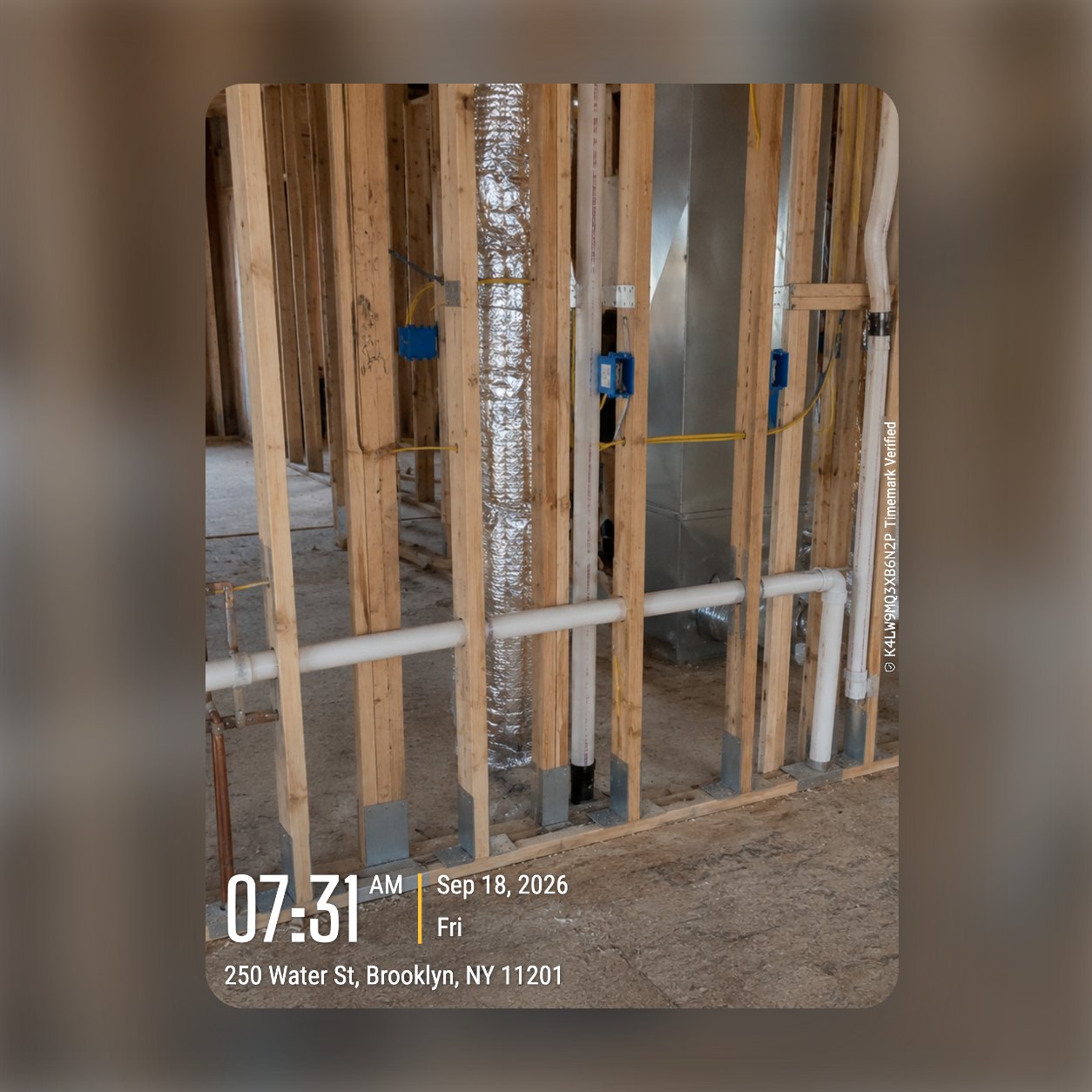
Your crew takes photos on site with time, address, and a Photo Code printed on each photo. Photos upload to the project you select, ready to review from the office.
✓ Time, address, and Photo Code on every photo.
THE DAILY PROBLEM
You cannot visit every job site every day. Photos sent by text or email do not show you enough about the work.
Your crew works at several job sites. Driving to each location to check progress takes time away from other work.
Job site progress photos can end up in text messages, emails, and personal phones instead of one project record.
A photo alone does not show when it was taken or where. You need time and place printed on the photo.
HOW IT WORKS
Give every crew member the same photo and checklist rules. Review the work from Teamspace after photos upload.
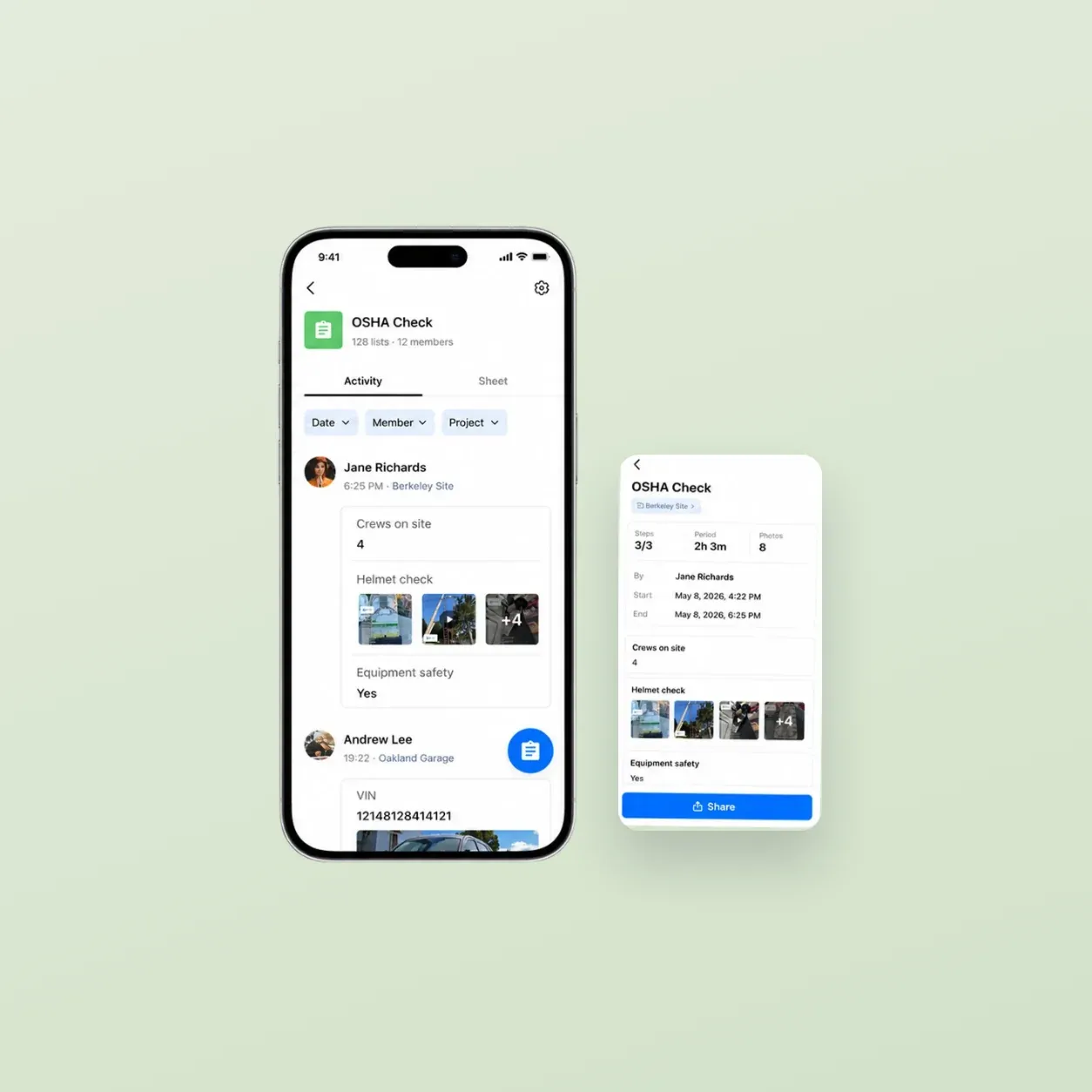
Create team templates with read-only fields. Build checklists with required photo steps and signatures, or start with the Quality Check and Before & After presets.
Choose "Timemark capture only" so photos cannot come from the phone gallery. A project address reminds your crew to select the project when they arrive nearby.
Browse quality control photos by project, member, or map. See each member's route for the day from the locations of the photos they took.
Open each submitted checklist to see the required steps, photos, and signatures. A submitted checklist is locked and read-only.
Send a PDF report or a share link. Your client can open the link and view or download photos without a Timemark account.
ONE STANDARD
Add subcontractors to your Teamspace, and they work under the same templates, checklists, and photo source rules. Every member of a Business team is a paid seat.
Sign up for Teamspace →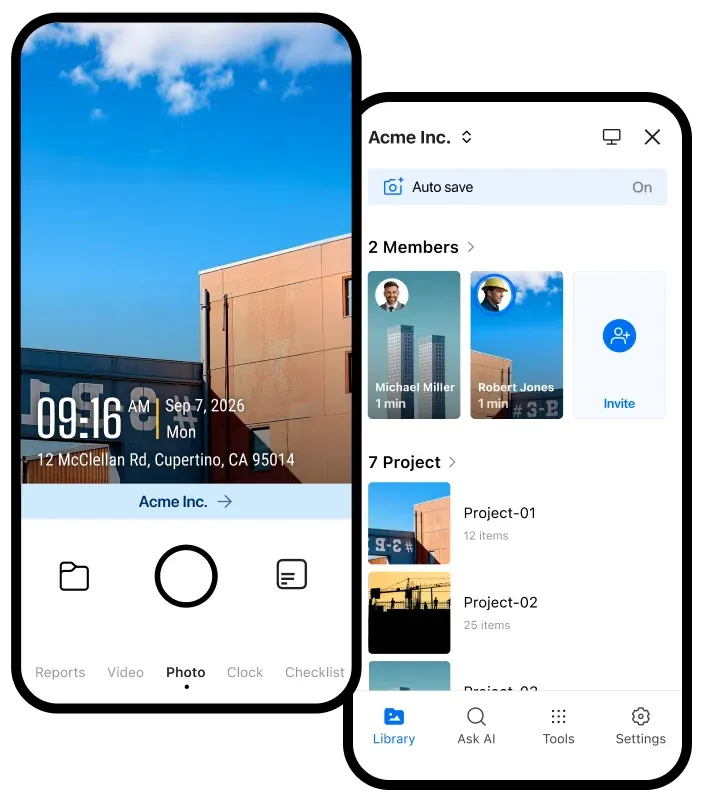
Set a project to Selected Members so each subcontractor sees only the projects you assign to them.
Change photo viewing to Own only for outside crews. By default, a Member can view all team photos.
With "Timemark capture only," nobody can send photos from the gallery. There is nothing to verify later.
Your subcontractors can use the free Timemark app and keep sending photos as they do today. Check each photo before you approve the work.
FIELD QUALITY CONTROL
Use the same process for different types of work and the photos your managers need to review.
Check foundation work, framing, installed materials, and before and after photos for each stage of a project.
Check a roof deck after tear-off, underlayment, flashing, and the completed roof before you hand over the job.
Check a cell site install, equipment placement, cable work, and the completed area before the work is approved.
Check unit turnover photos, repairs, damaged areas, and completed work before a unit is ready for the next resident.
Check a cleaned restroom, floor, kitchen, or common area with inspection photos from each scheduled visit.
On the Business plan, SharePoint and Google Drive sync by project, and Webhook sends new photos to your own systems.

Sync photos to SharePoint by project.

Sync photos to Google Drive by project.

Send new photos to your own systems.
CHECK MORE SITES
Set the photo rules once, then review work from every job site from your office.
Start for free →