
Beste GPS‑Fotoortungs‑App für Auftragnehmer
Finden und überprüfen Sie den GPS-Fotostandort schnell. Timemark hilft Auftragnehmern oder Außendienstteams beim Erfassen, Anzeigen und Organisieren von mit Geotags versehenen Fotos, sodass Sie nie wieder fragen müssen: „Wo ist das?“.

3,7 Millionen Feldprofis und Teams vertrauen darauf










Wenn Fotos keinen GPS-Standort haben, stockt die Arbeit
Sie können den Standort eines Fotos nicht finden? Dies verzögert Inspektionen, sorgt für Verwirrung und erschwert die Verfolgung des Projektfortschritts, da die Teams zusätzliche Zeit damit verbringen müssen, zu erraten, wo und wann jedes Bild aufgenommen wurde. Das Geotaggen in einem Ad-hoc-Prozess kann äußerst zeitaufwändig und fehleranfällig sein. Benutzer berichten, dass das manuelle Taggen von Zehntausenden Fotos Monate dauern kann. Schlimmer noch: Eine Studie mit über 221 Millionen Online-Fotos ergab, dass nur 7,8 % Metadaten zum Breiten- und Längengrad enthielten, was bedeutet, dass der überwiegenden Mehrheit der visuellen Aufzeichnungen der Standortkontext fehlt. Hier hilft Timemark. Timemark versieht jedes Foto automatisch mit GPS und Zeit. Es organisiert alle Ihre Fotos an einem Ort. Sie wissen immer genau, wo und wann jedes Foto aufgenommen wurde. Sie können Berichte schnell erstellen und Beweise vorlegen, ohne zu raten.
Key Features
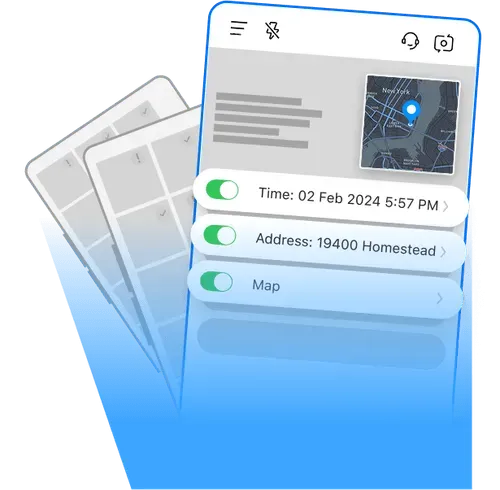
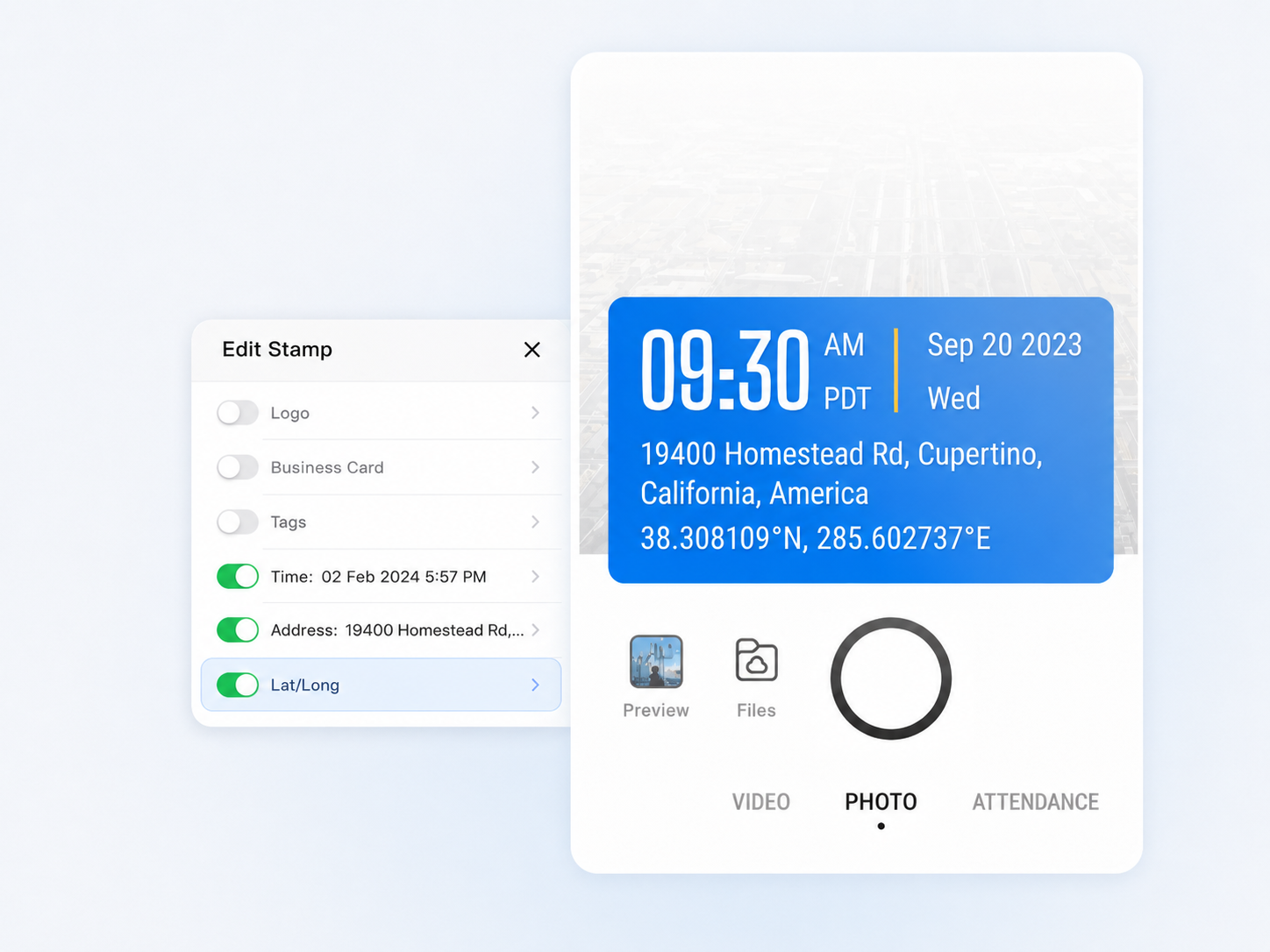
Fotos automatisch markieren
Jedes von Ihnen aufgenommene Foto wird sofort mit der genauen Uhrzeit und dem GPS-Fotostandort versehen. Anders als bei der Verwendung einer normalen Telefonkamera müssen Sie sich nicht durch Metadaten wühlen oder Informationen manuell eingeben.
- GPS- und Zeitstempeldaten sind manipulationssicher, selbst wenn die Systemzeit oder das GPS manipuliert wird.
- Aktivieren Sie diese Option, um mehr Kontext wie Breitengrad, Längengrad, Wetter, Höhe, Kompassrichtung usw. hinzuzufügen.
- Die integrierte Verifizierung über einen eindeutigen Fotocode stellt sicher, dass jede Aufzeichnung authentisch und rückverfolgbar ist.
Auf einer Karte anzeigen
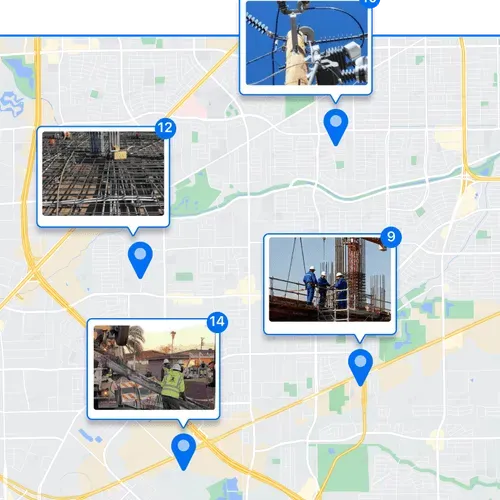
Sehen Sie sich jedes Foto auf einer Karte an, um zu verstehen, wo gearbeitet wurde. Perfekt für Remote-Fortschrittskontrollen oder Projekte mit mehreren Standorten.
- Vergrößern Sie die Ansicht, um bestimmte Bereiche zu untersuchen, oder verkleinern Sie sie, um den Gesamtstatus der Website auf einen Blick anzuzeigen.
- Erkennen Sie schnell Lücken in der Dokumentation oder verfolgen Sie den Fortschritt aus der Ferne.
Schnelle professionelle Berichte
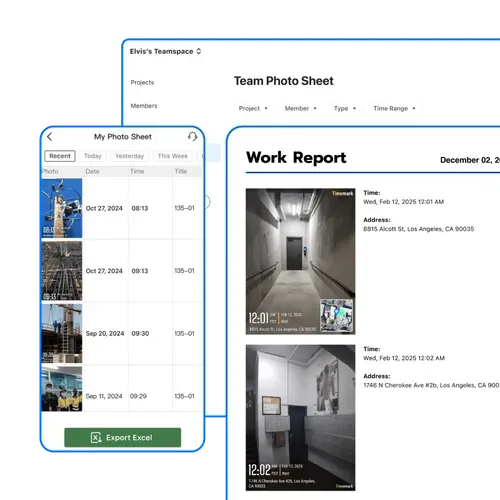
Verwandeln Sie Ihre organisierten, mit Standortmarkierungen versehenen Fotos in wenigen Minuten in professionelle Berichte. Weniger Verwaltungsstress, mehr Zeit für die eigentliche Arbeit.
- Exportieren Sie alle GPS-Fotostandorte, Zeitstempel und Notizen in eine Datei.
- Sortieren oder filtern Sie nach Projekt, Datum oder anderen Auftragsdetails in Excel für eine schnelle Analyse.
- Halten Sie überprüfbare Arbeitsnachweise bereit, die Sie mit Kunden oder dem Management teilen können.
Teilen Sie einen Live-Foto-Link
Erhalten Sie einen Live-Galerie-Link zu Ihren Fotos und teilen Sie ihn mit Ihrem Team. Keine Downloads, keine Anhänge, nur sofortiger Zugriff.
- Sehen Sie sich die genaue Adresse und den weiteren Kontext jedes Fotos in der Galerie an.
- Kombinieren Sie visuelle Daten und schriftlichen Kontext, um die Dokumentation zu optimieren.
- Erhalten Sie die Antwort auf die Frage „Wo wurde dieses Foto aufgenommen?“ sofort.
Wie finde ich den GPS‑Standort eines Fotos?

1. Holen Sie sich die Timemark-App
Gehen Sie zu den App Stores, suchen Sie Timemark und laden Sie es herunter. Öffnen Sie die App, erteilen Sie Kamera- und Standortberechtigungen.
2. Machen Sie Fotos mit Geotags
Öffnen Sie die Kamera von Timemark und machen Sie ein Feldfoto. Es fügt automatisch GPS und Zeitstempel hinzu.
3. Fotos teilen
Teilen oder exportieren Sie Ihre Fotos ganz einfach. Der GPS-Standort jedes Fotos ist enthalten, sodass Ihr Team genau überprüfen kann, wo es aufgenommen wurde.
Timemark im Vergleich zu anderen Fototools
Die Vorteile von Timemark
Die Systemkamera fügt GPS nicht direkt zu Fotos hinzu. Timemark markiert GPS und Uhrzeit automatisch und eignet sich daher hervorragend für den Nachweis bei Feldeinsätzen. Systemkamera kann Teamfotos auch nicht nach Projekt organisieren, Timemark erledigt dies jedoch automatisch.
vs. GPS-Kartenkamera
Die GPS-Kartenkamera verfügt über keinen zentralen Speicher. Fotos sind auf allen Geräten unübersichtlich, aber Timemark speichert alle Teamfotos an einem Ort, um einen einfachen Zugriff zu ermöglichen. Timemark organisiert auch Fotos nach Mitgliedern, während GPS Map Camera dies nicht kann.
CompanyCam verfügt über keine Kartenansicht. Sie können keine Fotos auf einer Karte sehen, um Standorte zu verfolgen, aber die Kartenansicht von Timemark zeigt Fotos auf Karten für eine einfache Fortschrittskontrolle. Timemark bietet auch Excel View zur Adressprüfung an.
“Timemark erleichtert das Verfolgen unserer Website-Fotos erheblich. Jedes Foto, das ich mache, verfügt automatisch über den GPS-Fotostandort, sodass ich die Koordinaten nicht wie früher manuell überprüfen muss. Ich kann sofort sehen, wo gerade gearbeitet wird, und sie mit meinem Team teilen. Es ist das beste Tool, das wir für die Berichterstattung und Fortschrittsverfolgung verwendet haben.”

“Die Verwendung von Timemark hat die Art und Weise verändert, wie wir Projekte dokumentieren. Die GPS-Fotoortungsfunktion eignet sich perfekt zum Verfolgen des Fortschritts über mehrere Standorte hinweg. Ich kann auf ein beliebiges Foto klicken und sehe sofort den genauen Standort auf einer Karte. Das geht viel schneller als das Durchforsten der Metadaten im Album.”
“Als Inspektor habe ich immer Zeit damit verschwendet, herauszufinden, wo ein Foto aufgenommen wurde. Mit Timemark wird jedes Bild automatisch mit einem GPS-Standort versehen. Ich kann Fotos nach Standort oder Projekt sortieren und sie sogar für Kundenberichte exportieren. Definitiv die beste Möglichkeit, Feldfotos effizient zu verwalten.”
Möchten Sie Jobfotos intelligenter organisieren?
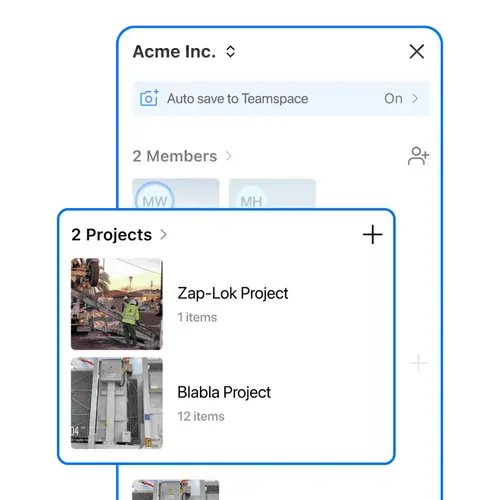
Timemark geht über die Anzeige des GPS-Standorts eines Fotos hinaus. Es hilft Ihrem Team, jedes Projektbild an einem Ort zu verwalten. Mit Teamspace werden Feldfotos automatisch nach Projekt, Datum und Mitglied gruppiert, was es zur besten Lösung für Nachverfolgung und Zusammenarbeit macht.
Kostenlos startenHäufig gestellte Fragen

Verfolgen Sie jedes Foto mit der GPS‑Fotoposition
Laden Sie Timemark kostenlos herunter, um jedem Bild automatisch den GPS-Fotostandort hinzuzufügen, Feldfotos automatisch zu sortieren und einen klaren Nachweis darüber zu erhalten, wo jedes Foto aufgenommen wurde. Schützen Sie Ihre Arbeit und fragen Sie nie wieder: „Wo wurde dieses Foto aufgenommen?“.
Kostenlos starten