
Timemark Fotoverifizierung
Überprüfen Sie Timemark-Fotos anhand ihres Fotocodes oder laden Sie Bilder zur Stapelüberprüfung hoch. Der Verifizierungsdienst stellt eine Verbindung zu den vorhandenen Erfassungsdatensätzen von Timemark her.
Wenn das eingebettete Tool nicht geladen wird, Öffnen Sie das Verifizierungscenter in einem neuen Tab.
Für die Arbeit im Außendienst gemacht
Benötigen Sie einen Fotobeweis, den Ihr Kunde überprüfen kann?
Timemark erfasst Zeit, Adresse und GPS im Moment der Arbeit und kann dem Bild einen Photo Code hinzufügen, damit Kunden oder Verantwortliche den Aufnahmedatensatz später überprüfen können.
Laden Sie Timemark kostenlos herunter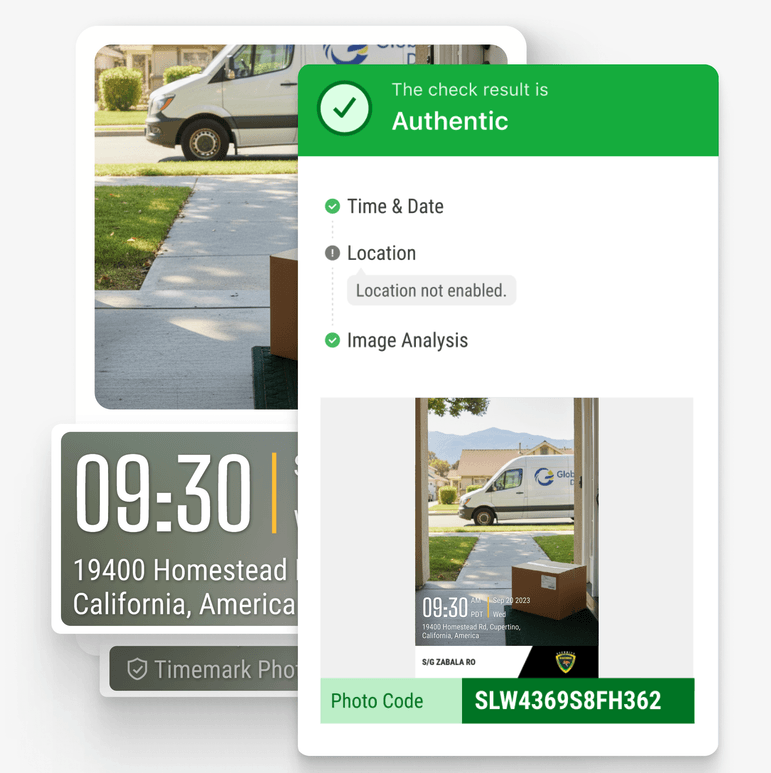
So funktioniert die Fotoverifizierung
Verifizierungsprüfungen Timemark Erfassungsdatensätze; Es liest nicht einfach bearbeitbare Bildmetadaten.
Laden Sie einen Code hoch oder geben Sie ihn ein
Upload a Timemark photo or enter the Photo Code shown on the image.
Überprüfen Sie den Erfassungsdatensatz
The Verification Center checks the code against Timemark’s verification data.
Überprüfen Sie das Ergebnis
Review the available timestamp, GPS, device, and authenticity information.