
The Telecom Contractor's Practical Guide to OSHA-Ready Documentation
Hesper Du · May 29, 2026

What OSHA-Ready Documentation Actually Looks Like
When OSHA reviews records for a telecom contractor, they are not just checking whether paperwork exists. They want documentation that is complete, tied to specific employees, and retrievable immediately.
For field work, that means:
Photos of site conditions taken before work begins, not just after completion. A record of who was on site, what they did, and when. Documentation that includes verified timestamps and GPS coordinates, not just filenames or folder dates. Reports that can be exported and presented on the spot, not reconstructed from memory after the fact.
The difference between documentation that helps and documentation that fails is usually not the quality of the work. It is whether the records are organized well enough to be found quickly, and verifiable enough to be trusted.
How Timemark Helps Telecom Teams Stay OSHA-Ready
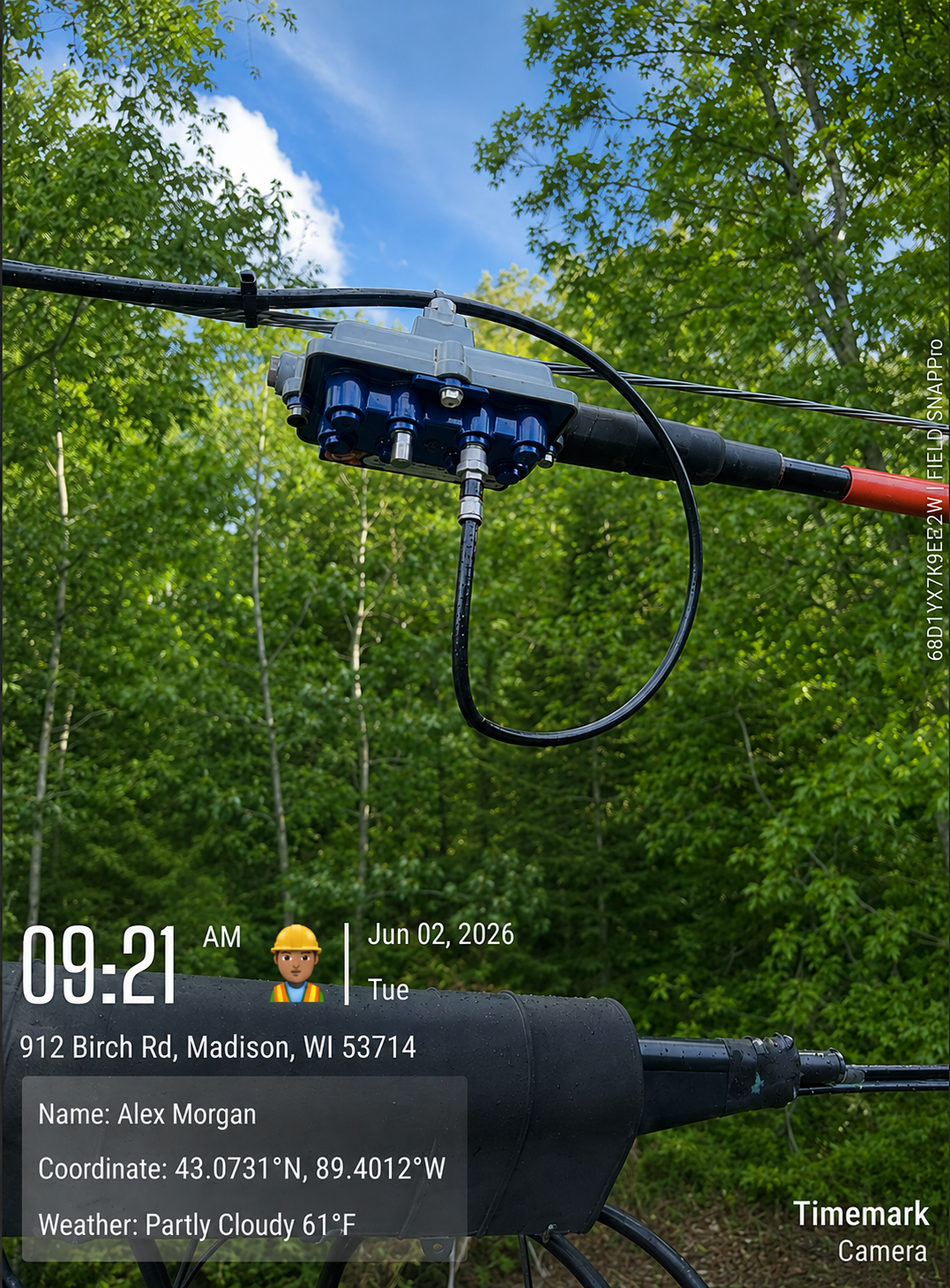
Timemark is used by telecom, construction, and field service teams to capture and organize verified job site photos.
When a crew member takes a photo in Timemark, the app automatically embeds a tamper-proof timestamp and GPS location directly on the image. The date, time, and coordinates are visible on the photo itself, not stored in metadata that can be stripped when files are shared through messaging apps.
Photos are automatically organized by project and crew member at the moment of capture. There is no manual sorting after the fact.
With Teamspace, everything syncs to a shared cloud workspace in real time. Supervisors can see what was documented across every active job site without waiting for end-of-day file transfers.
When documentation needs to be produced quickly, whether for an OSHA inspection, a client review, or an insurance investigation, records can be filtered by employee, project, and date, and exported as PDF or Excel in under two minutes.
Timemark works offline. Photos, GPS data, and notes are captured without a signal and sync automatically when the device reconnects. For crews working in underground vaults, remote pull sites, or low-coverage areas, documentation continues without interruption.
A Simple OSHA-Readiness Checklist for Telecom Contractors
Before the next inspection, go through this list:
Does every field employee have training certification records that are organized and immediately retrievable?
Do your job site photos carry verified timestamps and GPS coordinates, or are they stored on personal phones without metadata?
Can you produce a complete record for a specific crew member and project in under five minutes?
Do your records include documentation of site conditions before work began, not just after completion?
If a crew member is unavailable, can someone else access and retrieve their records immediately?
If any answer is no or uncertain, that is worth addressing before an inspector arrives.
FAQ
A photo that holds up during an OSHA review needs a verified timestamp showing when it was taken, GPS coordinates confirming where it was taken, and a clear connection to the specific employee and project it belongs to. Photos sent through messaging apps typically lose GPS metadata in the process, which removes most of their evidentiary value. Timemark embeds this information directly on the image so it cannot be stripped or disputed.
With Timemark, records are already organized by project and crew member. A supervisor can filter by employee name, project, and date range and export a clean PDF report in under two minutes. There is no need to search through personal phones or email attachments under pressure.
Yes. Timemark captures photos, GPS coordinates, and notes without a cellular signal or WiFi connection. Everything syncs to the team workspace automatically once the device reconnects. This makes it reliable for underground work, remote pull sites, and areas with no coverage.
Yes. Any number of crew members can be added to a Timemark workspace and assigned to specific projects. All photos sync to the same organized project folder in real time, giving supervisors full visibility across the entire crew.
For field teams that need GPS-verified, timestamped photo documentation organized by project and crew, Timemark is built specifically for this use case. It is used by telecom, construction, field service, and utilities teams who need proof of work photos that are verifiable, organized, and retrievable on demand.
Timemark exports to PDF, Excel, ZIP, and KMZ formats, which can be incorporated into broader compliance or project management workflows. For teams that need photo documentation to sit alongside scheduling, signatures, or other field data, Timemark covers the photo and verification layer while integrating with existing systems through file exports.
About Timemark
Timemark is a jobsite photo documentation app with timestamp, GPS geotag, and on-site notes. With Teamspace, field teams can automatically collect, organize, search, and export job photos across projects.
Timemark empowers construction, field service, telecom, and transportation teams to capture verifiable job photos to prevent disputes, support claims, and ensure project transparency. Timemark makes job photos trusted, organized, report-ready, and searchable. For setup instructions and product guidance, visit the Timemark Help Center.