
What's New in Timemark - June 2026
Gloria · Jun 23, 2026
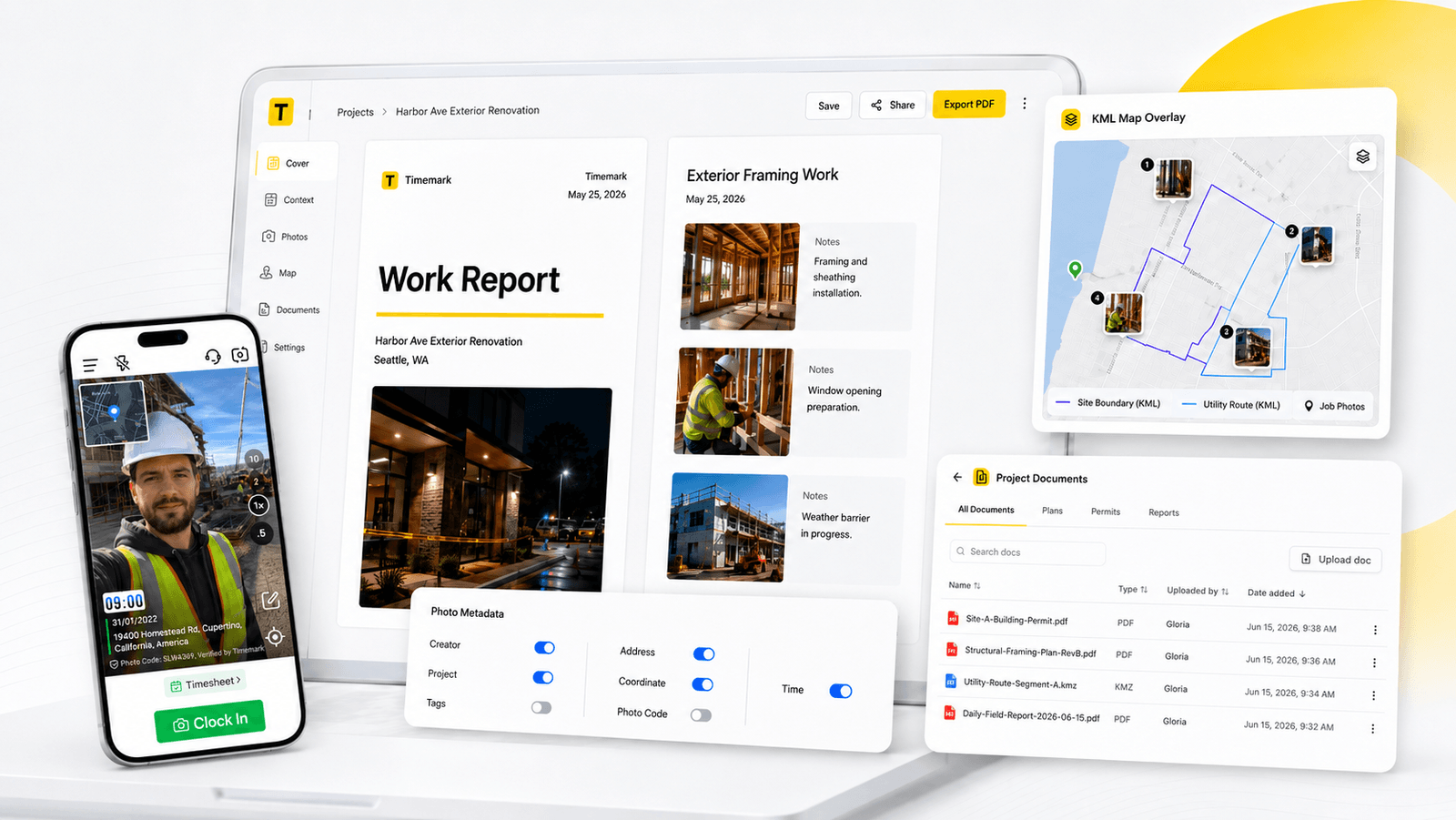
Field documentation does not stop at taking photos. Teams also need to turn photos into reports, compare field work against project plans, track time, and keep job files easy to access on-site.
That is the focus of our latest Timemark updates. Timemark is becoming a more complete workspace for field teams that need proof, context, and project records in one place. Explore the new PDF Editor, KML Map Overlay, Checklist and more.
PDF Editor: More Customization and Context
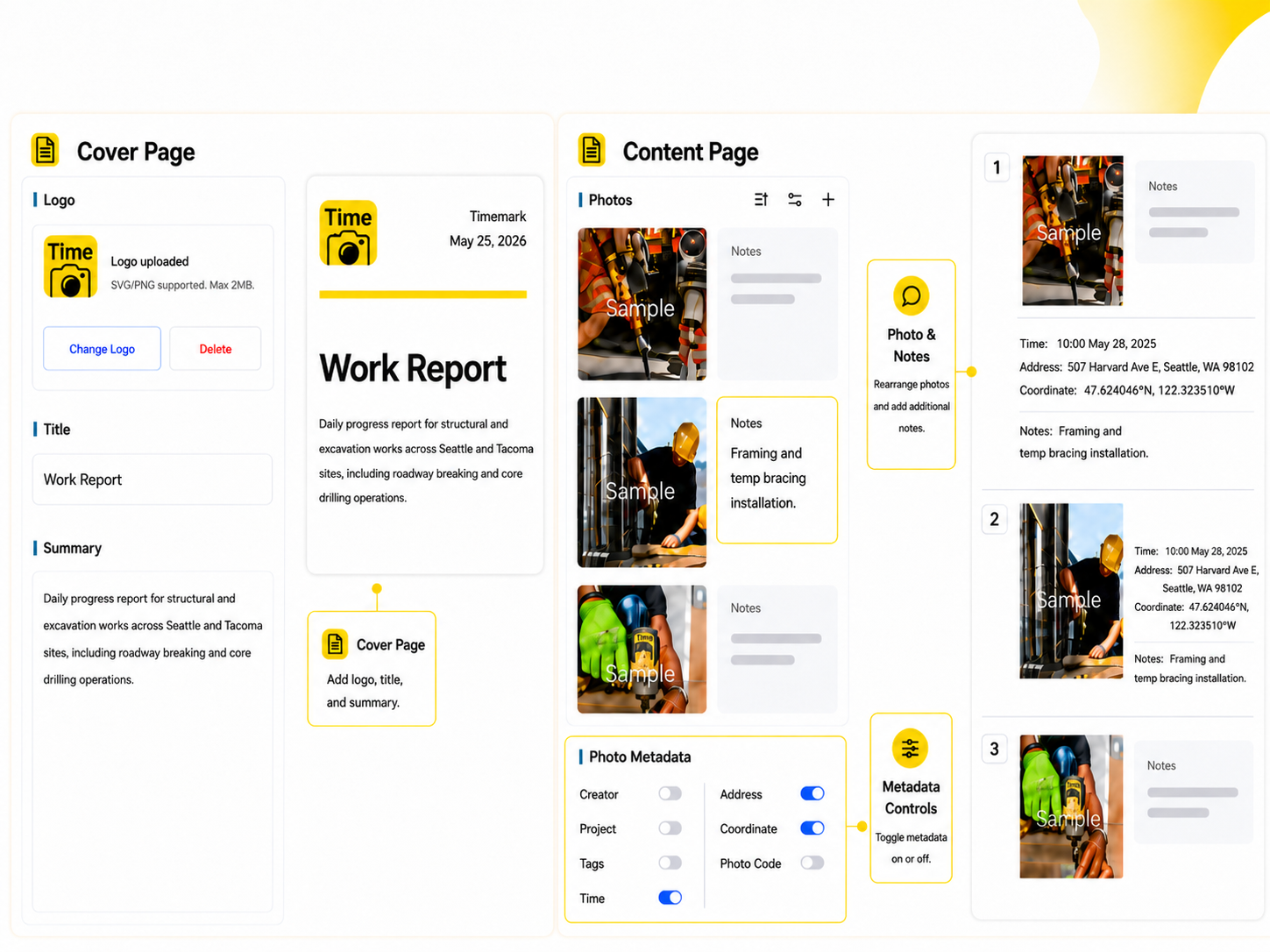
Timemark’s new PDF Editor in Teamspace gives teams more control over photo reports before they are shared with clients, inspectors, or adjusters. Teams can add a cover page with a logo, title, and summary, rearrange photos, add notes, and control which metadata appears in the final report.
This is especially useful for commercial roofing, where PDF reports often need to support insurance reviews, annual inspection, and dispute resolution. A strong report is not just a folder of photos. It needs a clear order, accurate metadata, and detailed notes.
The PDF Editor is available on the Teamspace web portal only.
KML Map Overlay: Review Photos Against the Project Plan
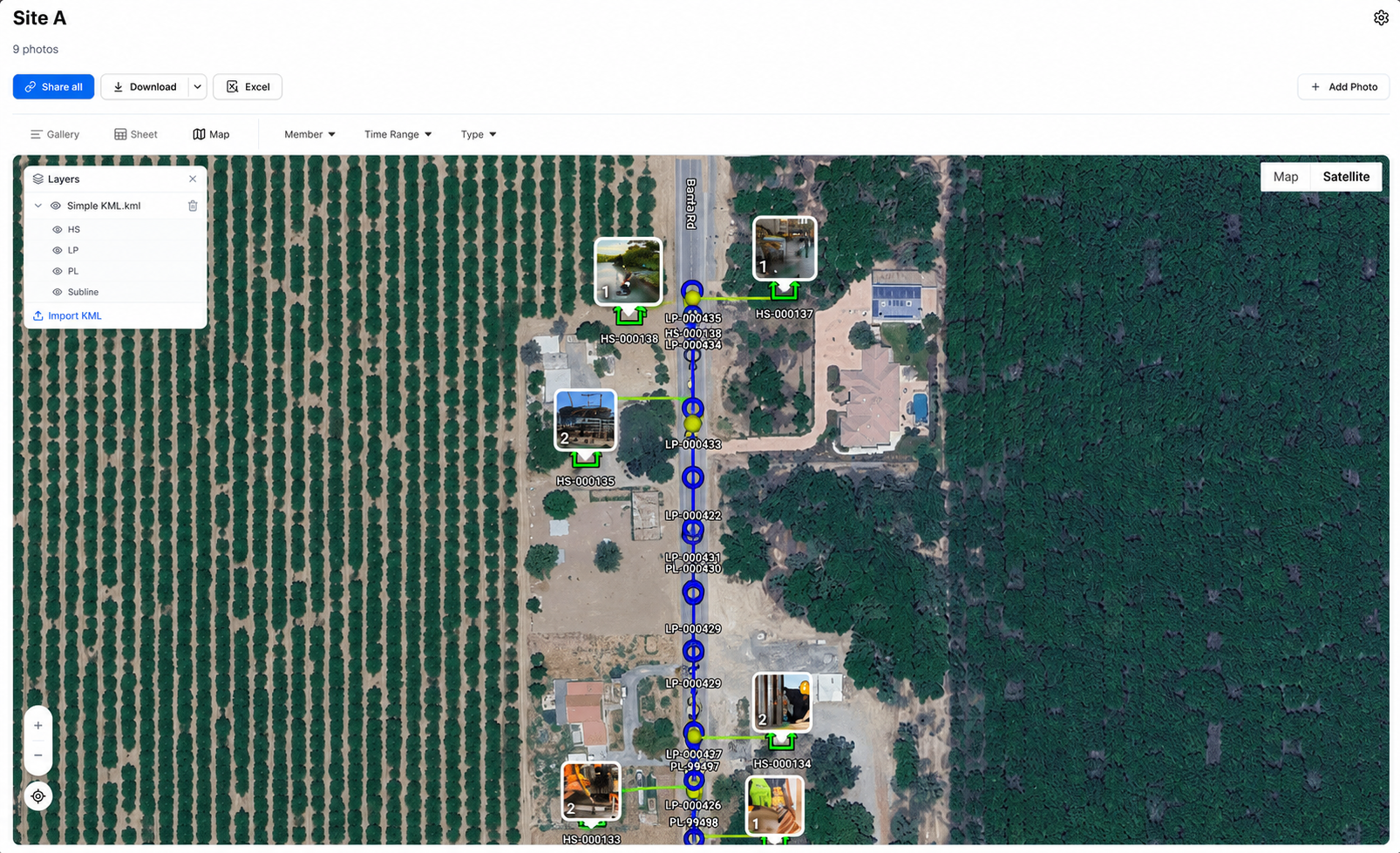
For telecom, fiber, utilities, and infrastructure teams, photo location matters as much as the photo itself. For fiber teams, this can mean reviewing photos along a planned line. For utility and construction teams, it can mean checking whether work was documented inside the correct boundary or service area.
Document Upload: Keep Job Files Inside the Project
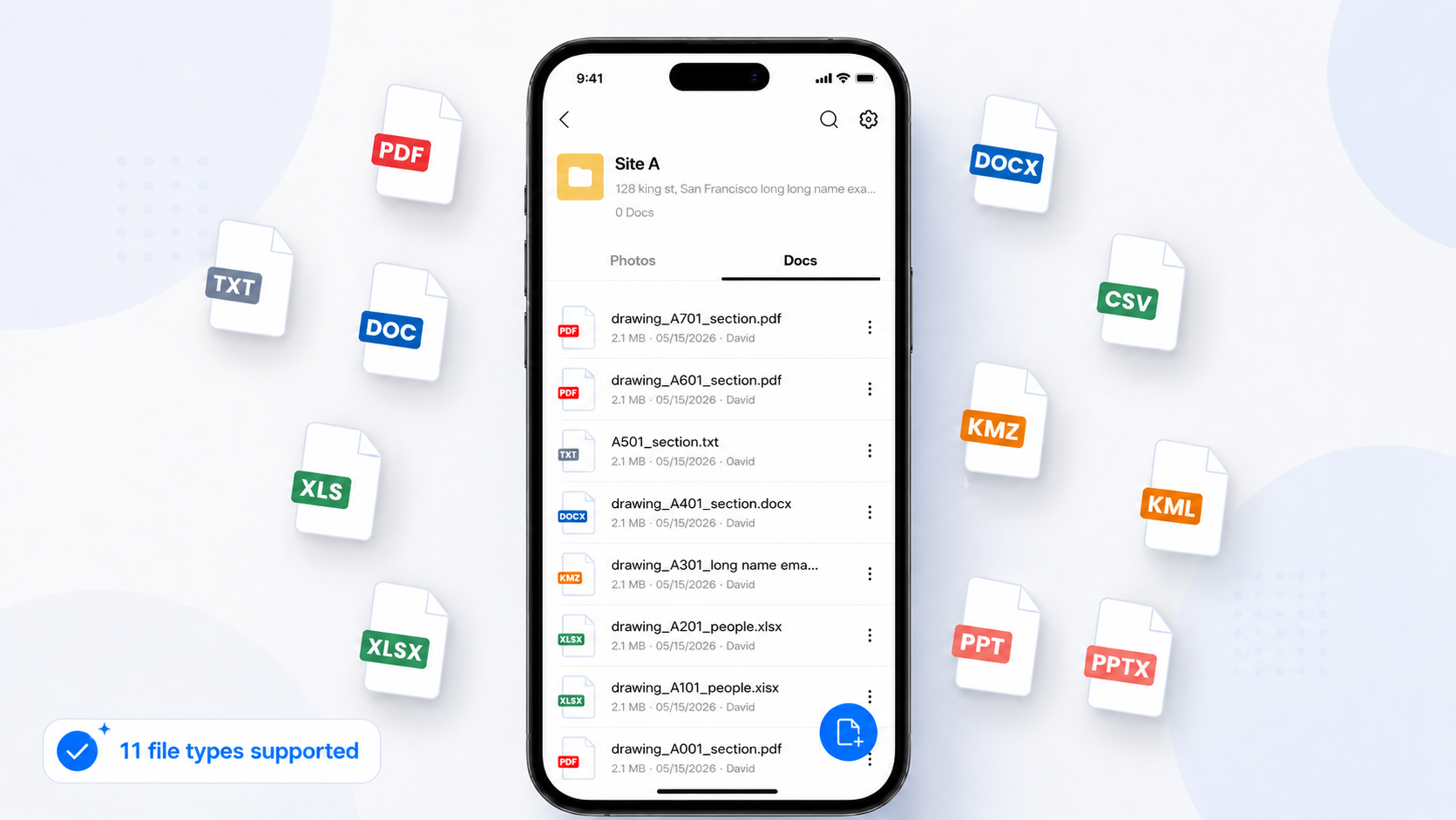
Many teams need more than photos inside a project. They also need the documents that guide the work. Without document upload, crews may have to carry printed permits, search old emails, open another platform, or take photos of paper documents just to keep them with the job record.
Document Upload is available inside every Teamspace project and helps teams store important project files where field crews and office teams can actually use them. This can include:
- Permits, day tickets, and work orders
- Design prints, installation plans, and site maps
- Scope documents, inspection files, and floor plans
This update is especially important for telecom, fiber, construction, property management, and cleaning teams that want Timemark to become a more complete project workspace.
Checklist: Standardize Workflows
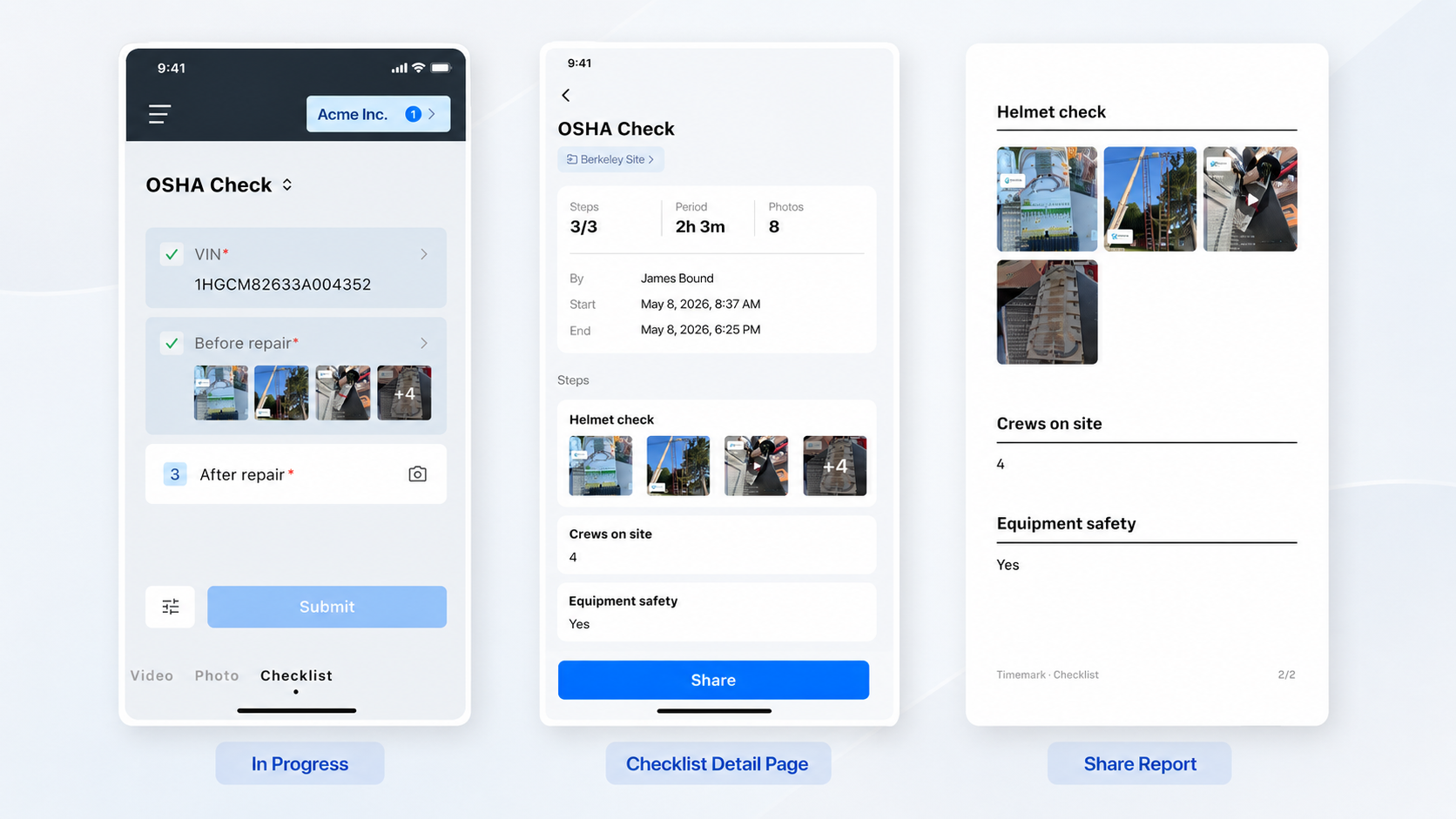
Progress, precise job durations, and tamper-proof photo evidence sync to your shared teamspace in real time with automatic offline backup protecting data in low-connectivity areas. Right at the jobsite or back in the office, you can quickly sort entries by crew or project and share clean web links and Excel reports directly with clients.
Before-and-After Collage: Show Job Results Side-by-Side
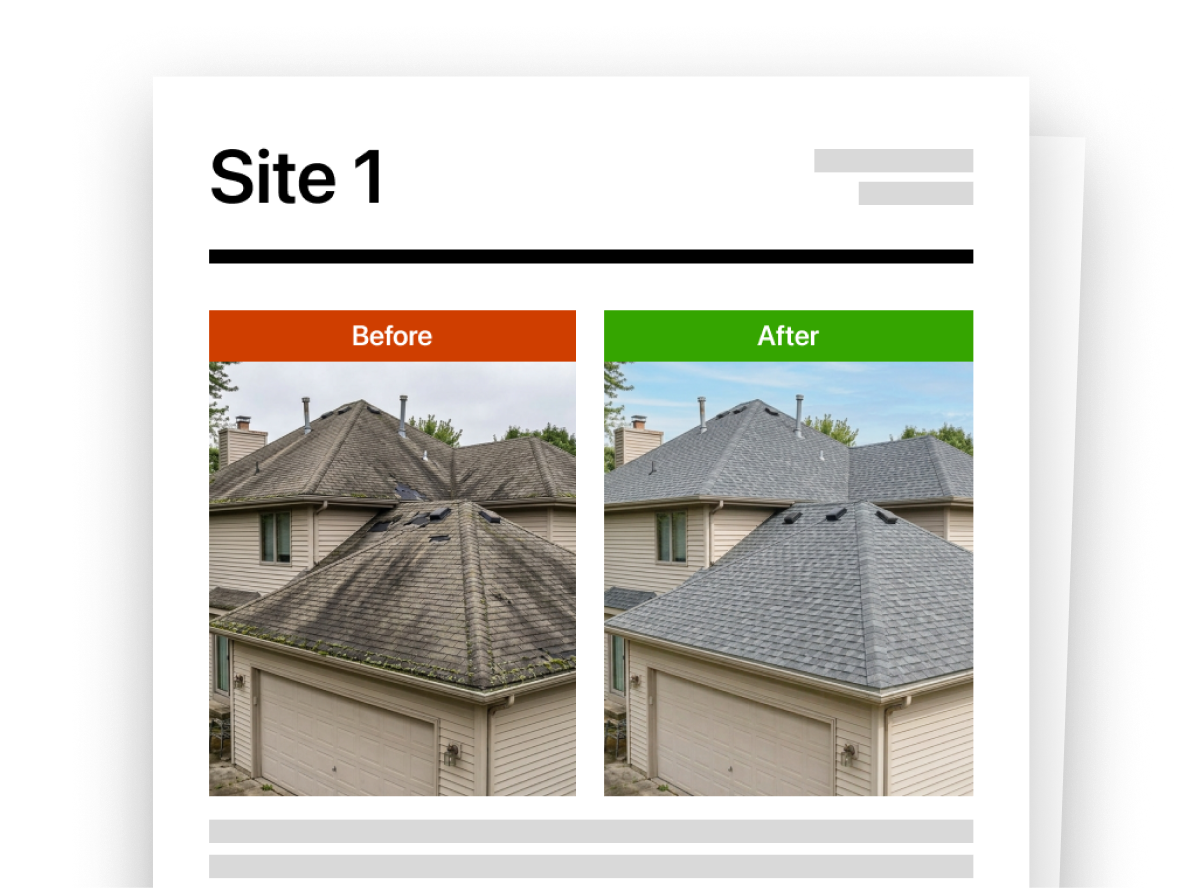
Show your project results clearly without switching to a separate design tool. Timemark’s built-in before-and-after collage template allows you to instantly generate side-by-side visual proof directly from your photo workflow.
For cleaning, landscaping, repairs, restoration, property management, and other service workflows, before-and-after proof is often the easiest way to show value. A built-in collage template will make that proof easier to create and share from the same photo workflow.
Enhancement: Improved Time Tracking
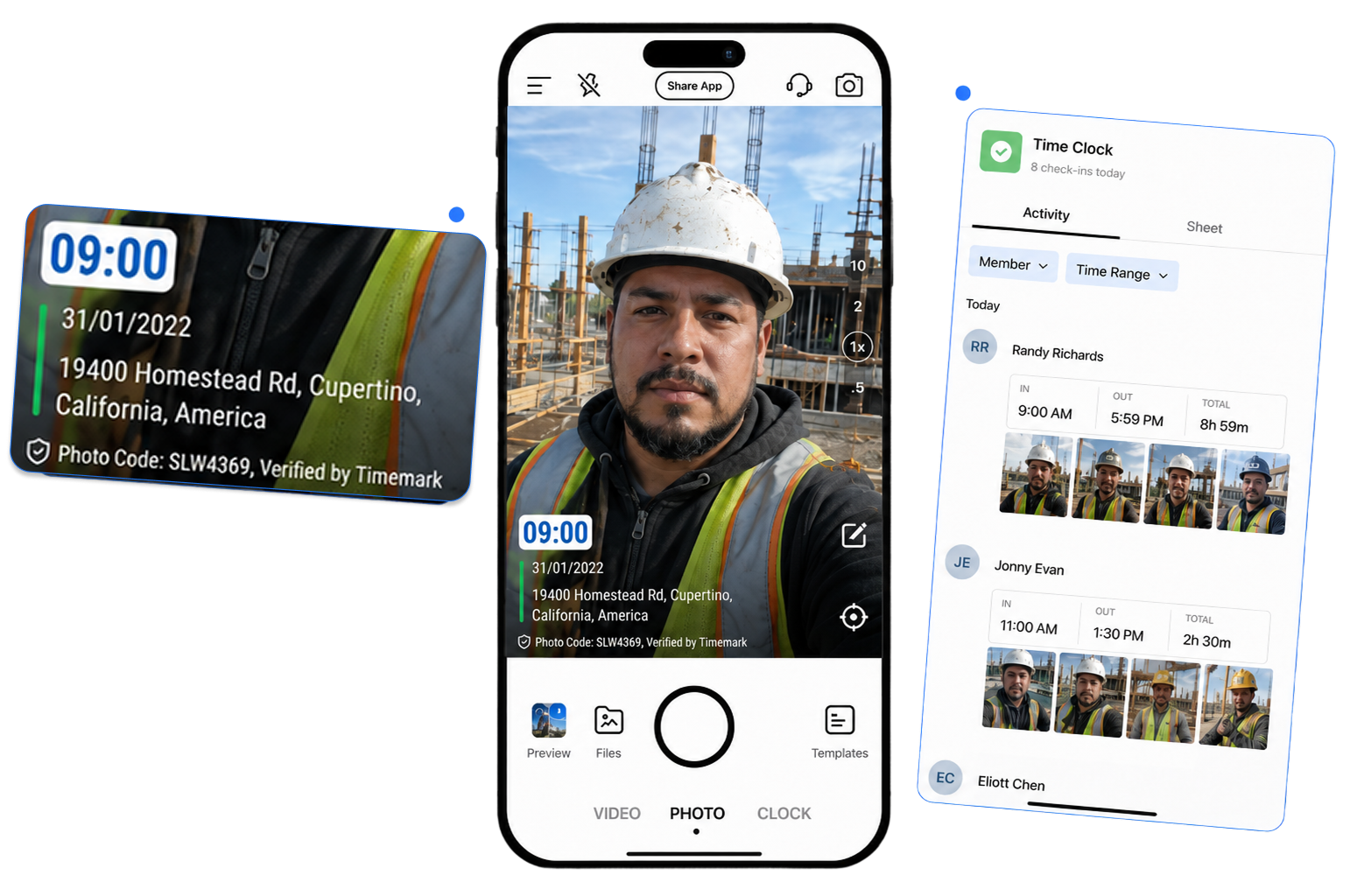
The workflow also supports breaks, clock-out records, and automatically generated timesheets, so teams can review hours by worker and day without relying on paper sign-in sheets, chat updates, or manual data entry. The improved time tracking features makes it easier to review work hours for payroll or job costing.
Enhancement: Timestamped Video Now Supports Seconds
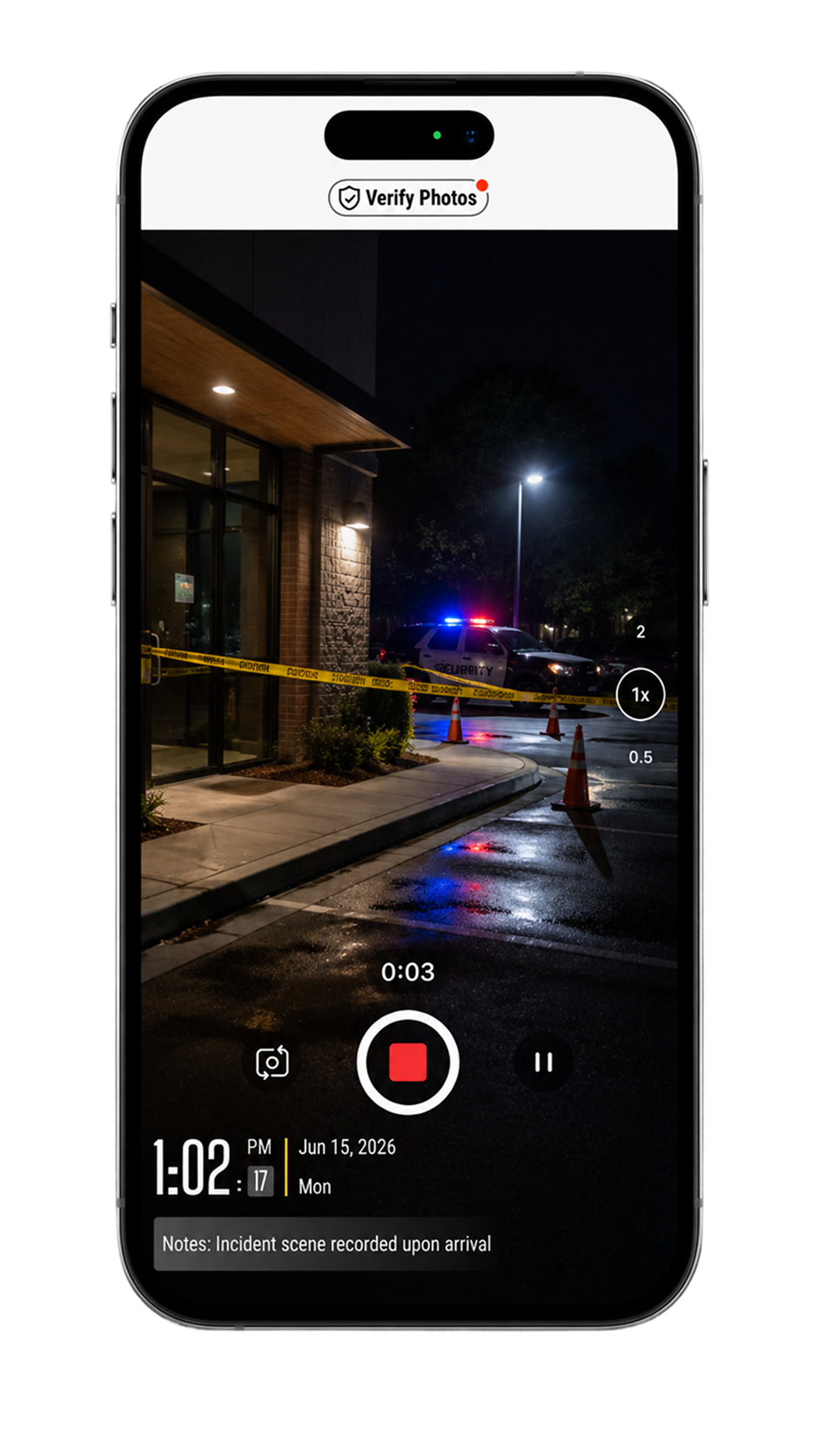
Timemark now supports seconds in timestamped video recording, giving teams a more precise record of when each moment was captured. This is useful when video is used as evidence, not just a visual update. In security, inspections, and restoration, a few seconds matter when teams need to review an incident or support a claim. With seconds added to the timestamp, Timemark videos provide a clearer timeline and make it easier to understand exactly what happened, when it happened, and how it connects to the job record.
Enhancement: “Locate Me” on Map
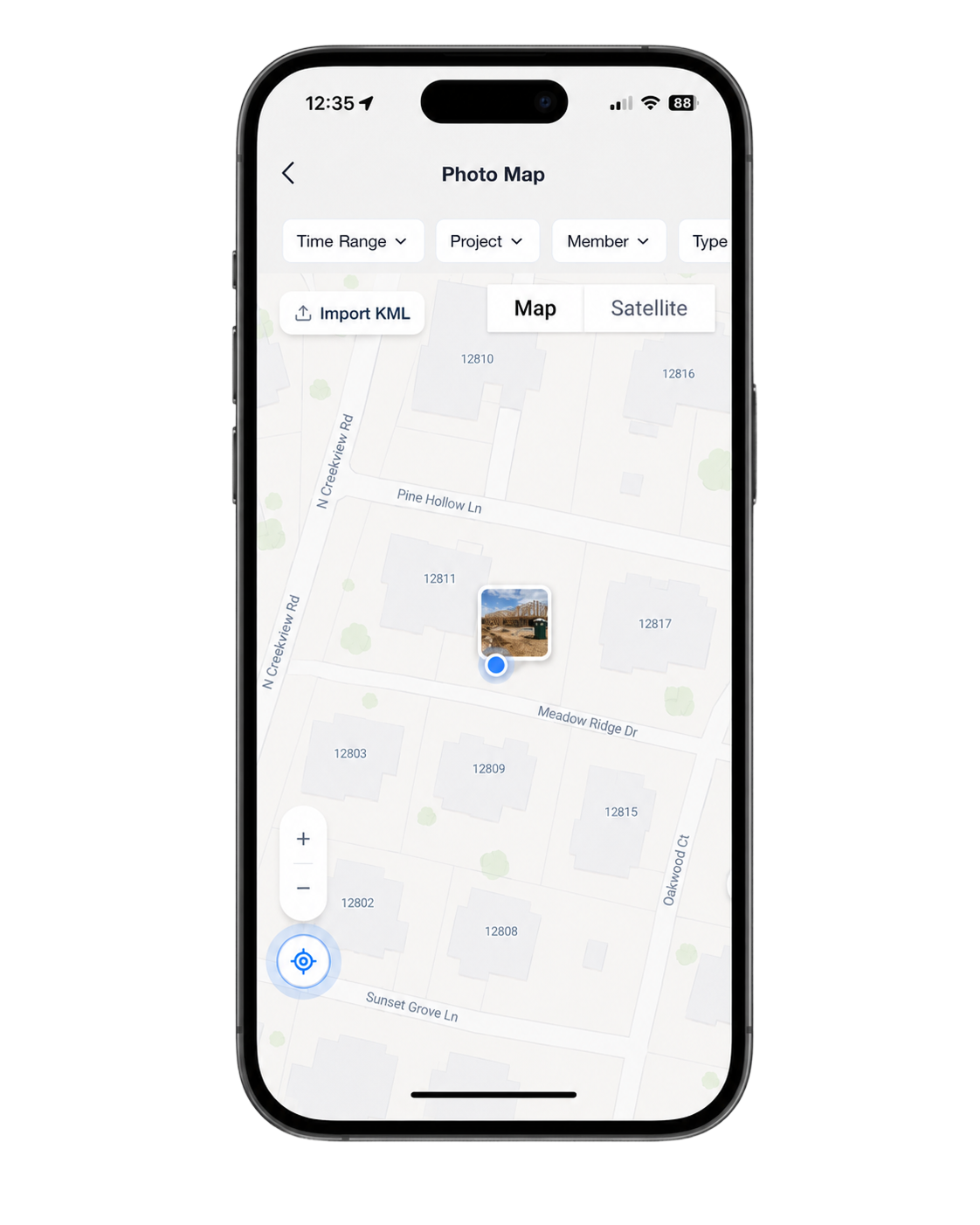
This is a small update, but it matters for teams working across large jobsites, long routes, or multiple service locations. Crews can orient themselves faster, and managers can review photo activity with better location context.
A More Complete Workflow for Field Documentation
These updates all move Timemark in the same direction: helping teams keep field proof, project context, and job records together.
Photos remain the foundation. But real field documentation also depends on reports, maps, documents, time records, checklists, and clear handoff formats. With these updates, Timemark helps teams capture the work, review it in context, and share a more complete record with less manual cleanup.
About Timemark
Timemark is a jobsite photo documentation app with timestamp, GPS geotag, and on-site notes. With Teamspace, field teams can automatically collect, organize, search, and export job photos across projects.
Timemark empowers construction, field service, telecom, and transportation teams to capture verifiable job photos to prevent disputes, support claims, and ensure project transparency. Timemark makes job photos trusted, organized, report-ready, and searchable. For setup instructions and product guidance, visit the Timemark Help Center.