







Best Timestamp Camera for Field Work

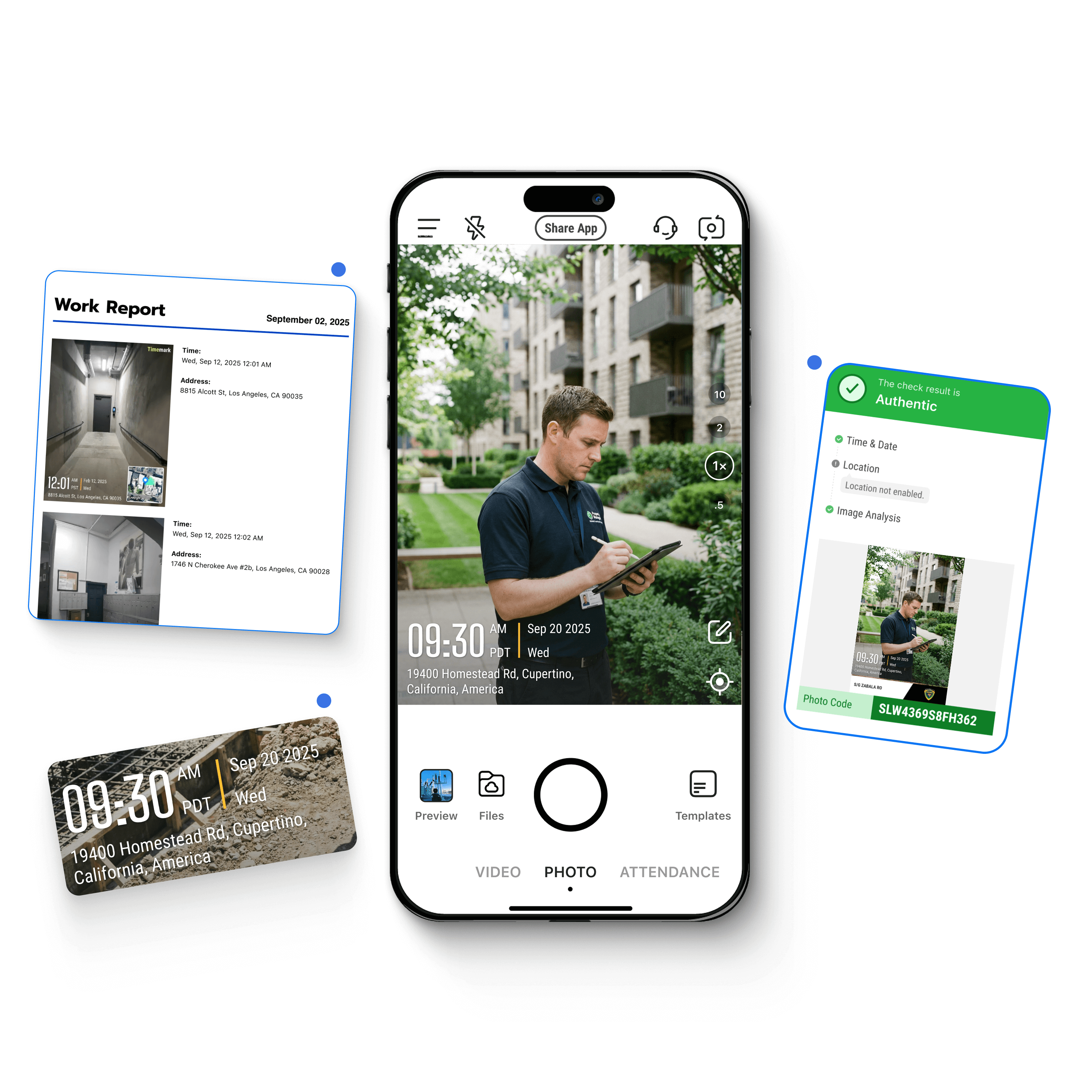
Timemark adds location, timestamp, notes, and logo directly to photos or videos. Get verifiable field service, inspection, or construction photos fast.

App downloads

App rating

Countries

Trusted by 3.7M field pros and teams from
Charter logoSpectrum logoG4S logoWaskita logoWalmart logoSeven Eleven nlogoG4S logoMasTec logoG4S logo

Key Features

Add Geotags & Timestamps

Keep job information right where it belongs, on your photos. Add time and date stamps along notes directly to photos at capture to ensure every photo carries its context.

  • Verified data: GPS and timestamp data are tamper-proof, even if system time or GPS is manipulated.
  • Full context: Switch on fields to add more context such as latitude, longitude, weather, elevation, compass direction, logo, and more.
  • Enhanced integrity: Built-in verification via a unique photo code ensures every record is authentic and traceable.

Auto Collect & Organize Photos

Timemark offers more than timestamping. It’s a full system for managing job photos in real time. Keep your photos organized and scale with the Teamspace feature.

Real-time uploads: Timemark automatically collects photos as they are taken, with no extra steps needed.

Scale without limits: Save job photos only in the cloud without taking up your phone storage. Add as many projects as you need.

Multiple view options: View photos by crew, project, or date to keep field documentation organized and easy to review.

Find & Share Photos with Less Friction

Make every photo easy to find, share, and use. Timemark keeps your workflow fast, connected, and audit-ready.

• Smart search: Find the exact photo you need by searching image content or tags without scrolling through your library.

• Flexible export: Export photos to ZIP, Excel, PDF, KMZ or share a live project link with your clients.

• Seamless integration:  Sync directly to Google Drive, OneDrive, SharePoint, or your existing CRM or FSM via webhook.

Timemark vs. Other Timestamp Camera Apps

Timemark vs. Other Timestamp Camera Apps

Discover why Timemark is the best timestamp camera app
Timemark Camera

Timemark
Camera

Timestamp 
Camera

Timestamp Camera

Date
Stamper

Date Stamper

GPS Map
Camera

GPS Map Camera

Anti-Tampering

Always displays accurate time and location even when the system settings are changed

No.

No

No

Additional Fields

Location, GPS coordinates, altitude, compass, map, tag, notes, logo, and more

Location, GPS coordinates, altitude, compass, map, notes, logo, and more

Location (paid)

Location, GPS coordinates, map, magnetic field, compass, altitude, logo, and more

Reporting

PDF, Excel (.xlsx), kmz, guest link, zip

No

No

PDF

Photo Organization

Auto-sort by project, member, and date

No

No

No

See Why Users Love Timemark

Star IconStar IconStar IconStar IconStar Icon
Mary-Anne Bowcott

“This app has leveled up my job organizing.”
Star IconStar IconStar IconStar IconStar Icon
Juanito Cardenas

“No more unpaid time. Just clear records that help prevent disputes before they even start.”
Star IconStar IconStar IconStar IconStar Icon
Gio

“Timemark has made everything a lot easier.”

Frequently Asked Questions

Can I add my company logo and job-specific text to the timestamp?
Faq Icon
Why is a specialized timestamp camera application necessary for professional evidence, instead of my phone's default camera?
Faq Icon
Are geotagged and timestamped photos considered legally admissible evidence in disputes?
Faq Icon
Does Timemark support large-scale video documentation?
Faq Icon
Is Timemark free?
Faq Icon
Which plan would be most suitable if I decide to subscribe?
Faq Icon

Try Timemark - the Best Timestamp Camera Free!

Download Timemark now to add verifiable timestamps to photos and create your team’s organized photo workflow fast.

Download Timemark