Timemark logoTimemark
All Solutions

Simple Jobsite Photo App to Save Time & Money

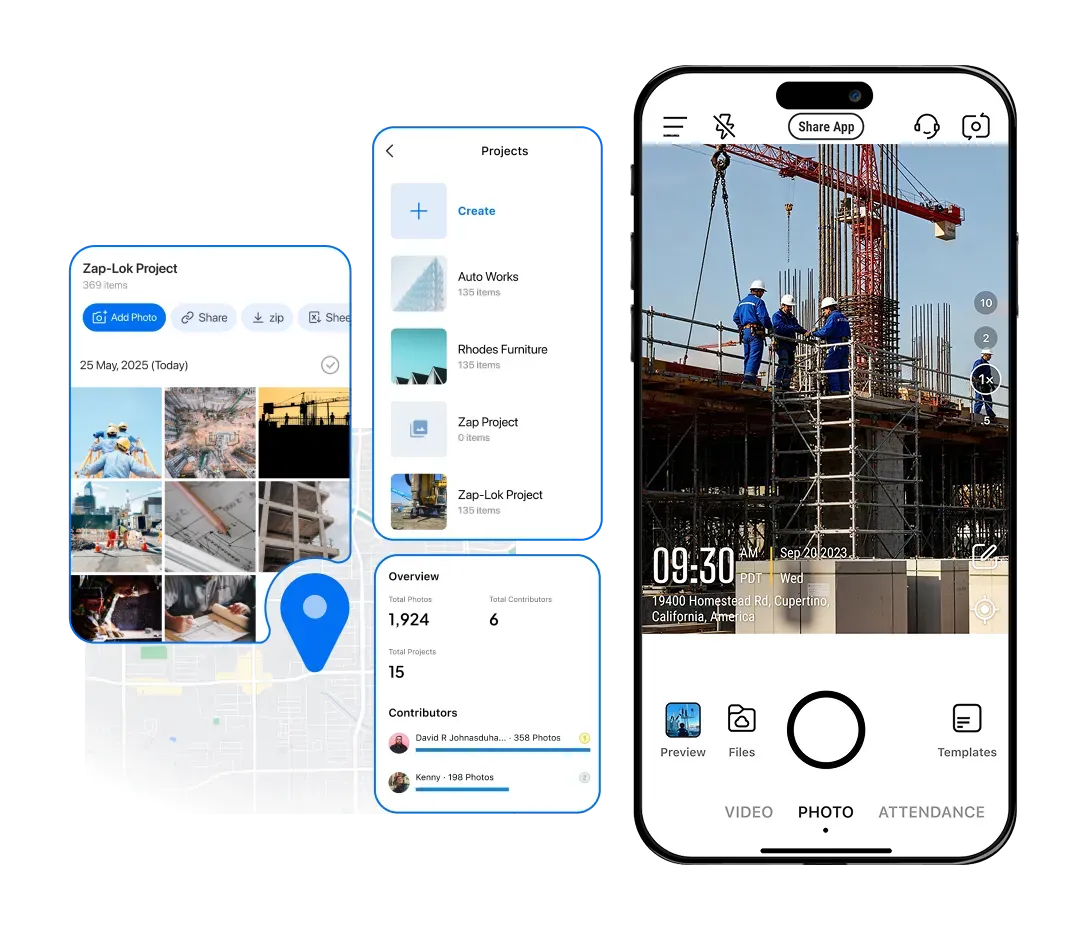
Jobsite Photo App Timemark auto-tags construction photos with Timestamp & GPS, organizes by Project/Team/Crew for easy photo management, and cuts rework costs, helping you avoid disputes and get paid faster.

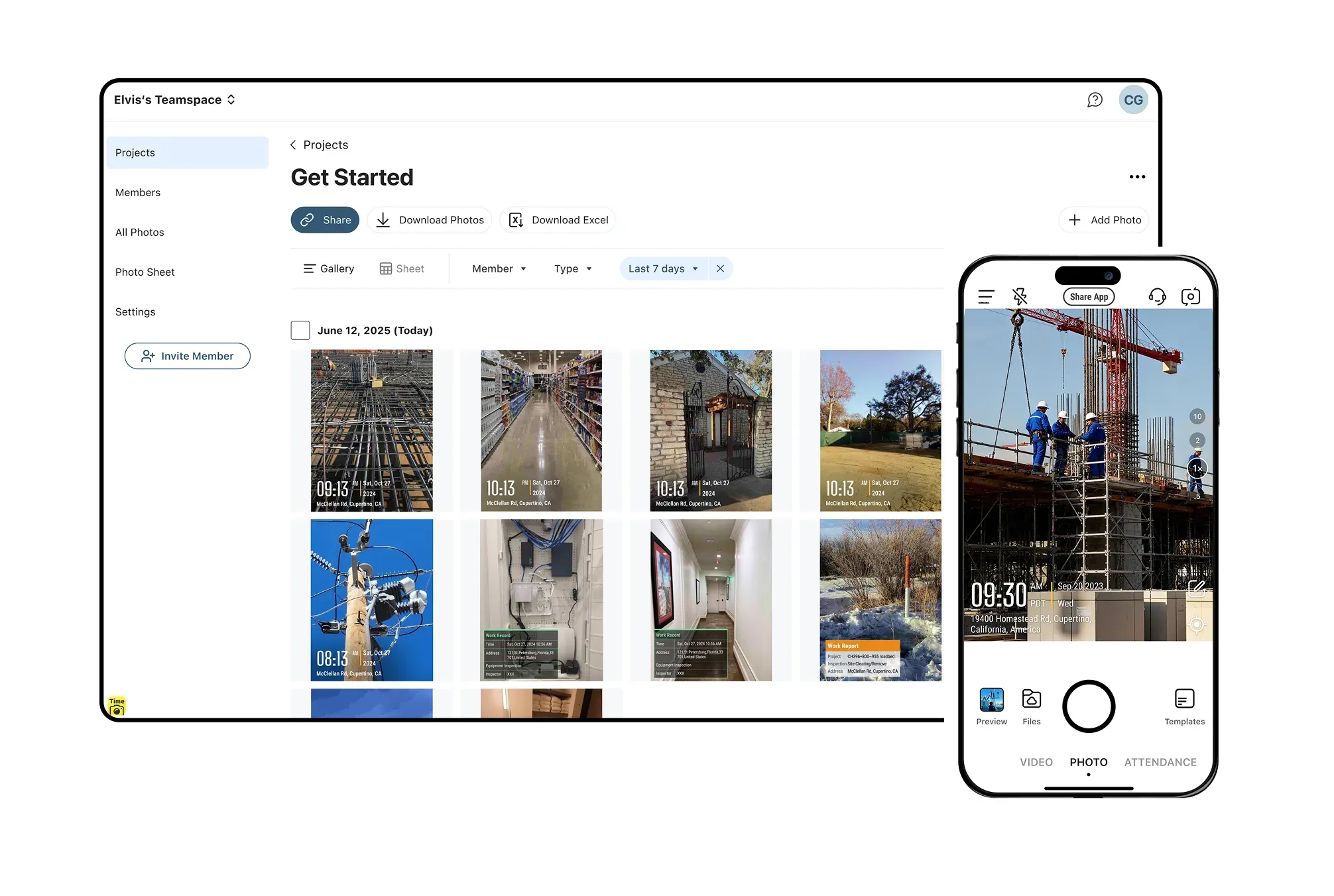
Timemark app interface with a timestamped photo, showing view options by Project/Date and export options: link, ZIP, Excel

Trusted by 3.7M field pros and teams from

Charter logoSpectrum logoWalmart logoCoca-Cola logoUnilever logoContecons logo
Waskita logoMasTec logo7-Eleven logoG4S logo

Timemark's Best Solutions To Your Pain Points

Illustration of the paper forms pain point and the Timemark solution

Paper Forms

Pain Point: Paper forms are frustrating. It's hard to use on rough jobsites, easy to misplace, slowing workflows. Timemark's Solution: Record job details fast. Add timestamp, GPS, notes, and weather directly to photos. No more manual paper logging.

Illustration of the scattered photos pain point and the Timemark solution

Scattered Photos

Pain Point: Jobsite photos scattered in phones/emails, hard to find when you need them. Timemark's Solution: Snap photos on-site, Timemark auto-syncs and organizes by Project / Crew / Team. Find photos in seconds.

Illustration of the poor team communication pain point and the Timemark solution

Poor Communication

Pain Point: Bad team communication delays from missed updates, no clear task tracking. Timemark's Solution: Your team stays on the same page with the real-time photo uploads, jobs move faster.

Illustration of the lost proof pain point and the Timemark solution

Lost Proof

Pain Point: Losing photos/docs means no Proof for disputes, costing money. Timemark's Solution: All your jobsite data is backed up, secure, and always accessible.

Key Features

Mobile Inspection & Offline Sync

Jobsite Photo App lets you complete inspections on your mobile anywhere. No paper and pen needed. Work seamlessly offline: save notes, capture GPS, and select the destination project. Reconnect to Wi-Fi or data later, and watch all offline work auto-sync to the cloud for instant photo documentation and team updates.

Get Started Free
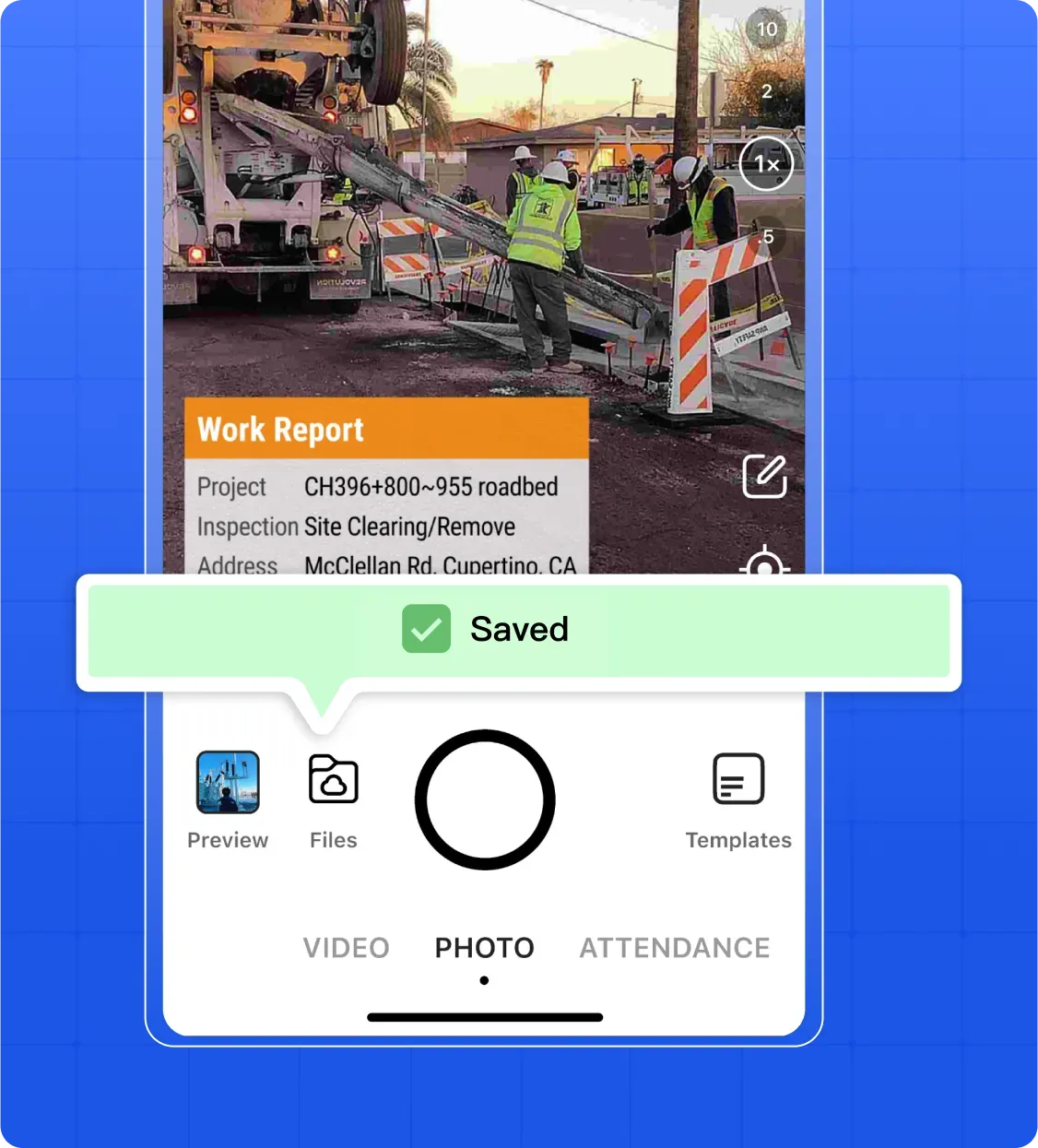
Mobile inspection with offline sync interface

Photo & Video Annotation

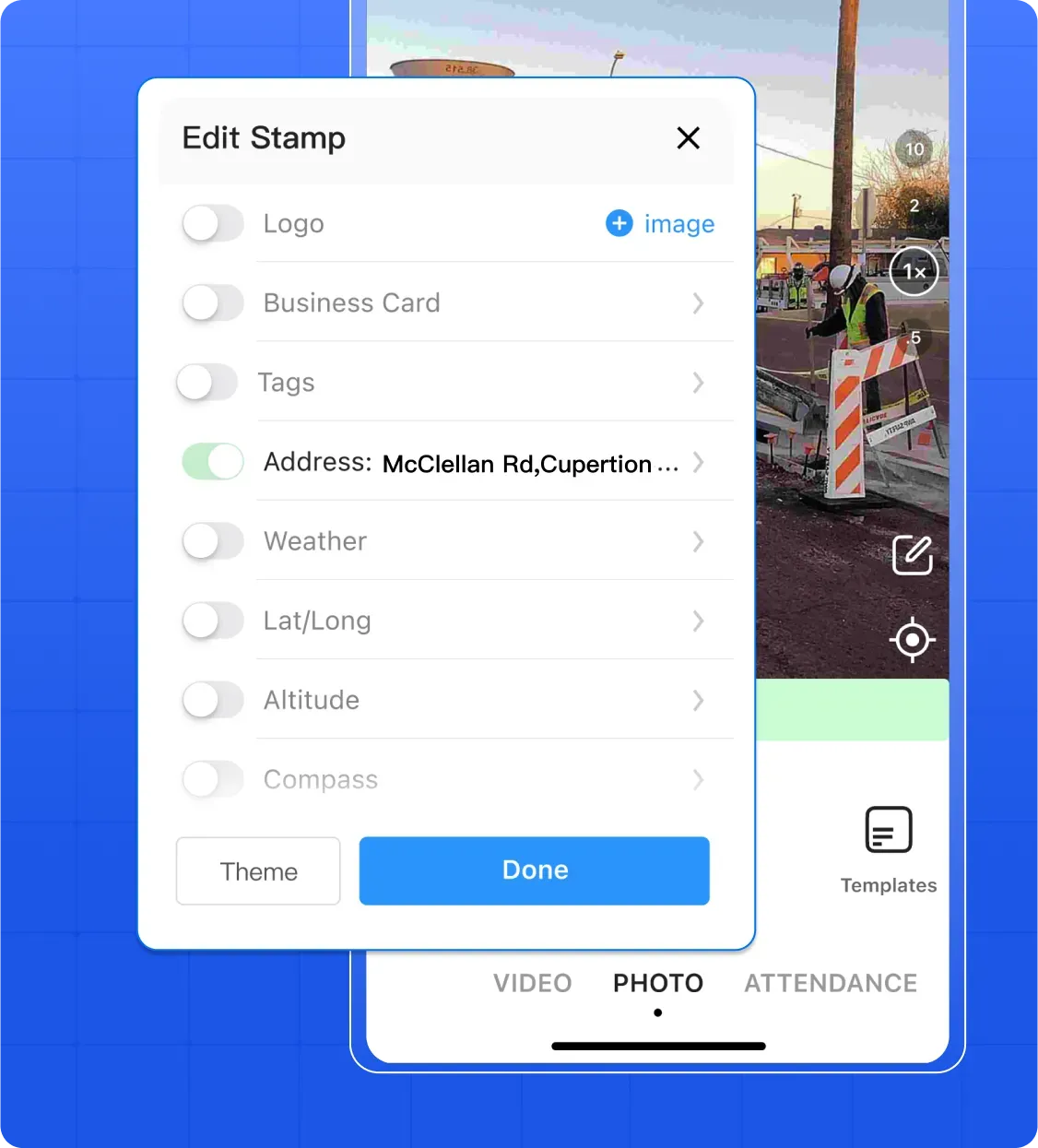
Snap jobsite photos or videos, and let Timemark auto-add timestamp and GPS. Type notes or log weather directly on photos or videos, so key details never get forgotten.

Get Started Free
Photo and video annotation interface with timestamp and GPS

Automated Report Generation

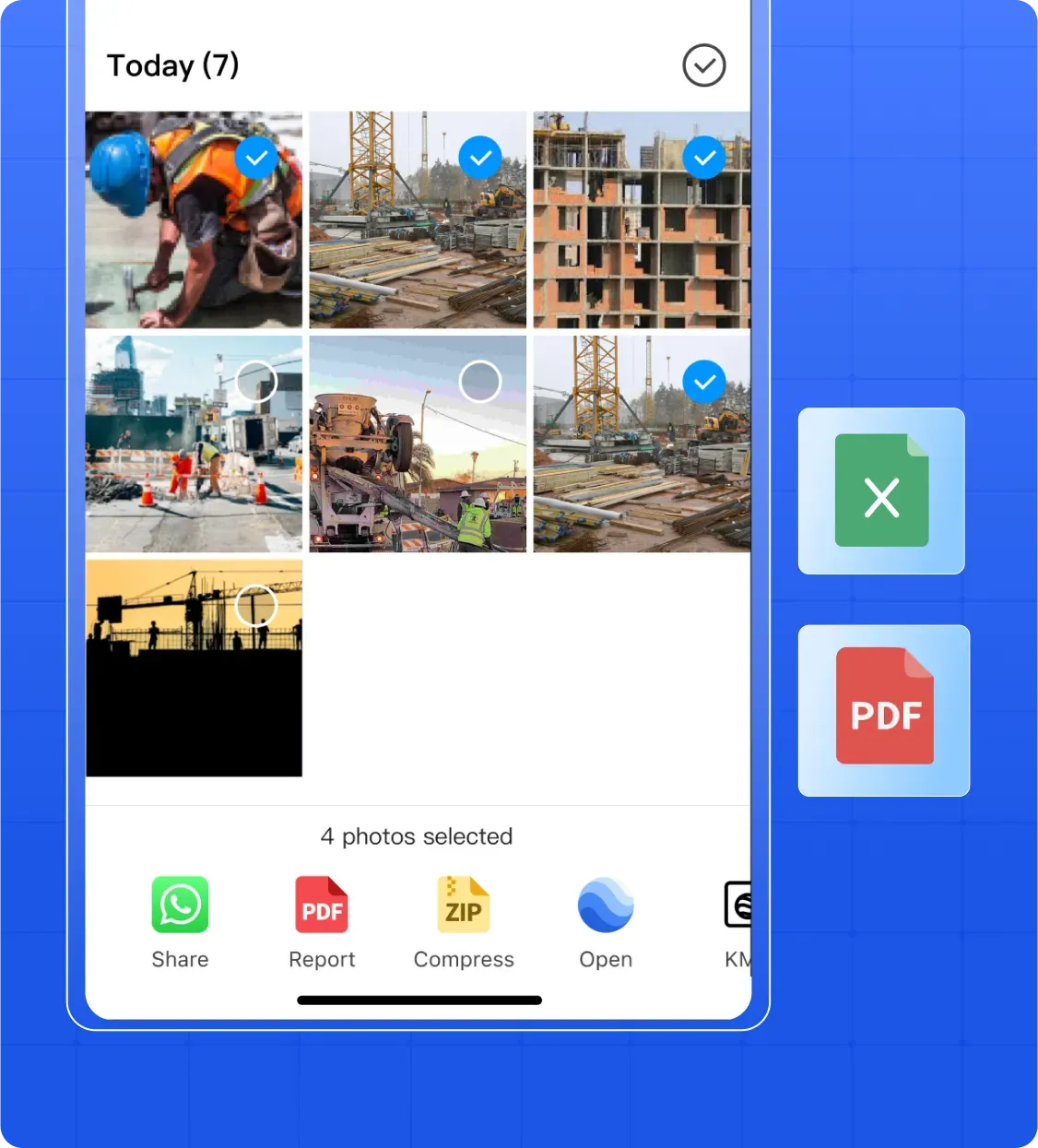
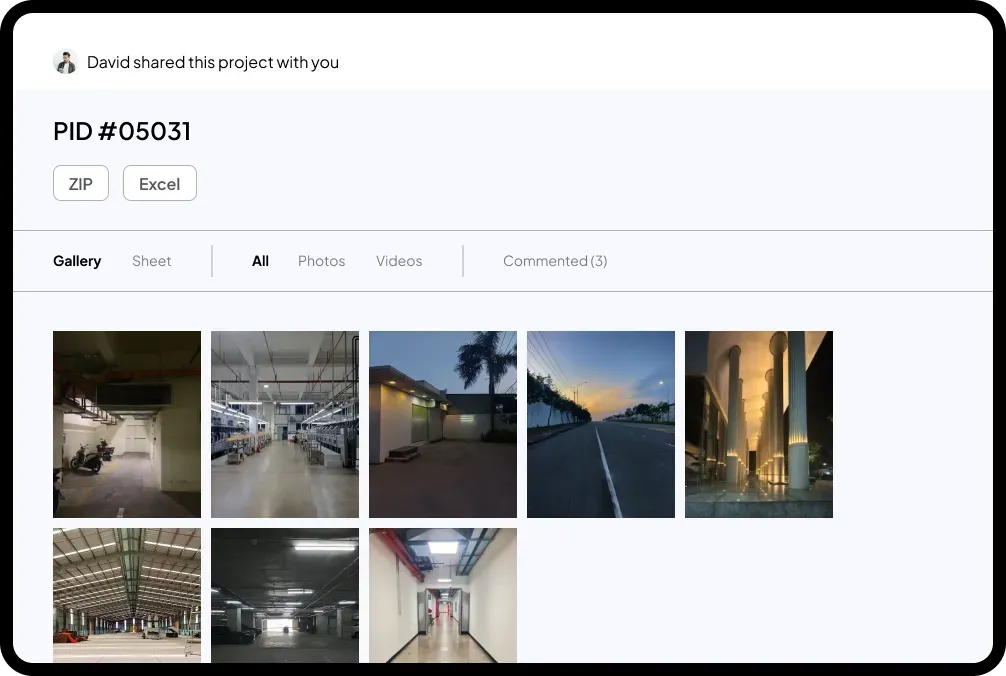
With Timemark, the best Jobsite Photo App, click once to turn your organized photos, notes, and inspection data into professional PDF or Excel reports. Skip hours of manual compiling, add your company logo for a professional touch, and share reports via email or a live project link to clients, team leads, or subcontractors—so updates go out effortlessly.

Get Started Free
Automated PDF and Excel report generation interface

Real Jobsite Use Cases

Construction

Construction Quality & Safety Audits: Contractors use Timemark, the best Jobsite Photo App, to snap timestamped/GPS-tagged construction photos of sites (e.g., foundations pre-concrete). Supervisors review quickly on the web to check standards, and store safety audit photos for easy photo documentation and compliance management.

Get Started Free
Teamspace interface showing jobsite photos for construction quality and safety audits

Field Service

Field Service Task Tracking: Telecom contractors use Timemark, the best Jobsite Photo App, to capture photos of damaged equipment and add problem notes directly. Photos auto-organize by project for easy management, so leaders can view real-time job progress and ensure on-time service delivery.

Get Started Free
Teamspace interface showing jobsite photos for field service task tracking

Real Estate

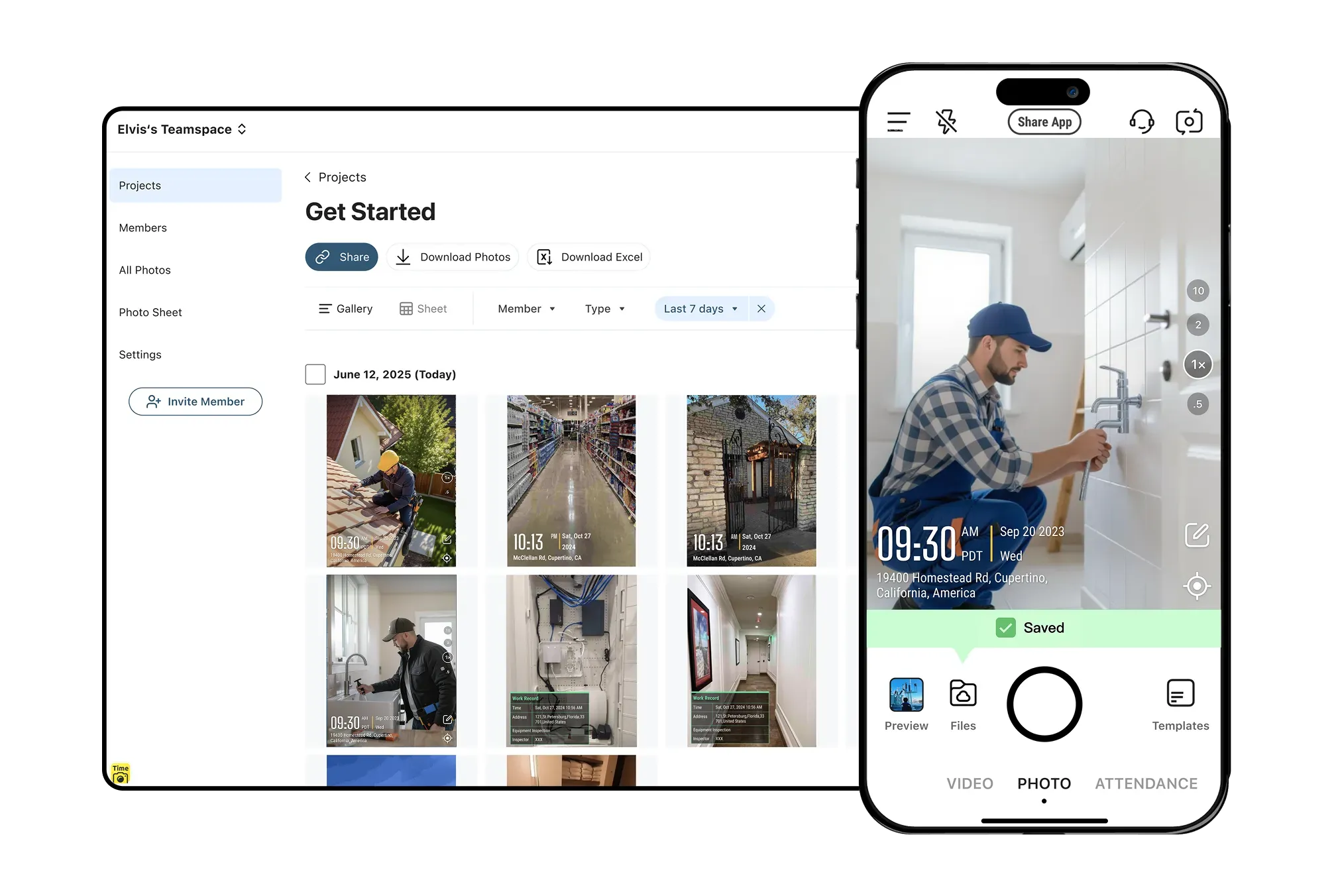
Remote Property Inspections: Property managers have tenants/staff snap rental property photos (e.g., leaky faucets) via Timemark. They view photos online, group by property, and generate 1-click PDF reports for maintenance or renters.

Get Started Free
Teamspace interface showing jobsite photos for remote property inspections

Land Surveying

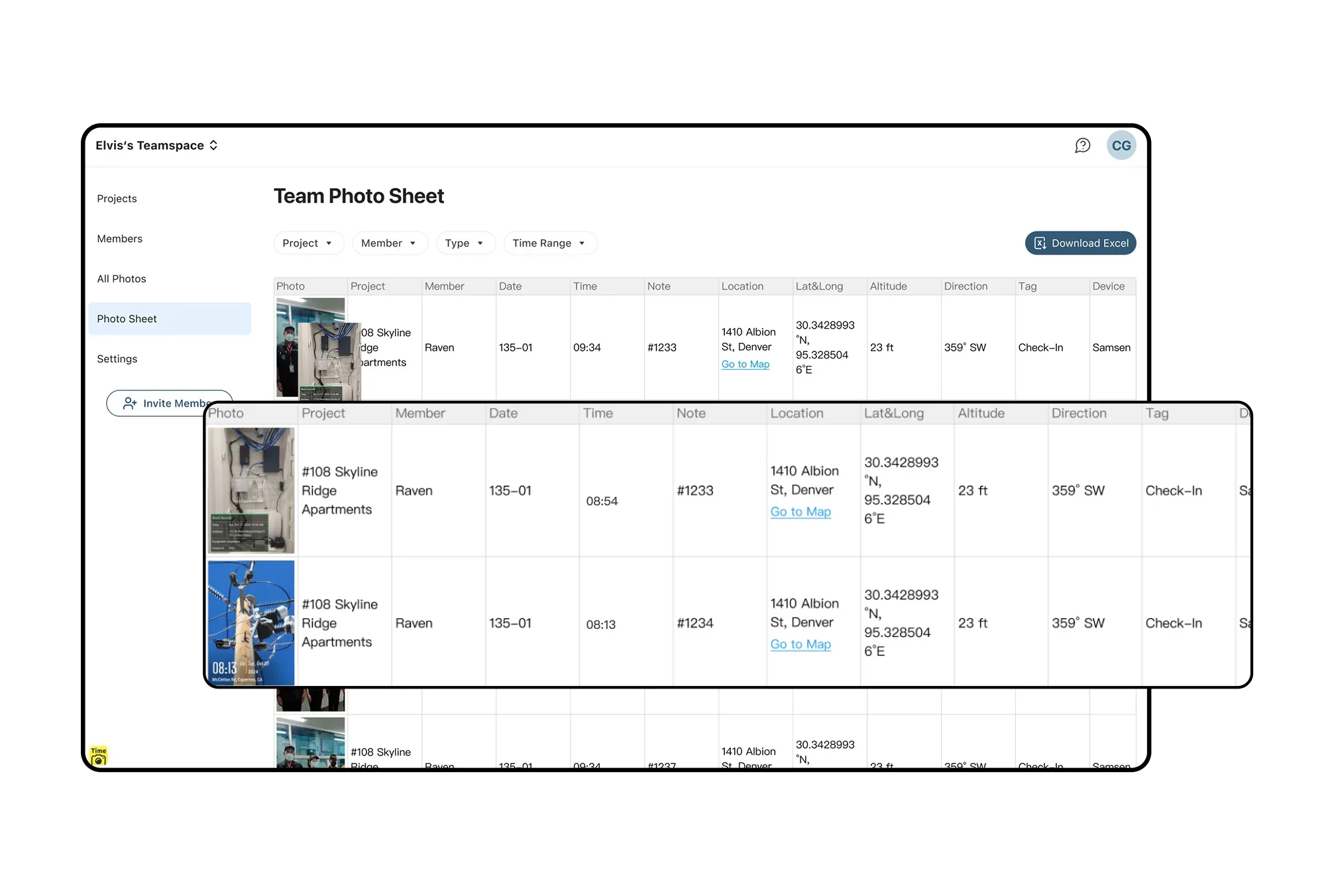
Survey Data Documentation: Land surveyors rely on Timemark, a Jobsite Photo App built for surveying, to capture GPS- and timestamp-tagged photos of landmarks and boundaries. Back in the office, photos are organized by project for seamless documentation and quick retrieval for boundary dispute evidence.

Get Started Free
Photo sheet with gallery and sheet view options for survey data documentation

Why Timemark Stands Out for Jobsite Documentation?

Efficiency icon

Efficiency

Say goodbye to inefficient paper checklists and time-consuming photo hunts. Timemark turns messy jobsite info into clear insights and generates reports in one click. Save hours of admin work every week.

Collaboration icon

Collaboration

End the frustration of disconnected teams. Timemark's real-time notifications and shared project folders let field and office staff share jobsite updates instantly. No more delayed messages—teamwork is seamless and visible to everyone.

Risk control icon

Risk Control

Minimize legal and financial risks with reliable documentation using Timemark, a jobsite photo app for secure site capture. Its tamper-proof photos, cloud storage, and clear audit trails help you avoid costly disputes, rework, and unpaid invoices.

Frequently Asked Questions

Create A Team For Free On The Best Jobsite Photo App

No more lost photos or unproven claims. Sign up for free to get timestamped/GPS-tagged photos, automated reports, and easy team collaboration for your jobsite.

Start For Free