Timemark logoTimemark
All Solutions

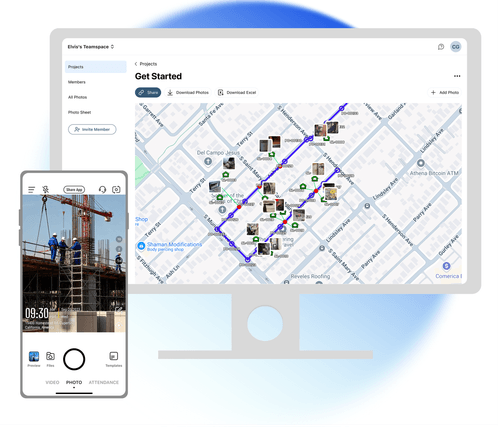
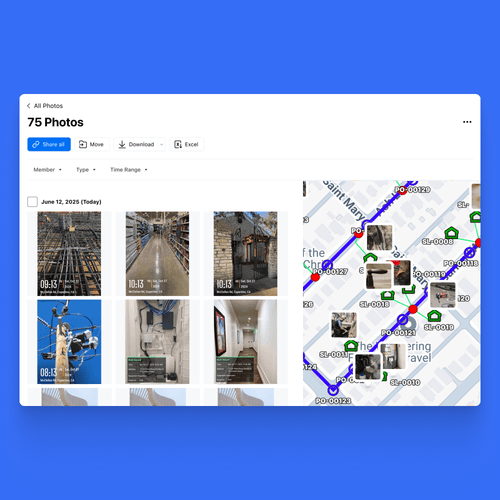
Site photos on map, with design KML overlaid

Import your design KML onto your photo map and verify planned vs. actual on the spot. Field crews capture, office teams compare and sign off — all in one place. No exporting, no separate GIS tool.

Site photos on map, with design KML overlaid hero image

Trusted by 3.7M field pros and teams from

SpectrumCoca-ColaUnileverWalmartMasTecG4S

Verifying field work shouldn't mean juggling two separate tools

Your field photos are geotagged, and your design lives in a separate KML file. Until now, comparing the two meant loading both into a GIS tool and overlaying them by hand. With Timemark, it all happens in one place. Import your design KML straight onto your photo map and compare planned vs. actual o

Verifying field work shouldn't mean juggling two separate tools

Key Features

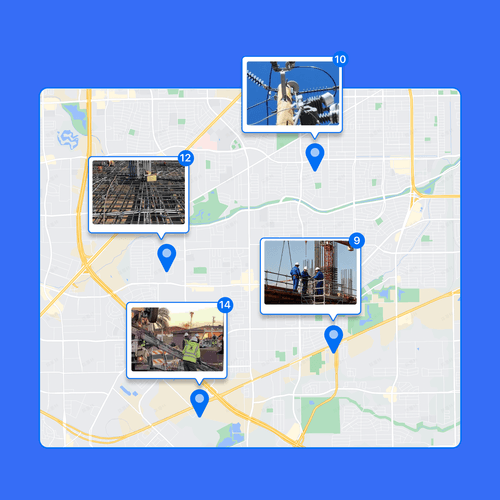
Photos on the map,
auto-tagged

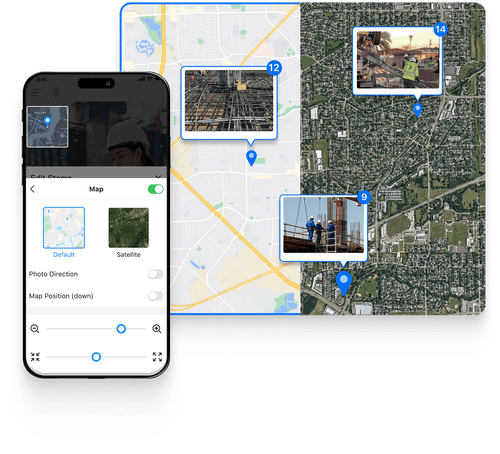
Photos on the map, auto-tagged

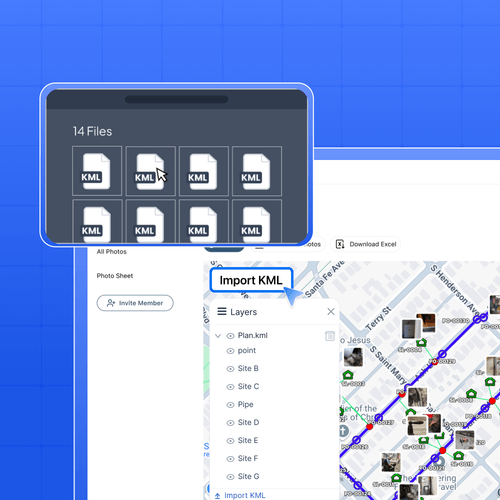
Import & overlay design KML

Import & overlay design KML

Compare Planned
vs. Actual

Compare Planned vs. Actual

How to verify field work against your design KML?

1. Get Timemark App Go to app stores, find Timemark and download it. Open the app, grant camera and location permissions. That’s it. No complex steps, just a few taps to get ready.2. Take Geotagged Photos Tap the camera in Timemark to shoot your site. Every photo gets an auto GPS and time stamp, the

How to Use a GPS Camera?

Built for as-built verification

Check splice pits and handholes against the planned cable route before each segment is signed off. Overlay the design alignment on your field photos for inspection and acceptance, deviation by deviation. Track built work against design plans on one map, a clear visual record for clients and supervisors. Cross-reference inspection photos with the designated survey areas, location by location.

Built for as-built verification

Why field teams verify their work in Timemark

Overlay the design KML on your field photos and check each segment against the plan. Spot wrong installs or off-route work early, and fix them before they turn into a rework or a failed acceptance. Each photo carries a timestamp and the exact spot it was taken. That's proof you can trust. If a client or vendor disputes the work, show the geotagged evidence against the design KML. No more guesswork. Field crews shoot on mobile, the office verifies on web, all from one map. No exporting, no switching tools, no version mix-ups. Everyone works from the same picture.

Why field teams verify their work in Timemark

Your Field Photos Are Safe & Secure With Timemark

Privacy and safety matter for your construction photos. Timemark’s construction progress photography keeps every shot secure with GPS and date stamps, providing full context for every image. Once uploaded, photos stay exactly as-is—no edits allowed. Trustworthy site documentation, always reliable for legal and compliance needs.

Field-First Technology Built for Jobsite Teams

Frequently Asked Questions

Try Timemark ‑ the Best Timestamp Camera Free!

Download Timemark now to add verifiable timestamps to photos and create your team’s organized photo workflow fast.

Download Timemark APP