Boost Your Team’s Productivity Today!




.webp)






Timemark lets you export all field data into Excel, KMZ, or PDF formats instantly, making it easy to analyze, visualize, and share project reports with your team or clients.
Timemark automatically uploads every photo to the cloud, ensuring your data is synced in real-time. View and manage team photos by project or crew in gallery, map, or sheet view from the app or web portal
1. Open Timemark App: Launch the app on your phone or tablet.
2. Choose Your Watermark Style: Pick your preferred watermark design for time, date, and location.
3. Take a Photo: Snap your photo as usual on the job site.
4. Automatic Timestamp & GPS: Timemark automatically adds the current time and location to your photo.
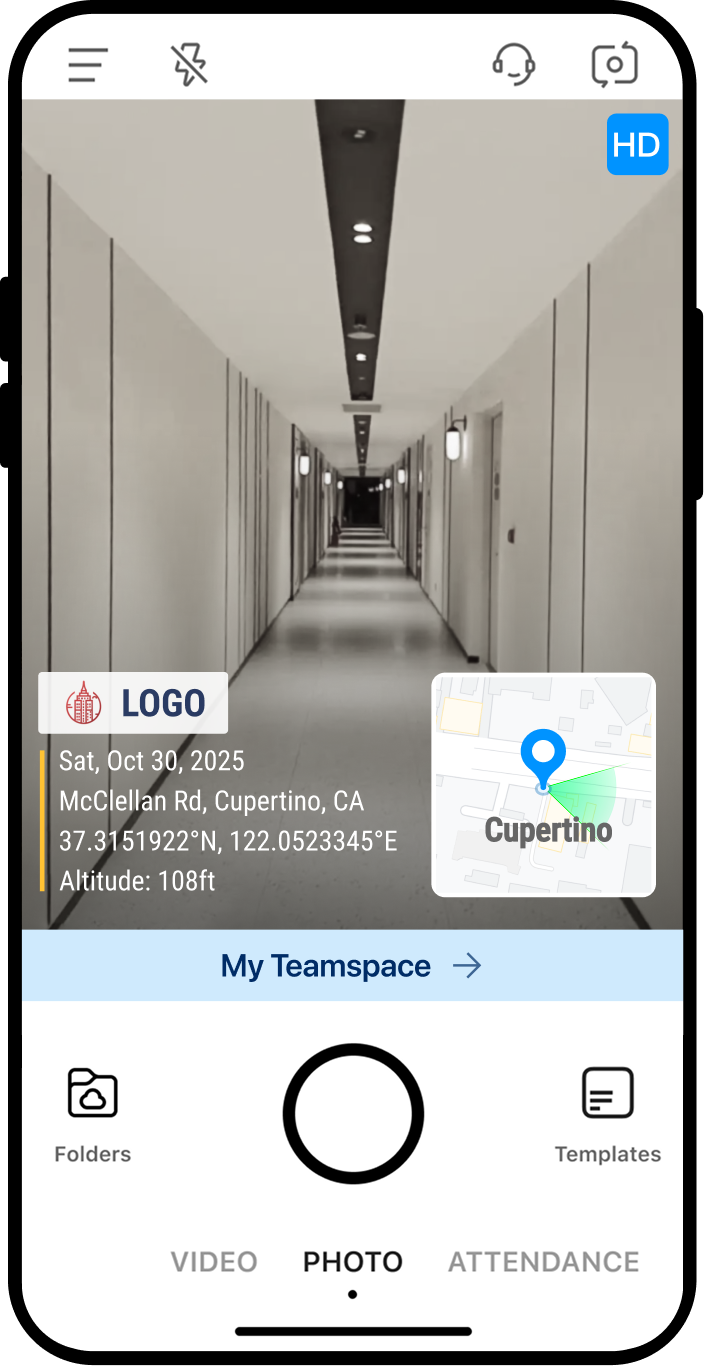
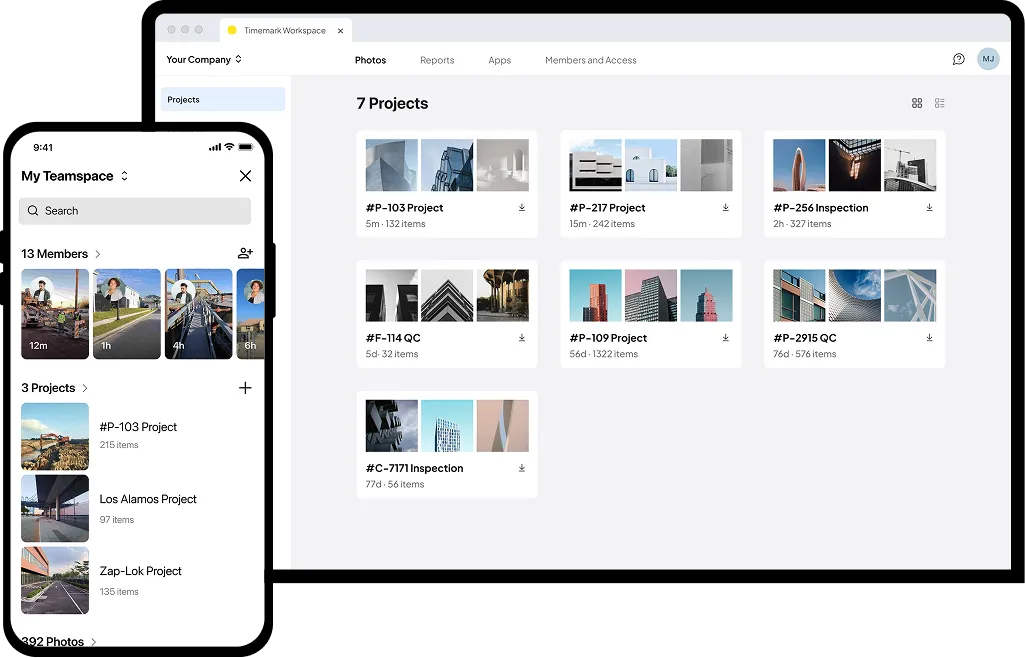
1. Capture Photos: Snap job-site photos with automatic timestamps, GPS, and optional watermarks.
2. Log in and Select Teamspace: Choose your team or project space to organize photos collaboratively.
3. Sync Automatically: Photos are uploaded to the cloud when online, or saved offline until connection is available.
4. Access on Desktop: Log in on your computer to view, organize, and manage all your photos.
1. Select Photos – On your mobile or desktop, choose the photos you want to include in the report.
2. Generate Report – Tap to create a local report or generate a shareable link.
3. Send to Clients – Deliver the report directly to your target clients quickly and effortlessly.
.png)
"In a dream world, this is exactly how I’d want it to work. My crew can just send photos to the right project and I can export everything into an Excel file. That’s huge."
– Business owner at a local line contractor
This software has been a game-changer for our team! It automatically collects and organizes everyone’s photos by projects or members, so we no longer waste hours sorting through files or sending photos back and forth by email. Even when we take pictures offline, they sync to our team space as soon as there’s internet.
It’s also very affordable and focused exactly on what small teams need: capturing and organizing site photos without unnecessary extras.
– Review on G2
"Timemark cut our photo sorting time in half. It really helps keep things organized. The Timemark team keeps improving the product, which our team really appreciates."
– Review on app store
One of the best apps for capturing real-time tasks. It shows the exact time evidence was taken, which is critical for accountability. My company requires us to use it, and now I see why. It’s reliable and efficient!
– QA manager at a major telecom company
"Authenticity is everything. Timemark helps us prove accountability with timestamped photos, and that builds trust with our clients."
– Owner at a security service provider
"Excellent app for keeping track of my field team. It makes managing and verifying work so much easier."
– VP at a fiber optics contractor
Timemark has been an excellent tool for our team to document fieldwork and site inspections. The ability to capture photos with timestamps, geolocation, and notes has greatly streamlined progress reporting and before-and-after documentation. The new team portal Teamspace has made it easier to organize and share field updates across teams.
The app is intuitive and extremely easy to use, even for team members who aren’t very tech-savvy. I’d highly recommend it to any team that needs reliable photo documentation.
– Review on G2
Automatically organize your photos with timestamps and locations, saving you time and effort.
