
How Home Services Pros Use Before-and-After Photos to Win More Customers
Gloria · May 19, 2026
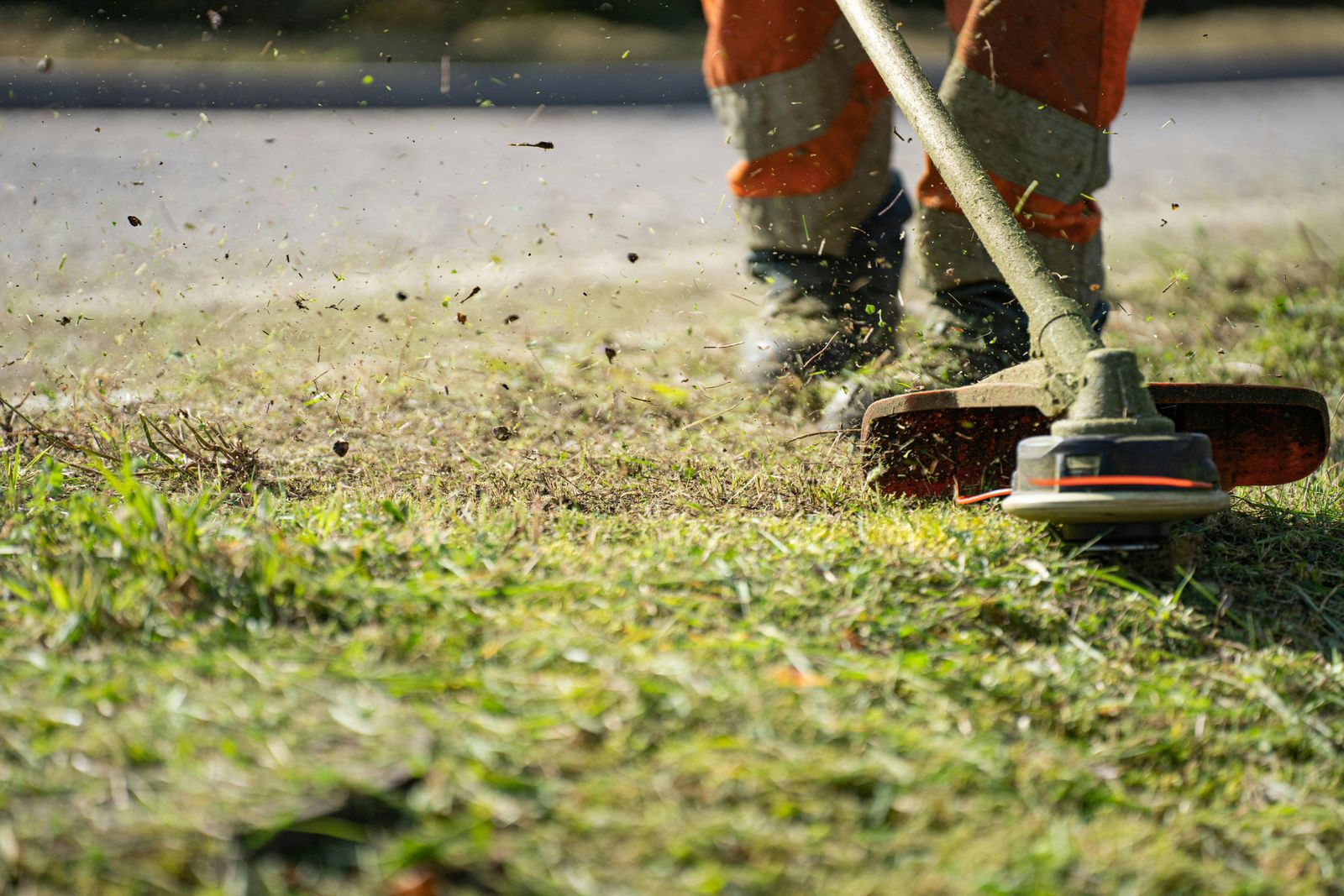
Two contractors can do the same quality of work in the same neighborhood. The first contractor finishes the job, cleans up, gets paid, and moves on. The customer is happy, but there is almost no public proof of the work.
The second contractor finishes the job, takes clear before, during, and after photos, and turns those photos into Google Business Profile updates, social media posts, review requests, website examples, and sales follow-up proof. After a few months, the difference is not just skill. It is visibility.
Great work gets remembered by one customer. Great work with visible proof helps win the next one.
For home services pros, before-and-after photos are more than nice content. They are trust assets. They show potential customers what you fixed, how professional your work looks, and why your service is worth choosing.
Why before-and-after photos matter in home services marketing
Home services marketing depends heavily on trust.
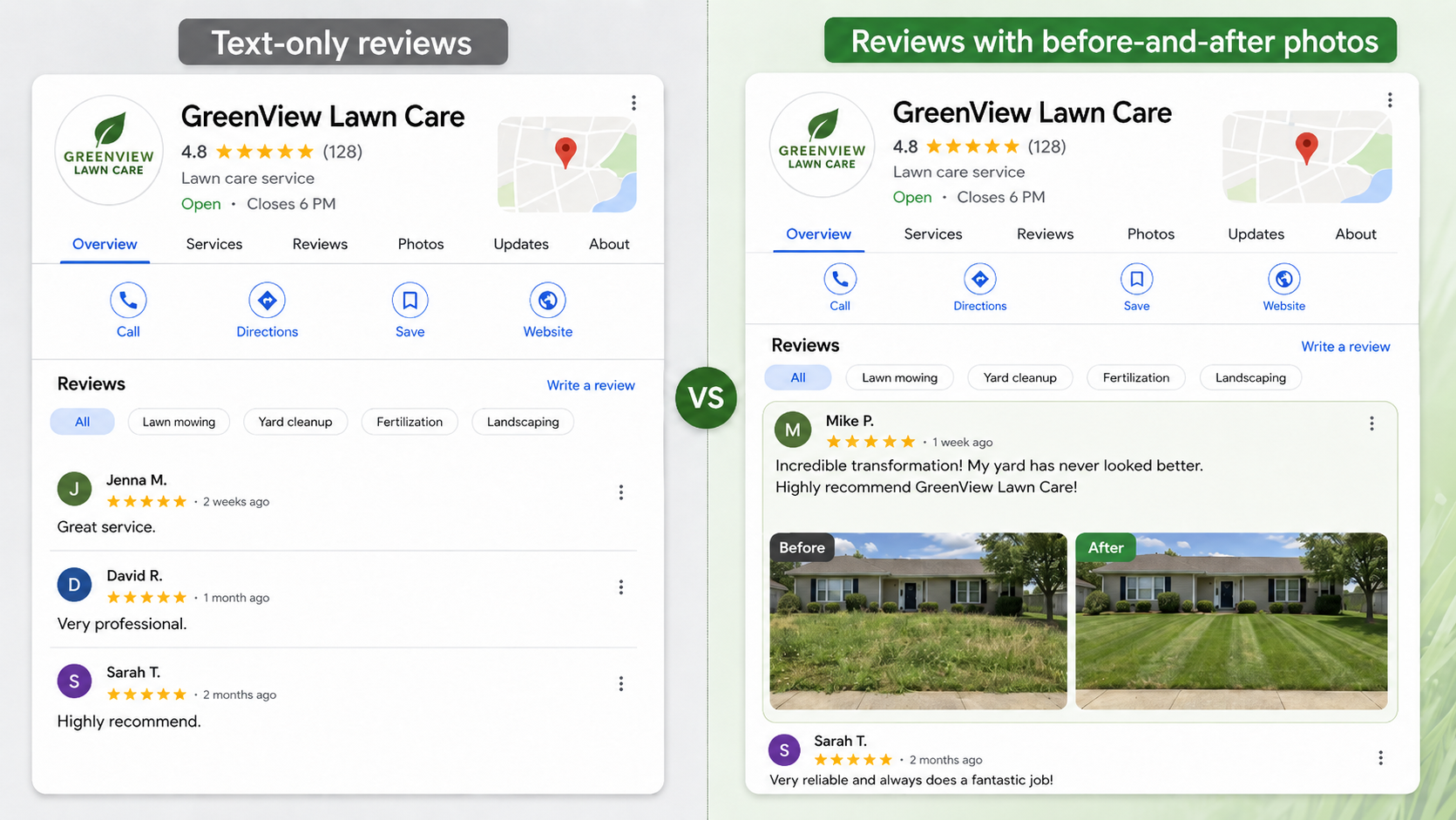
Before someone calls a contractor, they usually check a few things first: Google reviews, Google Business Profile photos, recent work examples, social media posts, and the company website.
In that moment, customers are not only asking, “Can this person do the job?”
They are also asking:
- Can I trust this person in my home?
- Have they solved this kind of problem before?
- Do they look professional?
- Do other local customers recommend them?
- Can I see proof of the result?
This is why before-and-after photos work so well for home services. They make the value of your work easy to understand without a long explanation.
Before-and-after photos add that missing context. A 5-star review says the customer was happy. A clear job photo shows what changed.
How before-and-after photos make reviews and marketing more convincing
But not every photo is useful. To make before-and-after photos clear, redible, and easy to reuse, follow four simple rules.
1. Same angle
Take the before and after photo from the same position. If the before photo is taken from the doorway, take the after photo from the doorway too. If the before photo shows a sink from the left side, take the after photo from the left side.
The easier the comparison, the stronger the visual proof.
2. Same lighting
Try to keep the lighting consistent. If the before photo is dark and the after photo is bright, the result can look exaggerated. Clean, even lighting makes the job feel more professional and more trustworthy.
3. Same distance
Keep the subject the same size in the frame. Do not take a close-up before photo and a wide after photo. Customers should not have to guess what changed.
4. Same context
A useful job photo should also carry basic context. That might include the service type, location area, date, project note, or job details.
This matters because one photo may later be used in multiple places: a Google Business Profile update, a social media post, a review reply, a website portfolio, or a sales follow-up. If the photo has no context, it is harder to reuse.
The 3-photo formula for every home services job
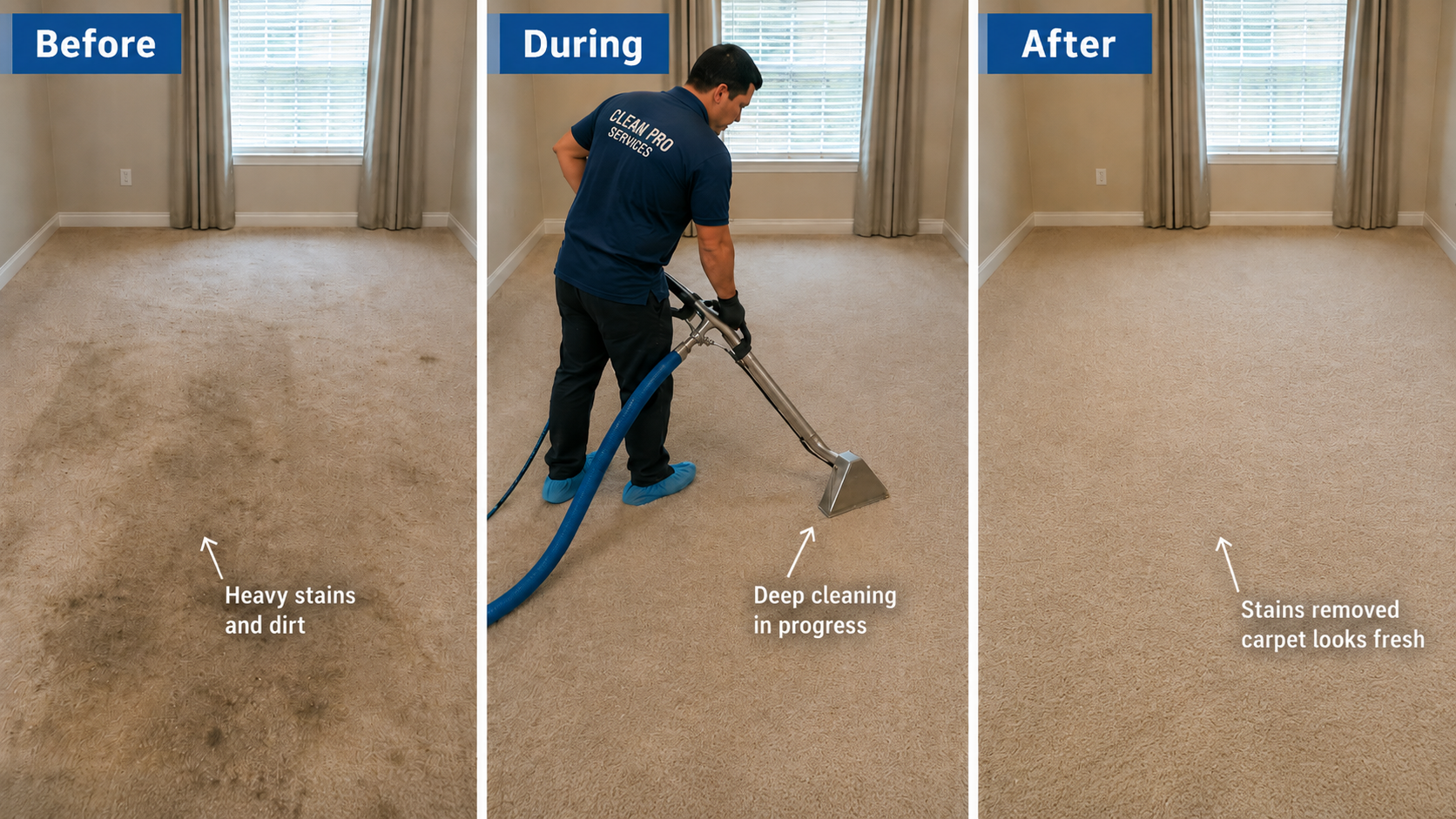
For most home services jobs, three photos are enough to tell a clear story: problem, process, result.
1. Before: show the problem
The before photo should show why the customer needed help.
For example:
- A leaking pipe
- A dirty air filter
- An overgrown yard
- A stained carpet
- Damaged siding
- An old water heater
- A clogged drain
- A messy move-out cleaning job
Do not over-polish the before photo. It should show the real starting point. A good before photo helps another homeowner think, “That looks like the issue I have.”
2. During: show the work
The during photo builds trust.
It can show the technician working, the tools being used, the floor being protected, the part being replaced, or the work area being kept clean. This type of photo is especially helpful because many customers do not fully understand the technical details of the job. They may not know what a proper installation or repair looks like, but they can recognize care, process, and professionalism.
Good during photos can show:
- A technician using the right tool
- Protective floor covering
- Parts or materials being installed
- A clean work area
- Safety setup
- A branded uniform or vehicle
Avoid sharing private customer information, personal belongings, or sensitive areas of the home unless you have permission.
3. After: show the result
The after photo is the strongest marketing asset.
It should show the finished work, the cleaned-up area, and the result the customer paid for. For many home services jobs, cleanup matters almost as much as the repair itself. A customer may not understand every technical detail, but they can see whether the space was left clean and complete.
The before photo creates the problem. The during photo builds trust. The after photo sells the result.
Where to use before-and-after photos
The real value of before-and-after photos comes from reusing them across the places where customers make decisions.
1. Google Business Profile photos
Your Google Business Profile should not only show your logo, truck, or storefront. It should show real work.
Upload photos of completed jobs, service areas, team members, and before-and-after examples. Fresh project photos make your profile look active and help future customers see what kind of work you actually do.
2. Google reviews
When you ask for a review, you can gently remind the customer that photos are welcome if they feel comfortable.
For example:
Do not pressure customers to upload photos. Just make it easy and optional. Guide customers on what to mention in a review, such as the service received, the area of town, the employee who did the work, and a photo of the finished project. These details make reviews more useful for future customers and more valuable for online visibility.
3. Instagram and Facebook
Before-and-after photos are one of the easiest forms of home services social media content because the story is already built in.
Use a simple format for your post caption:
- Problem
- What we did
- Result
- Service area
- Call to action
Example:
“Old water heater leaking in the garage. We removed the damaged unit, installed a new system, tested the connections, and cleaned up the area before leaving. Serving homeowners in Glendale and nearby areas.”
4. Website portfolio
Every strong before-and-after set can become a small project example on your website.
You do not need a long case study. Use a simple format:
Over time, these examples create a portfolio of real work. This helps both solo contractors and small home services businesses look more credible.
5. Estimate and sales follow-up
Before-and-after photos are also useful before a customer hires you.
If someone asks for a quote, send a similar project example. A price alone can feel abstract. A photo gives the customer something to compare.
For example:
“We handled a similar repair last month. Here’s what the issue looked like before and how it looked after the replacement.”
This can make your estimate feel more trustworthy and reduce the chance that the customer chooses only based on price.
How to ask for reviews without sounding pushy
The best review request feels natural, timely, and easy to act on. I recommend asking for reviews immediately after completing jobs, ideally within 24 hours, with direct links to your Google Business Profile or other review platforms.
Keep the message short. Explain why the review matters. Include the link. If appropriate, mention that they can add a photo, but make it optional.
Template for solo technicians
Template for home services businesses
The goal is not to force a perfect review. The goal is to make it easy for happy customers to share a specific, useful experience.
Turn one finished job into repeatable marketing proof
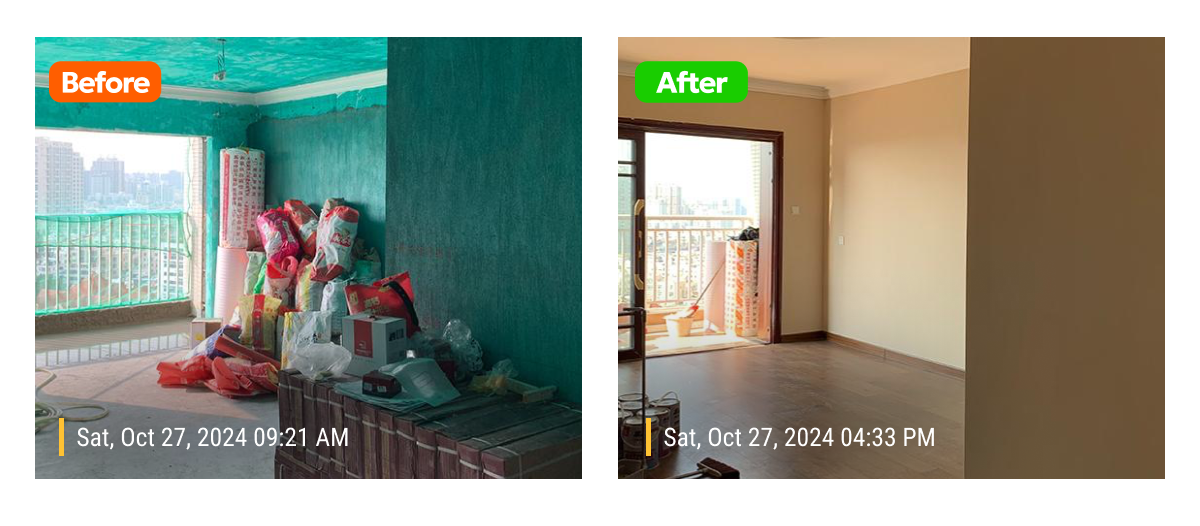
One completed job can become more than one invoice.
The challenge is that most home services photos are not organized for reuse. They stay scattered across personal phones, text messages, camera rolls, and group chats. Later, when you want to post on social media or update your website, it is hard to find the right photo, remember where it was taken, or know which customer approved it.
A before-and-after strategy only works if field photos are easy to capture, find, and reuse. Photos should be organized by stage, customer or project, date, and service type. Someone should also know which photos are approved for public marketing use.
Before-and-after photos do not replace good work. They make good work visible in the places where customers decide who to call.
About Timemark
Timemark is a jobsite photo documentation app with timestamp, GPS geotag, and on-site notes. With Teamspace, field teams can automatically collect, organize, search, and export job photos across projects.
Timemark empowers construction, field service, telecom, and transportation teams to capture verifiable job photos to prevent disputes, support claims, and ensure project transparency. Timemark makes job photos trusted, organized, report-ready, and searchable. For setup instructions and product guidance, visit the Timemark Help Center.