Timemark logoTimemark
All Solutions

Simplify Construction Progress Photography for Your Team

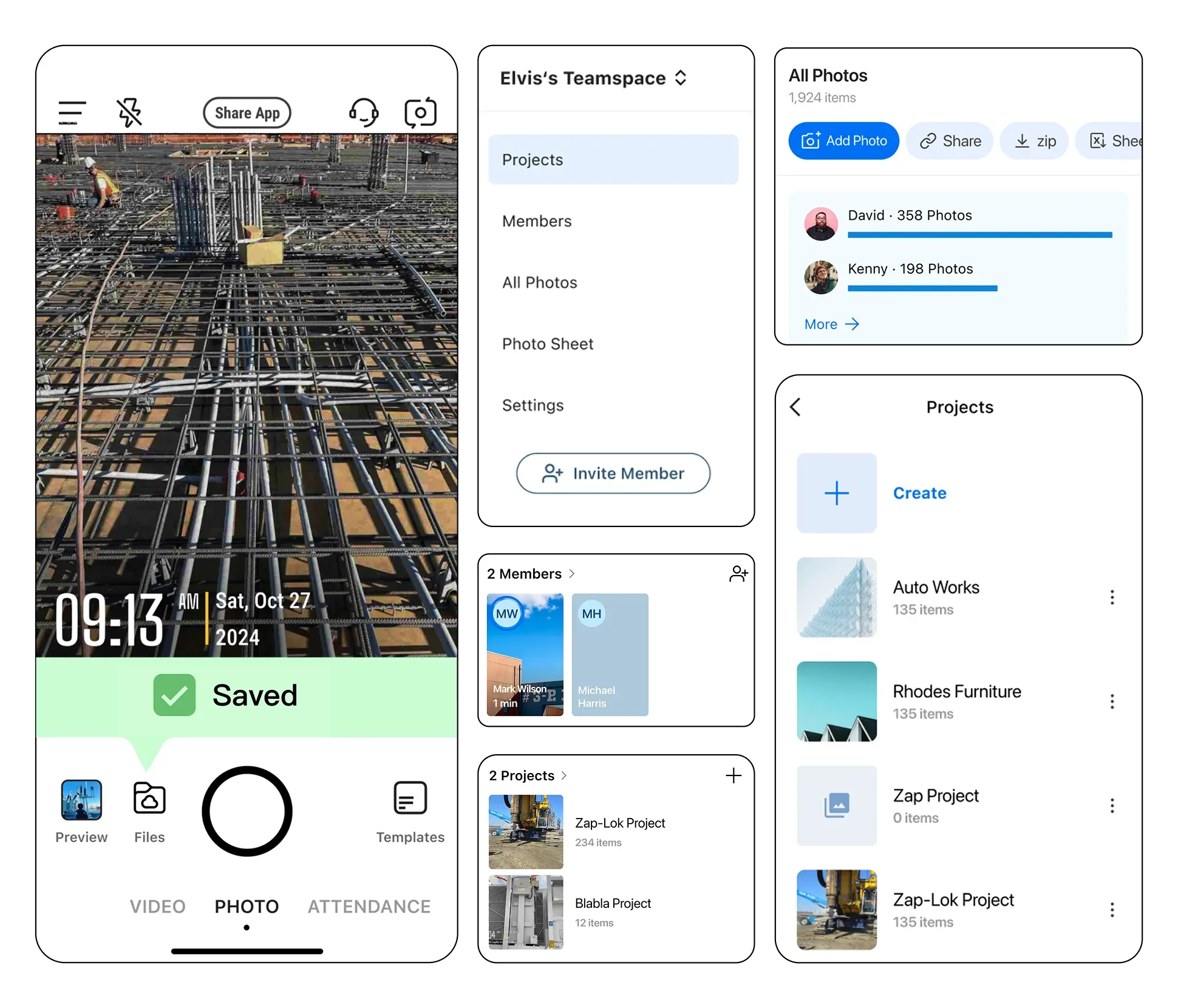
Construction progress photography made easy with Timemark's App. It auto-collects site photos and organizes them by Project/Member, letting you skip manual work. Save time and keep your construction team on track with the best documentation.

Timemark interface showing construction progress photos organized by project and member

Trusted by 3.7M field pros and teams from

Charter logoSpectrum logoWalmart logoCoca-Cola logoUnilever logoContecons logo
Waskita logoMasTec logo7-Eleven logoG4S logo

Still wasting hours chasing messy construction site photos?

You send photos via email, then they get lost in folders. Team members miss updates, and rework hits, costing you time and money. But here's the good news: Timemark's construction progress photography with best site documentation keeps everyone aligned. It even cuts rework costs by 25%. No more chaos—just smooth photo management.

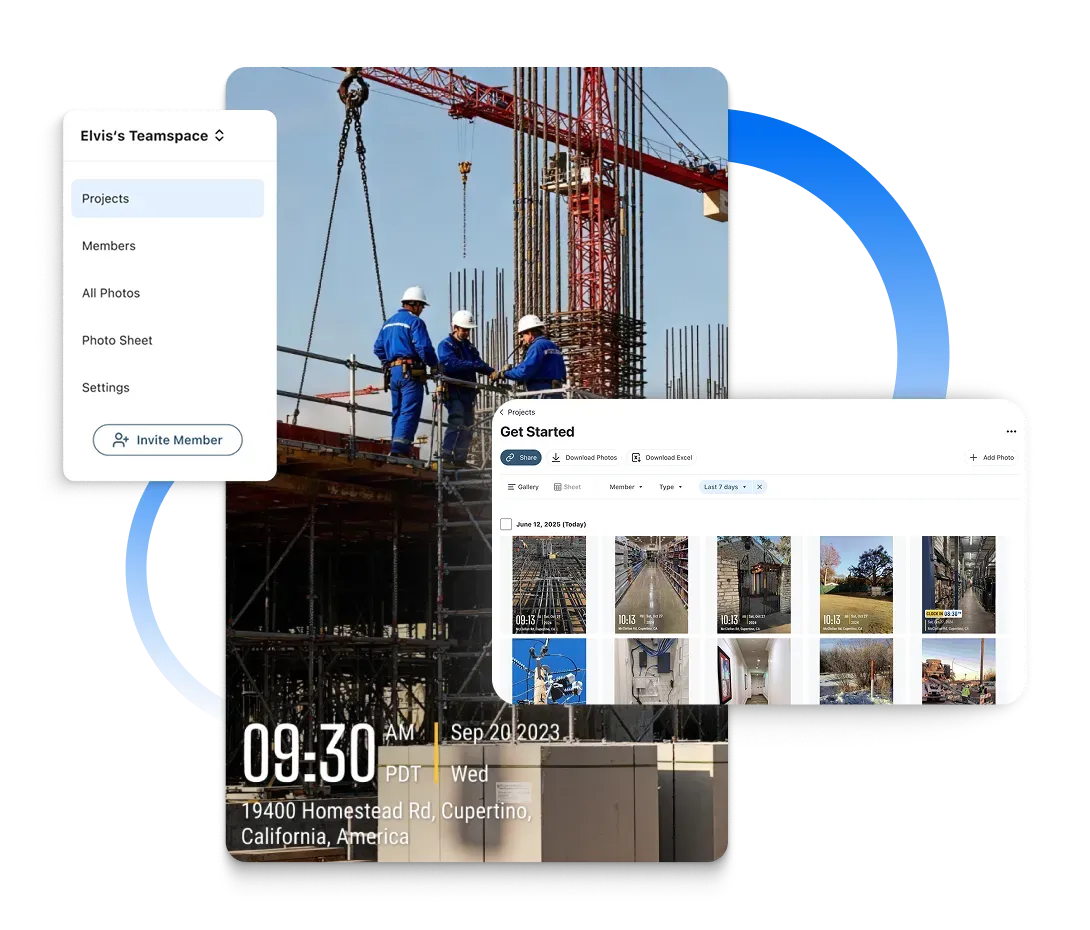
Teamspace interface showing construction progress photos organized by project

Key Features

Auto-Collection

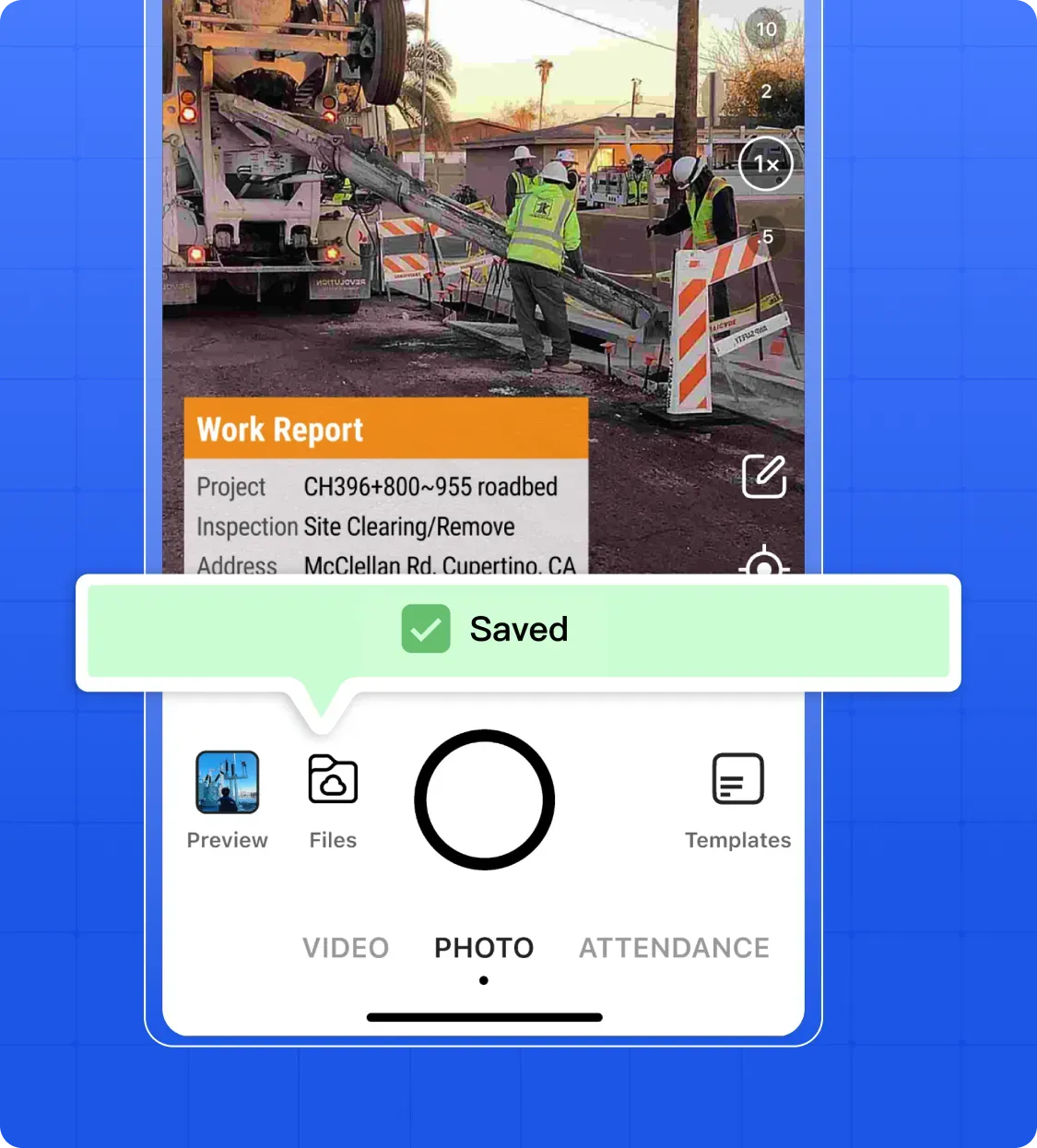
Timemark automatically captures and uploads site photos, tagging them by project, team member, and timestamp for accurate client updates and government compliance.

  • Instant Upload: Snap photos on-site and Timemark uploads them automatically, eliminating manual work.
  • Project & Team Tagging: Photos are tagged by project, team member, and timestamp for accurate records.
  • Compliance Ready: Supports government inspections and professional client reporting.
Download Timemark
Timemark interface with a timestamped photo, sync status showing Saved

Smart Organization

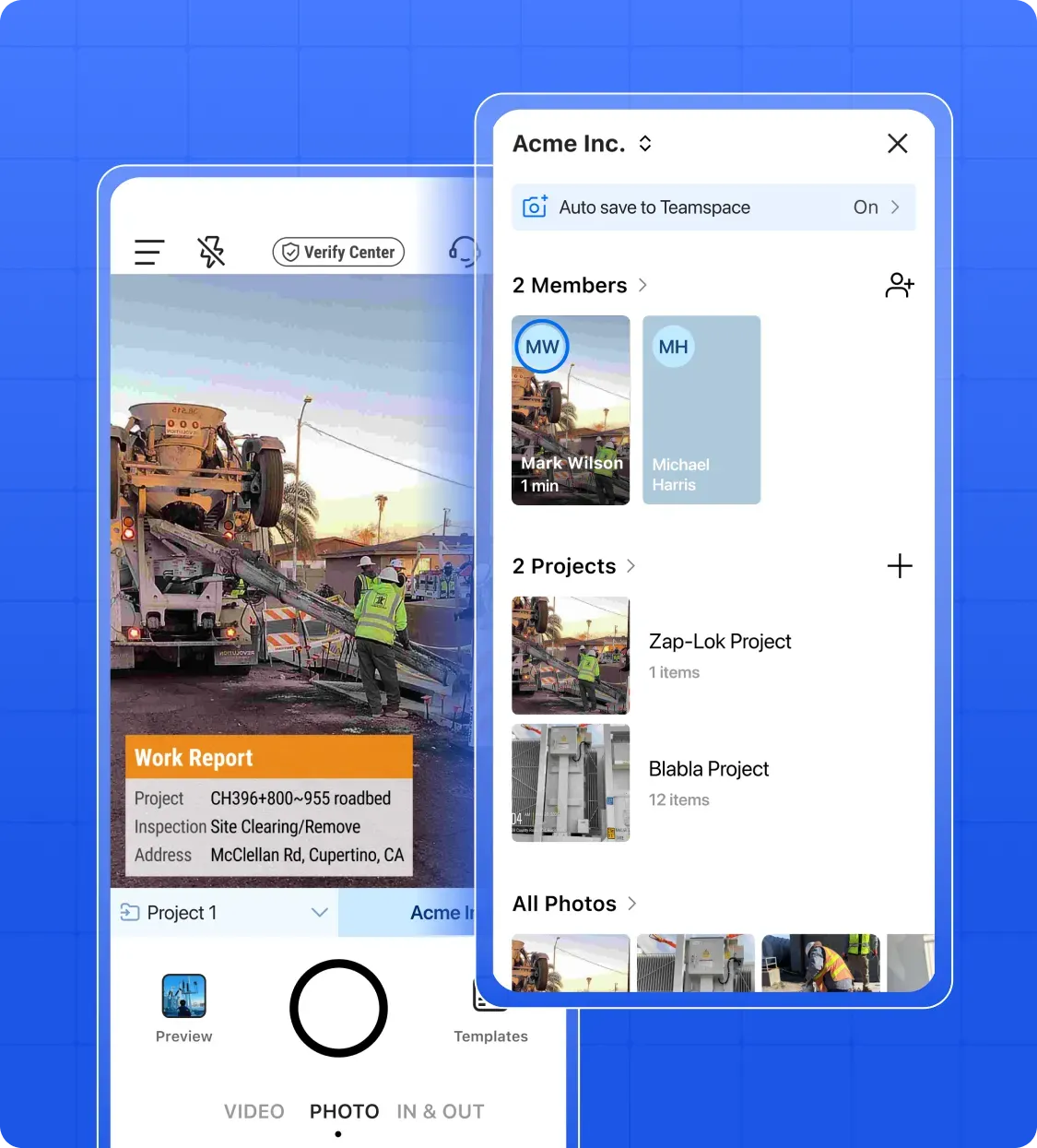
Timemark organizes all project photos in a centralized system, streamlining services and making it easy for clients and teams to track construction progress.

  • Automatic Sorting: Timemark organizes photos by project, date, and team member for smooth project management.
  • Centralized Storage: Keeps all visual records in one place, preventing lost or scattered documentation.
  • Fast Search & Filter: Easily find photos to track construction progress efficiently.
Get Started Free
Timestamped photo screen next to construction photos sorted by member and project

Multiple Views

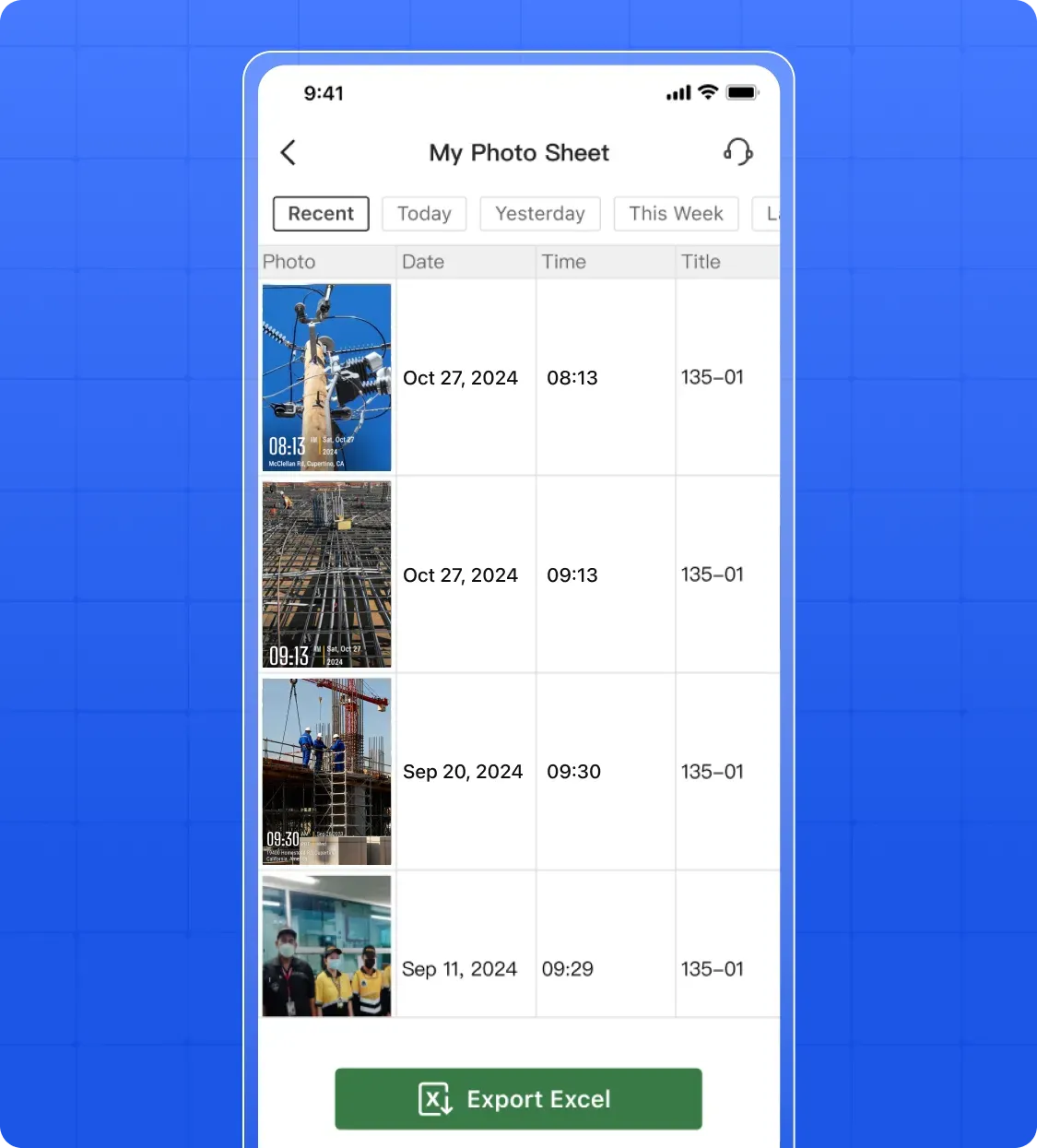
Timemark lets you view photos in gallery, sheet, or map formats, helping clients, project managers, and government stakeholders visualize site progress clearly.

  • Gallery, Sheet & Map Views: Check photos in multiple formats depending on your needs.
  • Precise Map Location: Map view shows exact photo locations for spot-by-spot tracking.
  • Clear Visualization: Helps clients, project managers, and government reviewers see progress clearly.
Get Started Free
Photo sheet in Excel format with timestamped photo, date, time, and title columns

Easy Sharing & Reports

Timemark enables secure sharing of project photos and generates audit-ready reports, keeping clients, government authorities, and project teams informed efficiently.

  • Secure Share Links: Share project photos with clients, government authorities, or team members easily.
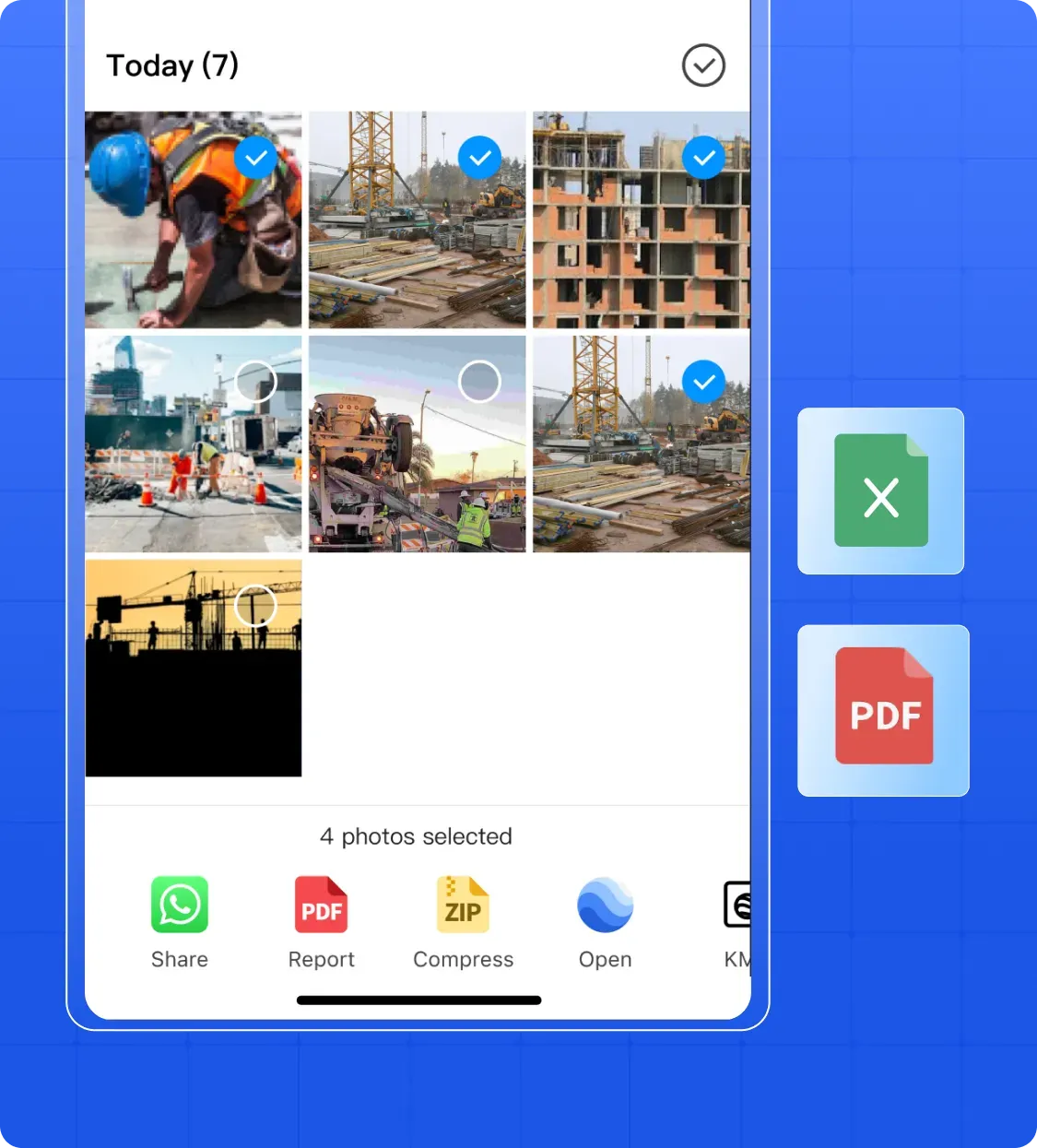
  • Audit-Ready Reports: Generate PDF, Excel, or KMZ reports directly from photos.
  • Professional Updates: Ensure clients and stakeholders receive up-to-date, reliable documentation.
Get Started Free
Photo gallery with selected photos and export/share options for Excel, PDF, ZIP, KMZ, WhatsApp

Why Top Contractors Rely on Timemark for Visual Documentation?

Reduce rework and control costs icon

Reduce Rework & Control Costs

Timemark lets you monitor construction progress photography with real-time photos. Catch problems (like wrong installations) early and fix them fast, avoiding expensive rework while keeping the project on schedule and on budget.

Legal safety and avoid disputes icon

Legal Safety & Avoid Disputes

Each photo from Timemark comes with a timestamp and where it was taken. This is "proof you can trust." If a client or vendor has a claim, show this evidence to protect your business—no more guesswork.

Better communication and faster work icon

Better Communication & Faster Work

All your project photos live in one central library. Timemark's construction progress photography and site documentation keep field teams and office staff on the same page. No more missed info—collaborate smoothly.

Your Field Photos Are Safe & Secure With Timemark

Privacy and safety matter for your construction photos. Timemark's construction progress photography keeps every shot secure with GPS and date stamps, providing full context for every image. Once uploaded, photos stay exactly as-is—no edits allowed. Trustworthy site documentation, always reliable for legal and compliance needs.

Timemark securely storing a construction site photo with GPS and timestamp

Customer Testimonials

Before Timemark, I spent 3 hours weekly organizing site photos via email. Now, the App auto-sorts them by project. Saves me so much time for actual construction work!

Pedro Tamayo
Construction Contractor

My team uses Timemark's App to snap site condition photos. They auto-upload to our web dashboard, so I never miss a single progress update.

Steve Thompson
Land Survey Company Manager

Timemark's map view lets me find photos by site location fast. Sharing links with clients is easy too. No more big email attachments cluttering inboxes.

Mike Lopez
Telecom Contractor Team Lead

Timemark stopped our photo chaos. All shots go to one folder by member. When a client had a question, we showed them linked photos in 2 minutes!

Robert Whitmore
Field Service Team Supervisor

The timestamped photos from Timemark helped us fix a small issue early. No costly rework, and our project stayed right on its timeline—total lifesaver!

Marty Wilson
Construction Quality Control Specialist

I used to hunt for photos in 5 folders. Now Timemark sorts them by project, and the share feature keeps stakeholders in the loop.

Justin Davis
Building Contractor Project Manager

Frequently Asked Questions

Simplify Construction Progress Photography Now!

Sign up to create your team, and let Timemark handle photo uploads/sorting, so you focus on building, not organizing.

Start For Free
Construction Progress Photography: Simplify Project Photo Tracking