Timemark so với Google Drive
Google Drive dành cho việc lưu trữ tệp chung, trong khi Timemark được xây dựng để chụp và sắp xếp ảnh công việc với tất cả bối cảnh được nhúng.
Được tin cậy bởi 3,7 triệu chuyên gia và đội ngũ từ





Tại sao Timemark là giải pháp thay thế tốt nhất cho Google Drive?
Không còn siêu dữ liệu bị mất
Google Drive: Siêu dữ liệu như thời gian và vị trí thường bị mất khi ảnh được di chuyển, chia sẻ hoặc tải xuống. Timemark: Tự động nhúng thời gian, ngày tháng, GPS, ghi chú và các chi tiết khác trực tiếp vào từng ảnh.
Tải Timemark
Không cần tổ chức thủ công nữa
Google Drive: Các thư mục có thể dễ dàng bị hỗn loạn do tải lên sai thư mục hoặc đặt tên không nhất quán, đặc biệt là giữa nhiều thành viên trong nhóm. Timemark: Teamspace sắp xếp ảnh theo dự án, nhóm và ngày, đồng thời áp dụng cách đặt tên thống nhất, giữ cho mọi thứ đều có thể truy cập và tìm kiếm được.
Tải Timemark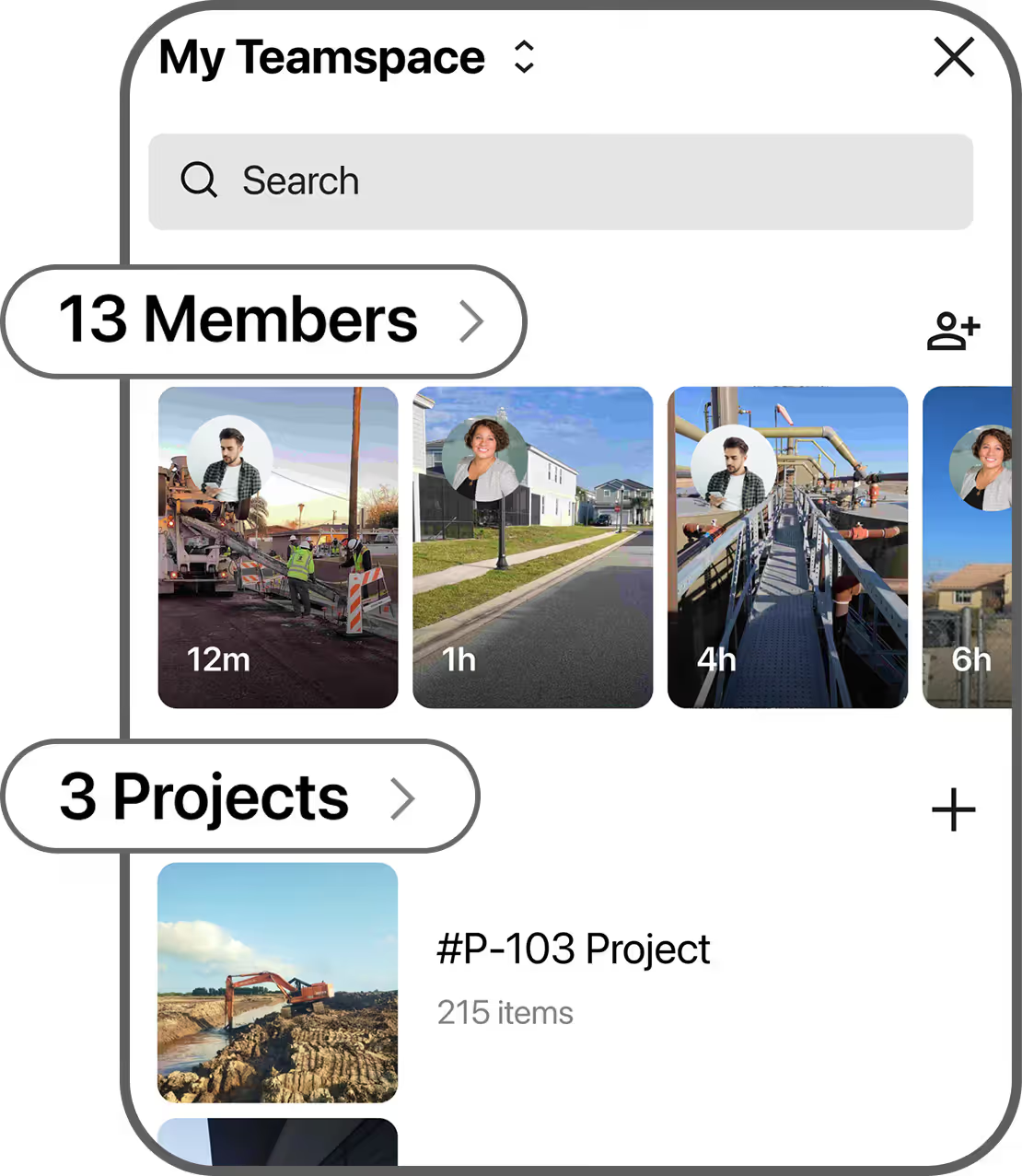
Báo cáo tức thì
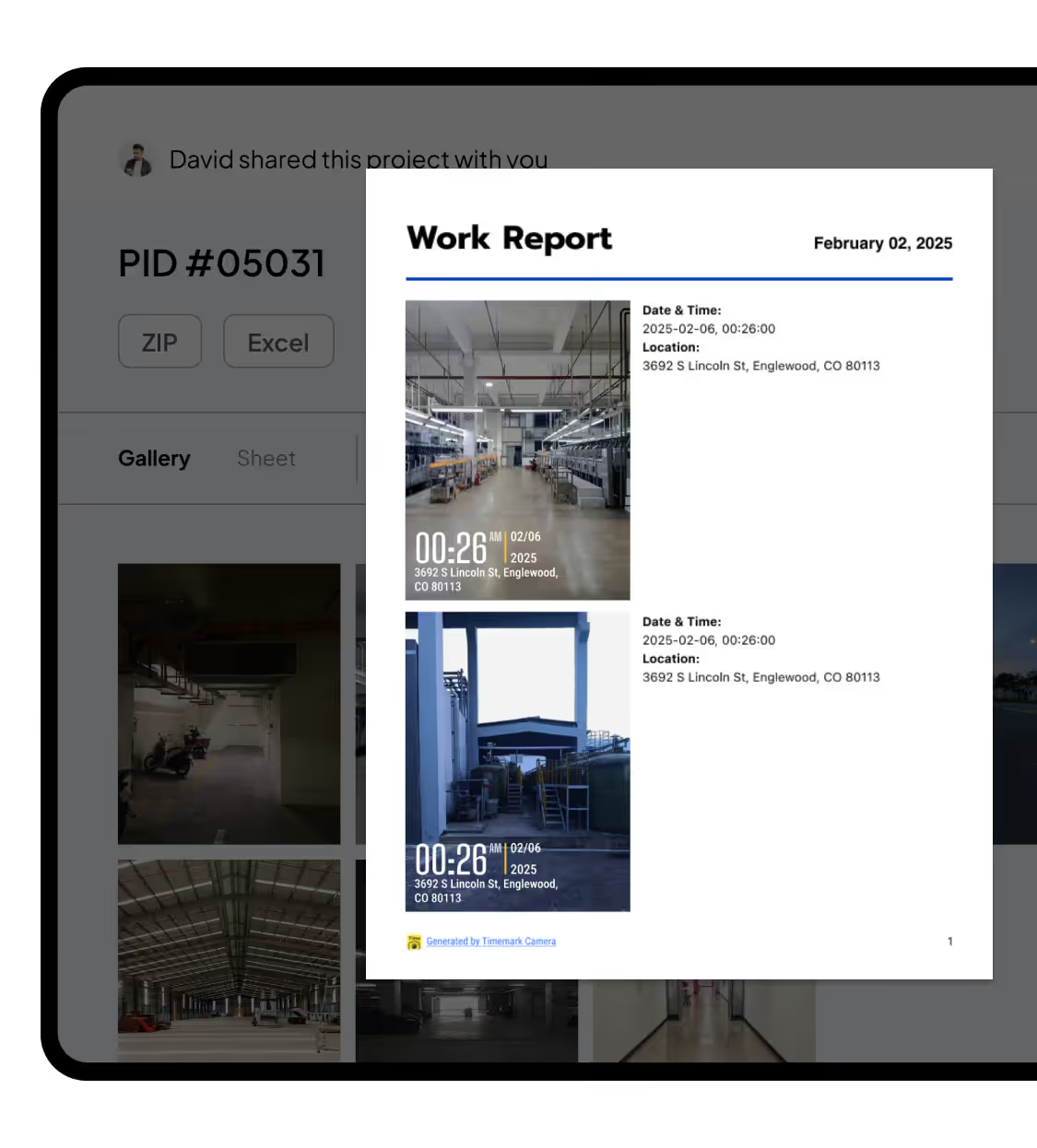
Google Drive: Không có tính năng báo cáo. Người quản lý dự án hoặc nhóm dẫn đầu lãng phí thời gian chuẩn bị báo cáo. Timemark: Xuất ảnh thành PDF, Excel, ZIP hoặc các liên kết có thể chia sẻ mà không cần rời khỏi ứng dụng.
Tải Timemark