Timemark vs. Email Attachments
Chega de anexos de e-mail grandes, conversas intermináveis ou arquivos perdidos.
Com a confiança de 3,7 milhões de profissionais e equipes de campo de






Por que Timemark é melhor do que enviar fotos de trabalhos por e‑mail?
Fácil de encontrar, fácil de ler
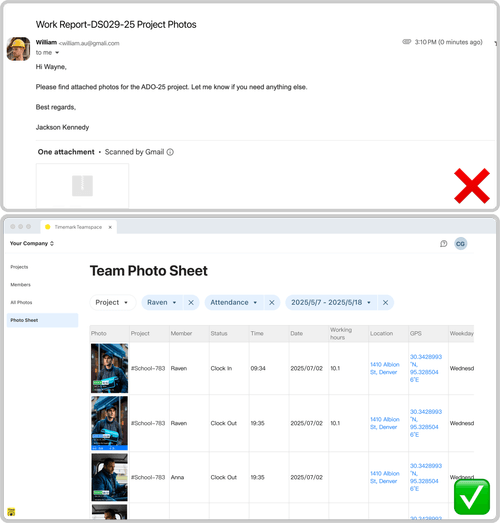
E-mail: as fotos ficam enterradas em longos tópicos de e-mail, são difíceis de filtrar e muitas vezes chegam sem notas ou contexto. Timemark: Cada foto é carimbada automaticamente com hora, GPS e notas e depois organizada por projeto, data ou equipe no Teamspace.
Baixar Timemark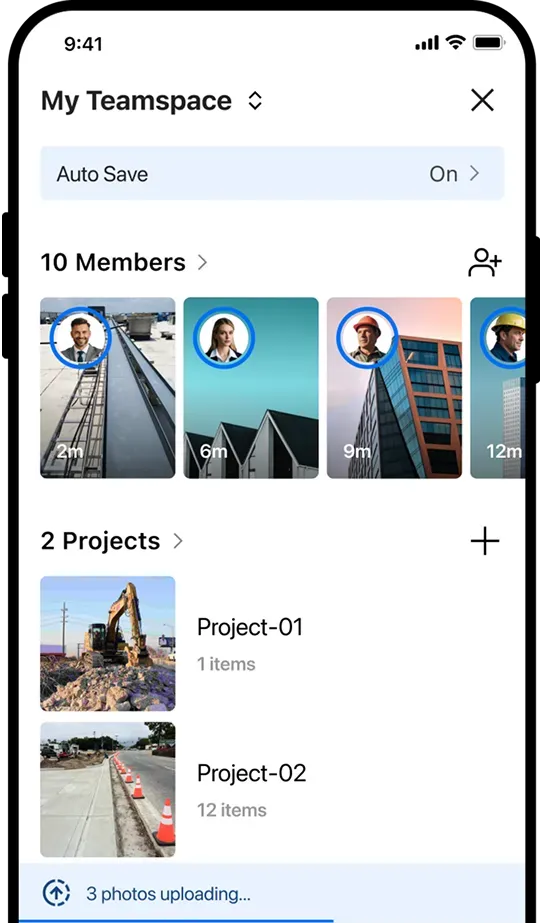
Chega de encargos locais
E-mail: os destinatários precisam baixar anexos grandes e classificá-los manualmente em pastas locais. Timemark: As fotos são carregadas automaticamente para a nuvem, organizadas instantaneamente por projeto e acessíveis sem downloads ou classificação manual.
Baixar Timemark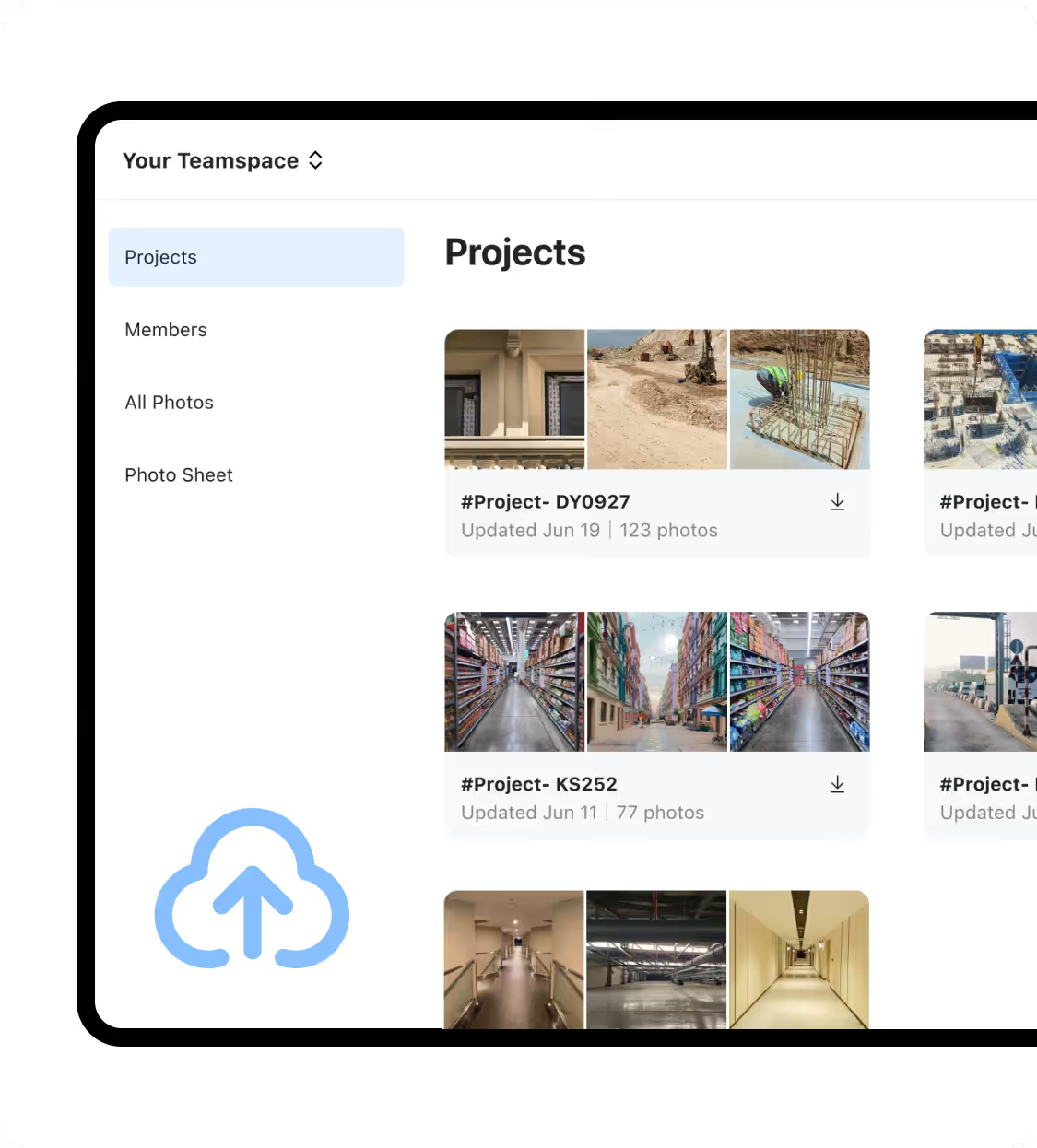
Atualizações em tempo real
E-mail: As equipes de campo esperam por despejos diários ou semanais de fotos e às vezes se esquecem de enviar fotos, retardando a tomada de decisões. Timemark: As fotos são carregadas instantaneamente para Teamspace, mantendo os líderes da equipe e o back office atualizados em tempo real.
Baixar Timemark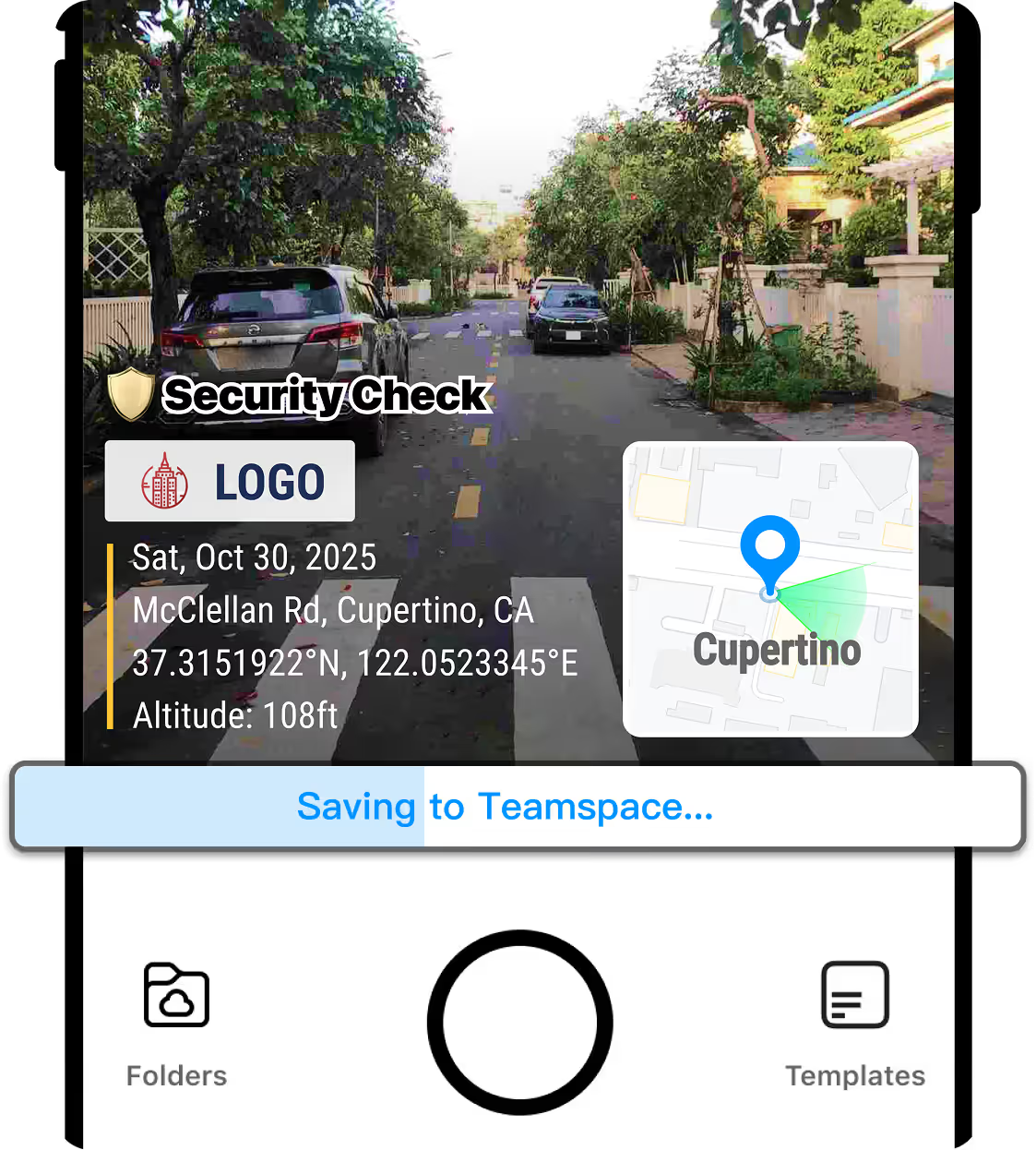
Tudo em 1 minuto
E-mail: selecionar, anexar e incorporar notas manualmente leva tempo. Timemark: Capture, carregue automaticamente e exporte como PDF, Excel, link ou ZIP instantaneamente, sem etapas extras.
Baixar Timemark