
CompanyCam vs Timemark: The Best Jobsite Photo App for Proof of Work
Hesper Du · May 25, 2026
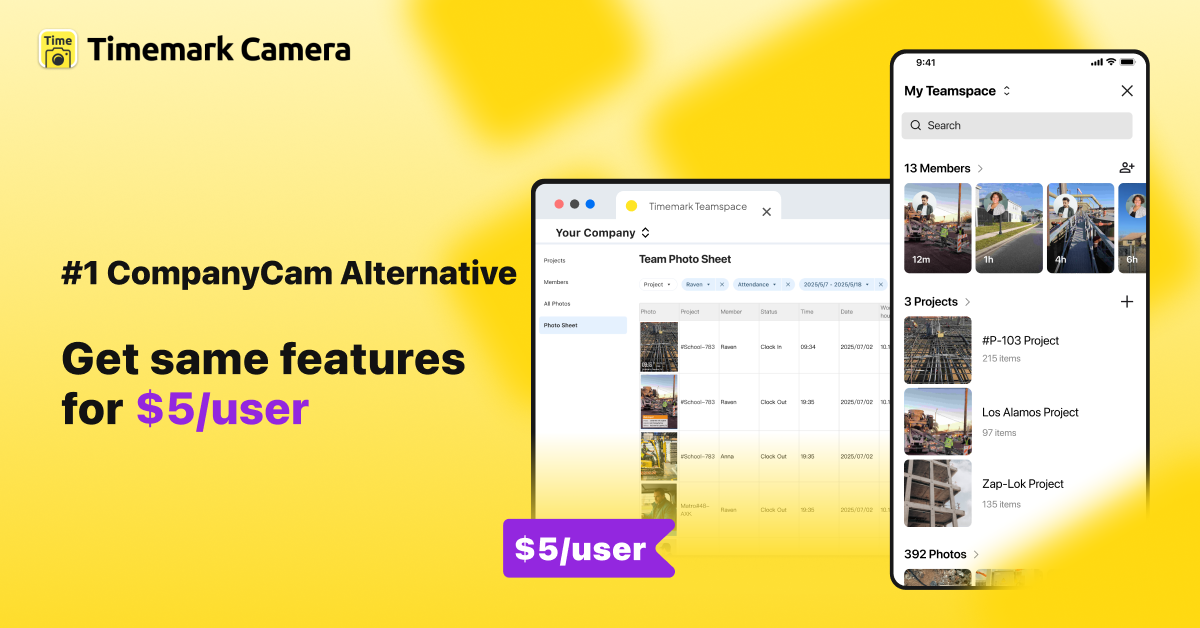
If you're choosing between CompanyCam and Timemark for jobsite photo documentation, you're comparing two photo-first tools with very different approaches to pricing, verification, and team size.
This page breaks down how they compare across the features that matter most to contractors and field teams. The goal is to help you make the right call without the guesswork.
What Is CompanyCam?
CompanyCam is a jobsite photo management app built for construction contractors. It lets teams capture, organize, and share job photos by project, with features like photo markup, annotations, and integrations with tools like Procore and JobNimbus.
CompanyCam is best known for its clean interface and its strong ecosystem of integrations with larger construction management platforms. It's widely used by mid-to-large roofing, restoration, and general contracting teams.
What Is Timemark?
Timemark is a photo-first field documentation tool trusted by 3.7M field professionals across construction, telecom, utilities, and inspection. It automatically stamps every photo with a verified timestamp, GPS location, and project notes. Everything syncs to a shared cloud workspace.
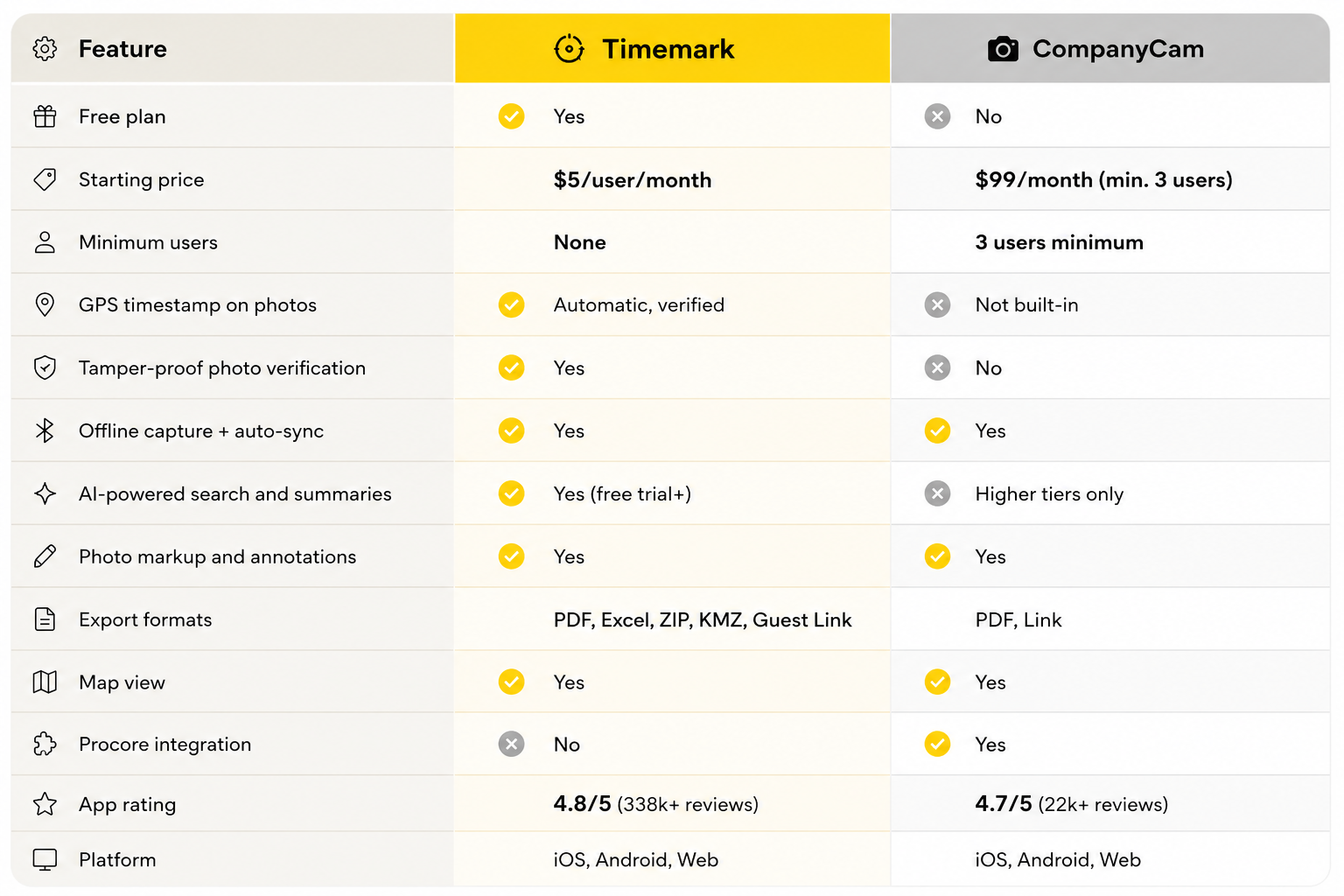
Unlike CompanyCam, Timemark does not require a minimum number of seats, making it significantly more affordable for small teams. It also scales to enterprise deployments with thousands of users. It also offers tamper-proof photo verification and built-in AI features available even on the free trial.
CompanyCam vs Timemark
Where CompanyCam Wins
Where Timemark Wins
Which One Is Right for You?
- You want to avoid paying for a 3-seat minimum when you only need 1–2 users
- You need GPS-verified, tamper-proof photo evidence for disputes, claims, or compliance
- You want AI features (activity summaries, smart search, team tracking) available from the free trial. Not locked behind a premium plan
- Your crew works in low-signal or remote areas and needs reliable offline capture
- You want more export options (Excel, KMZ, ZIP) beyond PDF
- You manage a large or enterprise team. Timemark scales to thousands of users with no seat cap
- You work in telecom, utilities, inspection, field services, or surveying
- Your team already runs on Procore or another major construction platform and needs native integration
- Deep construction-specific third-party integrations are a non-negotiable part of your workflow
Real Teams, Real Results
Frequently Asked Questions
For most teams, yes. Timemark offers verified GPS timestamps, AI-powered search and activity summaries available from the free trial, no minimum seat requirements, and more export formats. It also scales from solo contractors to enterprise teams with thousands of users. No seat cap applies. CompanyCam has an edge for teams already embedded in the Procore ecosystem. But for teams that want more features at lower cost without being locked into minimum seats, Timemark consistently comes out ahead.
Try Timemark Free
No credit card required. Set up your team workspace in minutes and start capturing verified jobsite photos today.
About Timemark
Timemark is a jobsite photo documentation app with timestamp, GPS geotag, and on-site notes. With Teamspace, field teams can automatically collect, organize, search, and export job photos across projects.
Timemark empowers construction, field service, telecom, and transportation teams to capture verifiable job photos to prevent disputes, support claims, and ensure project transparency. Timemark makes job photos trusted, organized, report-ready, and searchable. For setup instructions and product guidance, visit the Timemark Help Center.